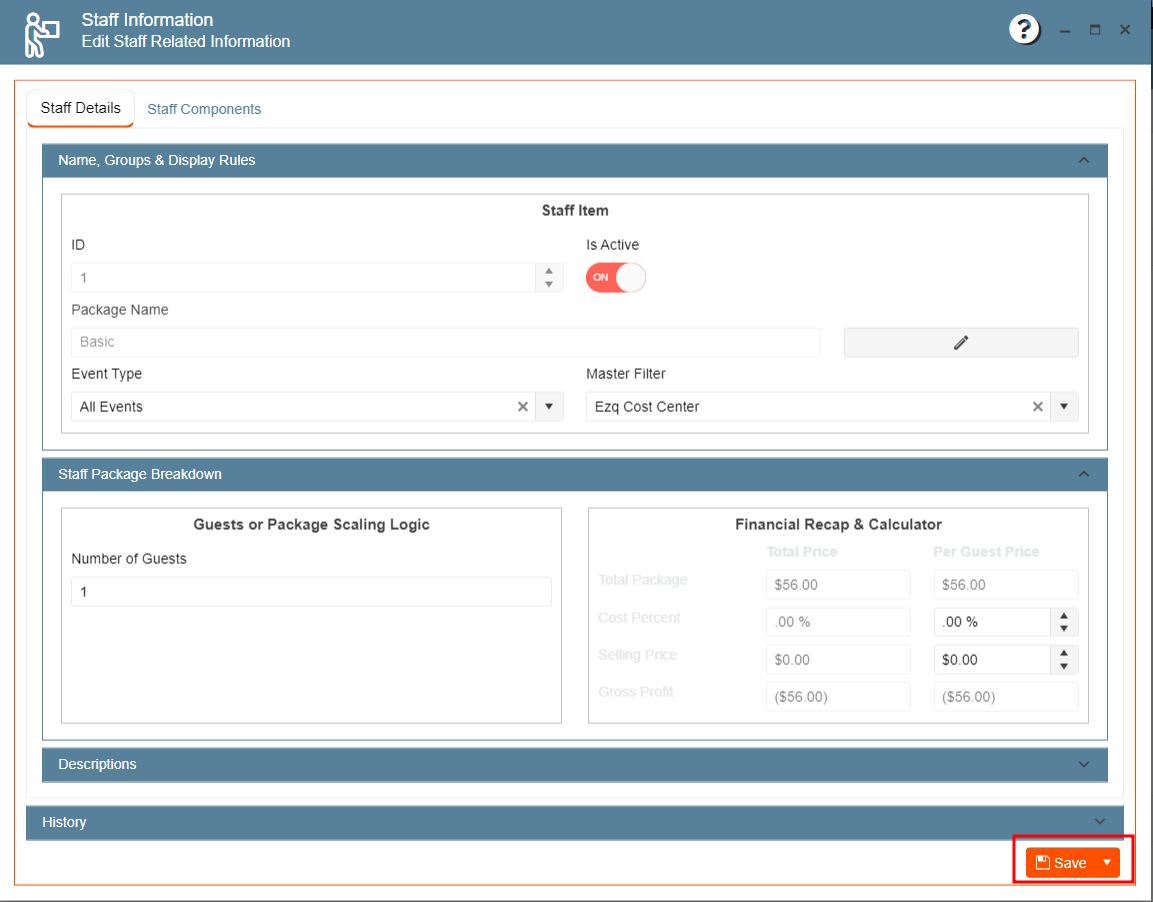
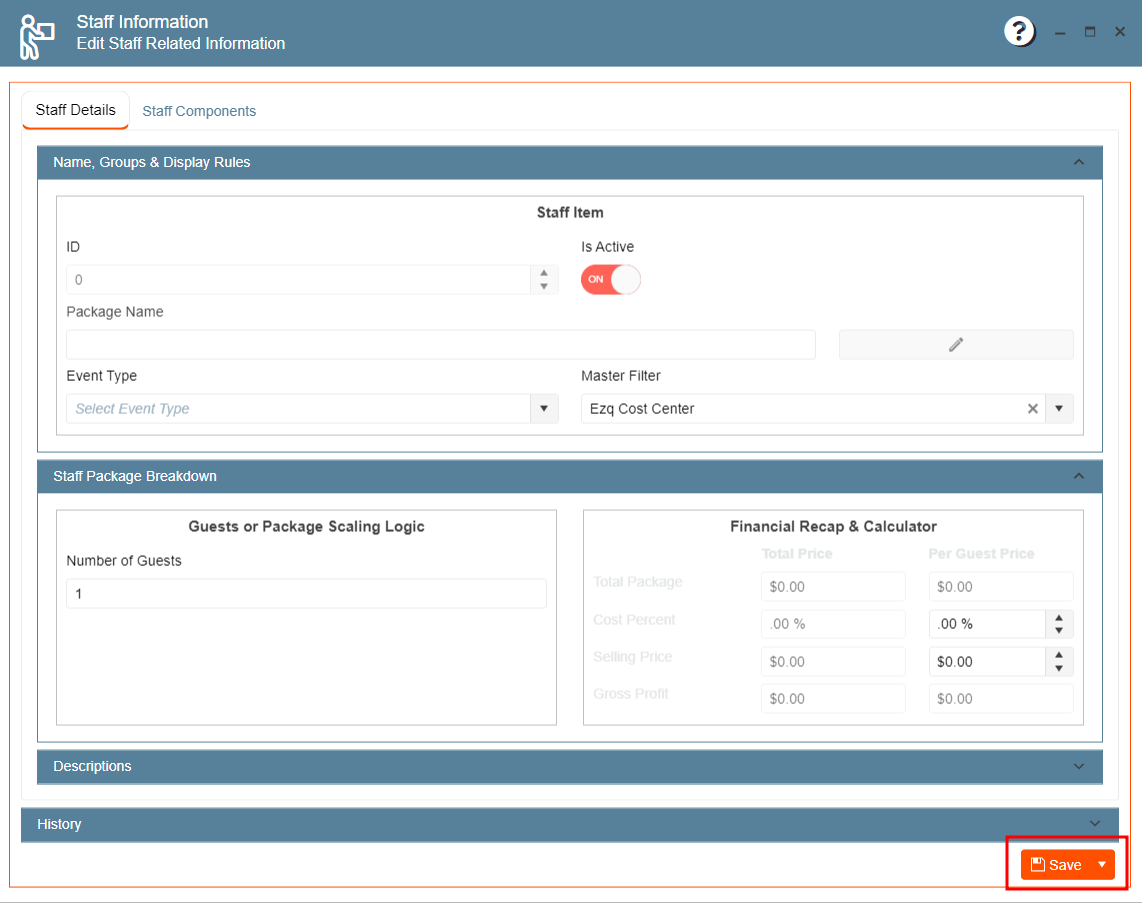
This is the space where you can keep and edit the Staff Information.
The section has two tabs.
- Staff Details.
- Staff Components.
To add a Staff Package:
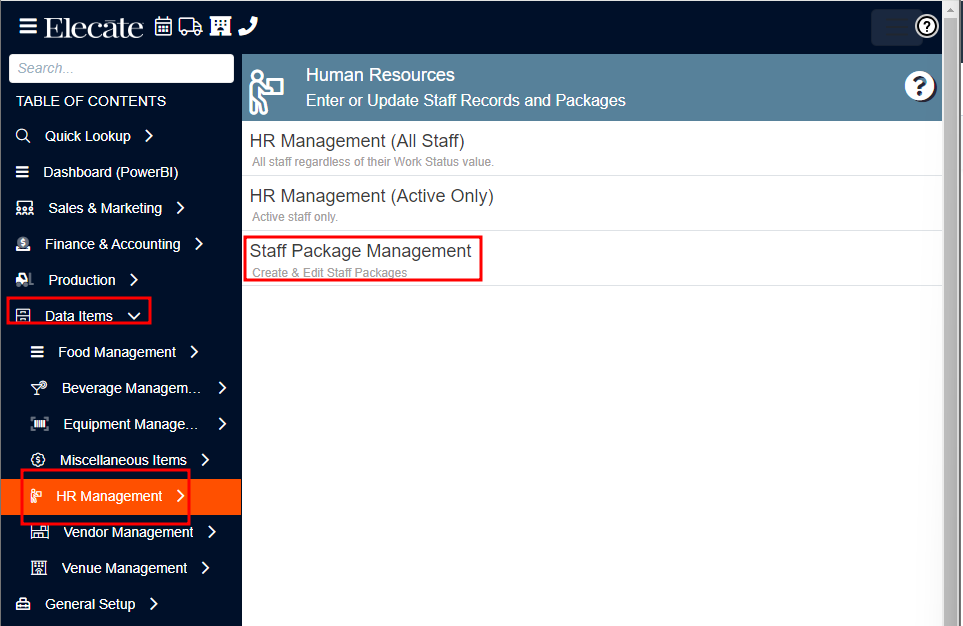
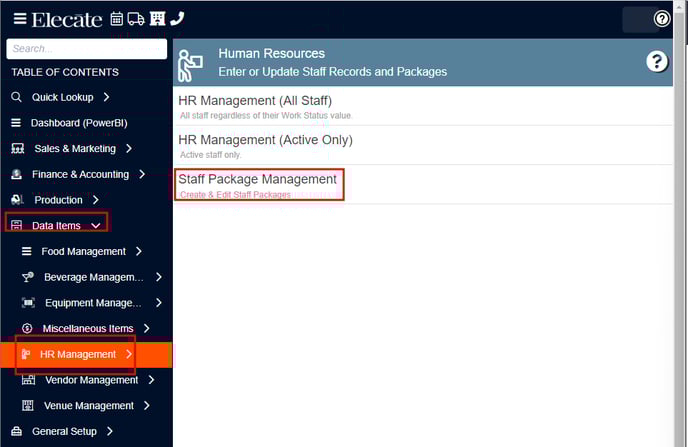
- Go to Data Items on the left side panel.
- Click HR Management.
- Click Staff Package Management.
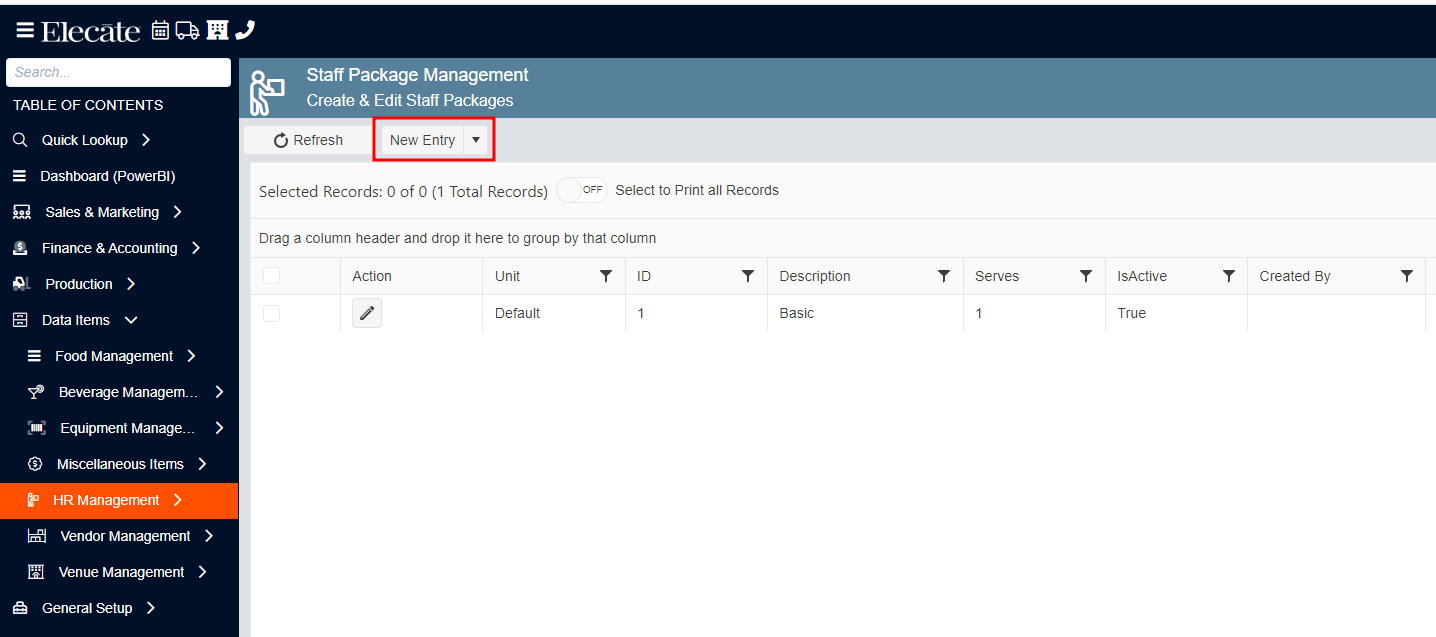
- Click New Entry.
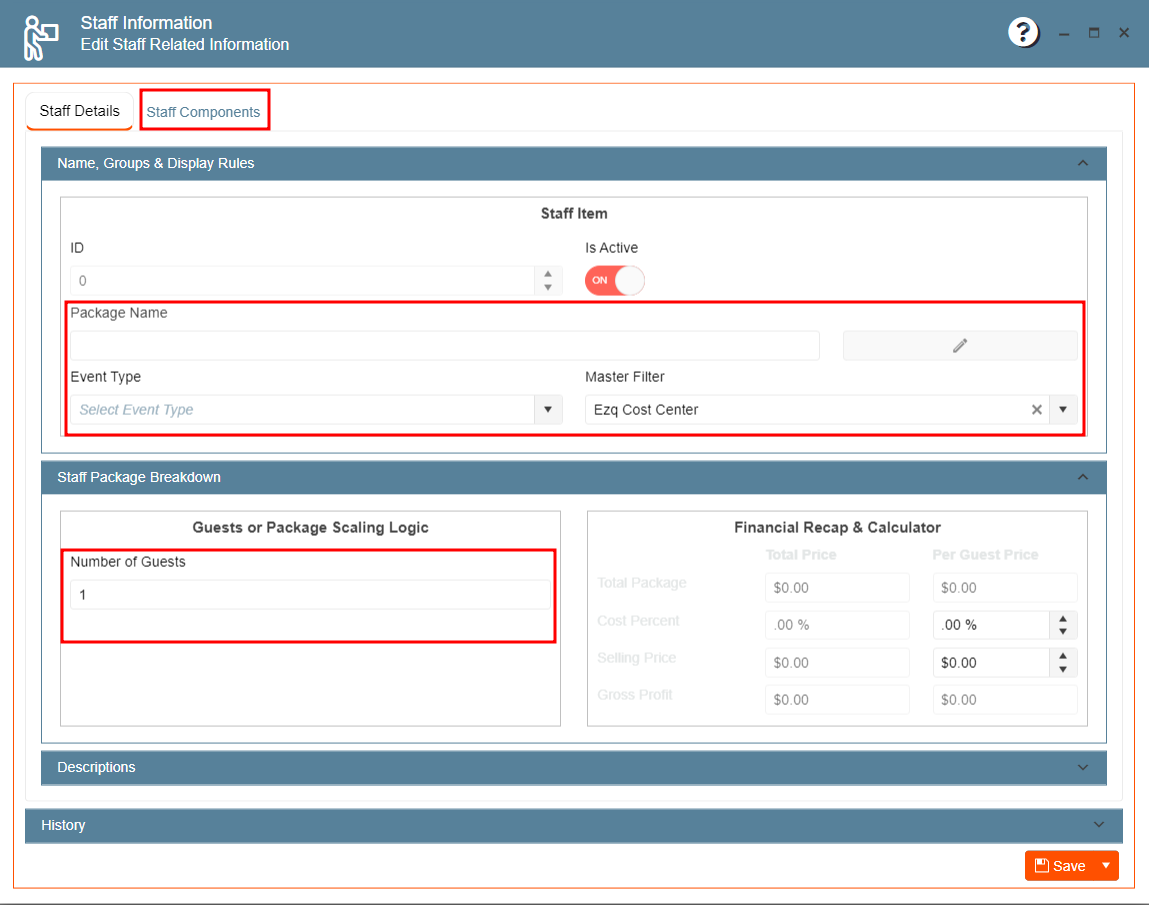
- Fill out the information.
- Click on Save.
To edit a Staff Package:
- Go to Data Items on the left side panel.
- Click HR Management.
- Click Staff Package Management.
- Click the pencil icon on the Action column.

- Edit the desired information, once finished click on Save.