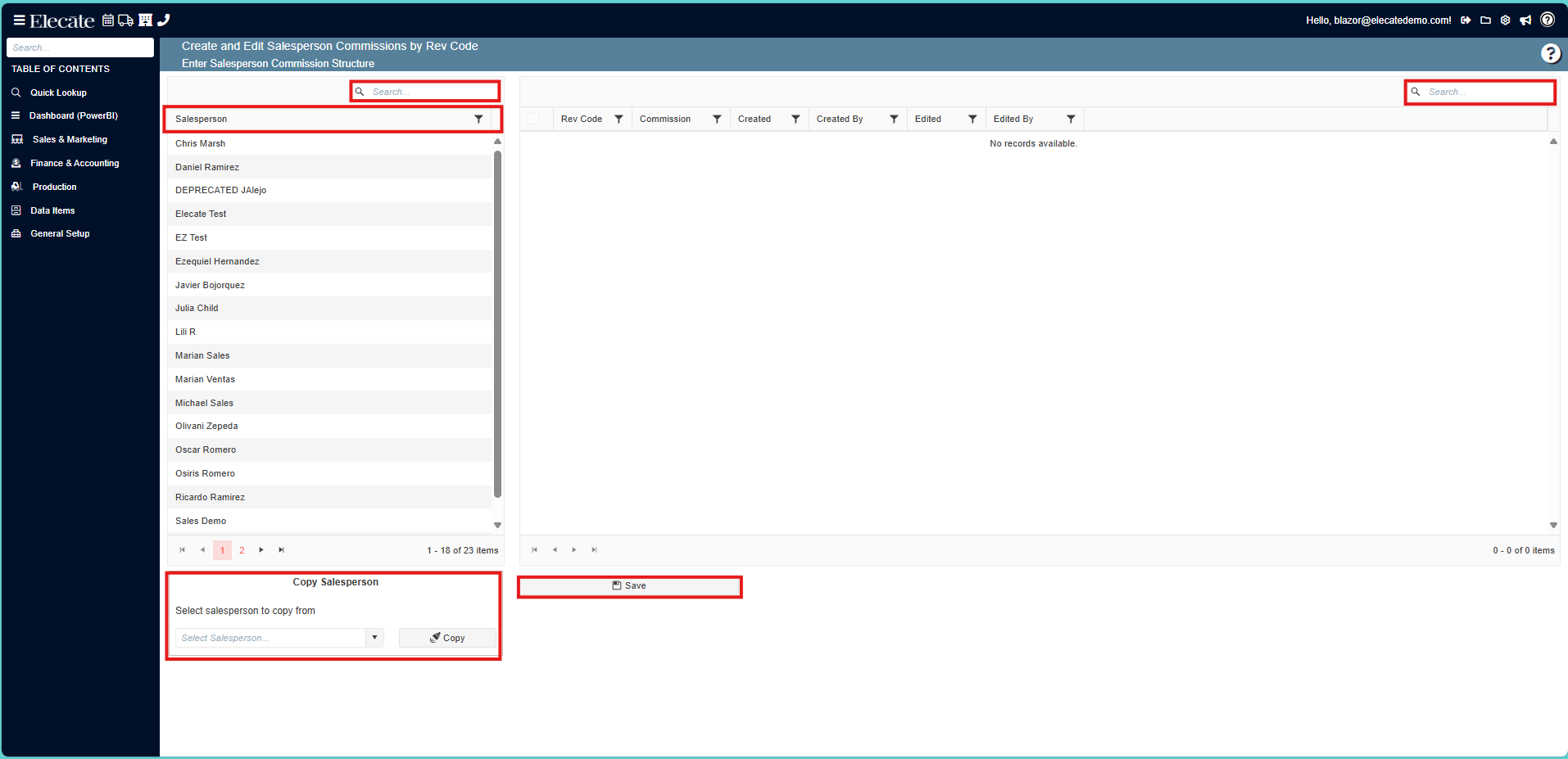
To check Salesperson Commissions by Rev Code:
1. On the side panel go to General Setup
2. Click on Marketing
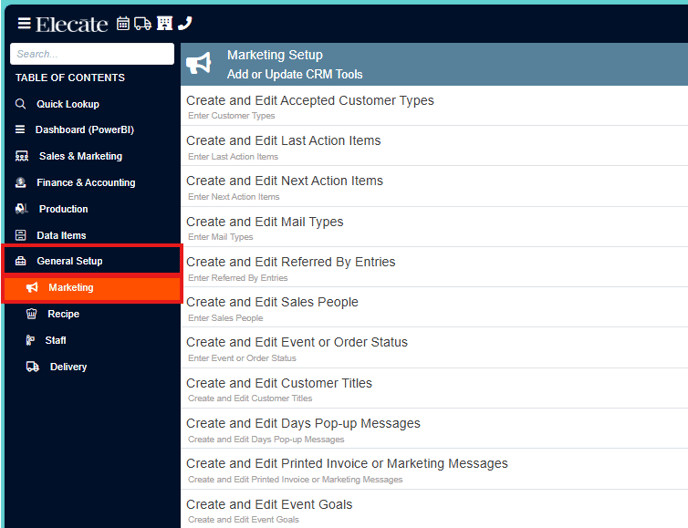
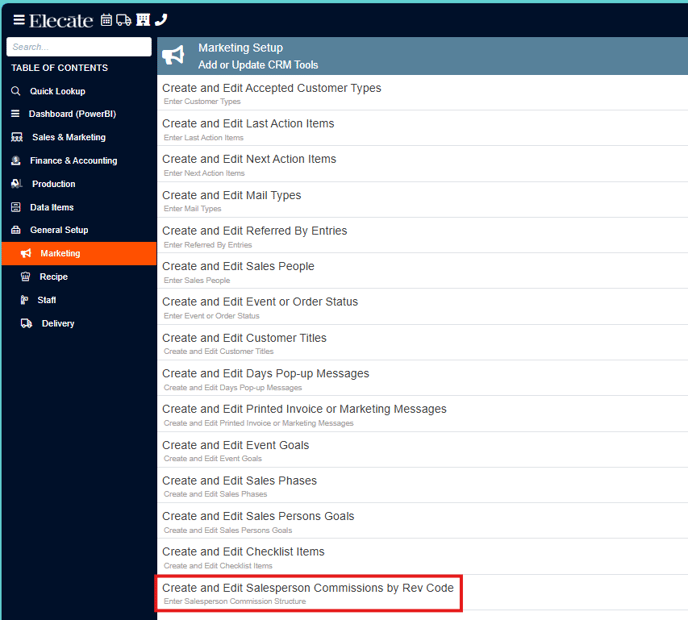
3. Select Create and Edit Salesperson Commissions by Rev Code
4. On this screen, you will be able to look for the information by using the search bars, you can copy the salesperson and also see the previous information entered, do not forget to click on save, if a change was made.