
1. Wanting the DB team install multiples new views from existing clients into the All Elecate tenant Databases (As a Stakeholder):
It was requested to copy and install a bunch of new views from other clients DBs. This will get across all the Databases from Elecate Tenant.
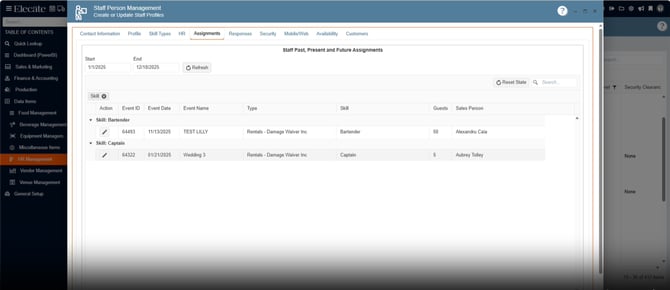
2. Having Grid Persistence on the "Assignment" staffing window:
Grid Persistence
- User preferences for grid layout (column order, visibility, sorting, and filters) are saved automatically.
- Preferences are retained across sessions and restored when the user revisits the Scheduling window.
- Changes to the grid layout are reflected immediately and persist after page reloads or navigation.
- Add a refresh control next to the date range
1. On the left side panel, go to Data Items
2. Click on HR Management
3. Select HR Management (Active Staff Only)
4. Go to the Assignment Tab
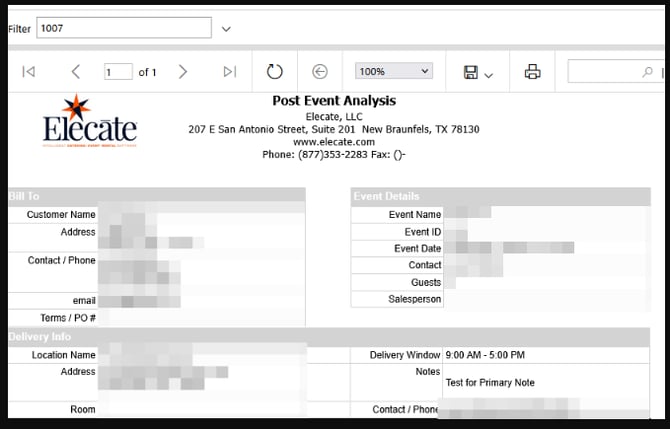
3. Adjusting the HTML markup on all applicable reports:
It was taken a sample from different clients where the HTML format has been used, so we can find possible issues.
4. Needing the DB team Set Up Automated Delivery Confirmation Email for Drop-Off Orders:
- Applies only to DROP OFF orders (not pickups or other event types).
- Dynamic fields (
event.name,event.event_date_full,event.offsite_address,contact.first_name, etc.) populate correctly. - Email template matches provided UI/UX approach from TripleSeat.
- QA validation includes:
- Correct timing.
- Correct data population.
- No email sent for non-drop-off orders.
5. Registering Bags from the Shipping Window to be added as Order Items back, so that they can be printed in reports:
When adding bags from the Shipping Window, then add the given quantity as an order item in the Event Order Items list.
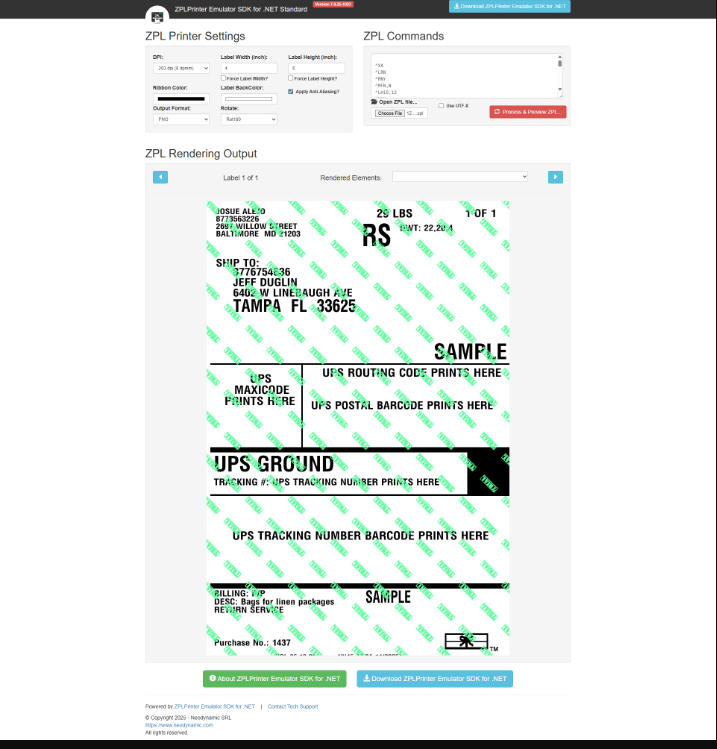
6. Creating Return Labels for Shipping Bags before creating the Shipping Label:
Given a user in the Dispatch Pickup Window, when they want to set up a return label for packages delivered in an event location then they will:
- Select Event States
- Set a Date range
- Click on refresh
- Select one or multiple return labels
- This will result in new return labels and requested automatically to the UPS system
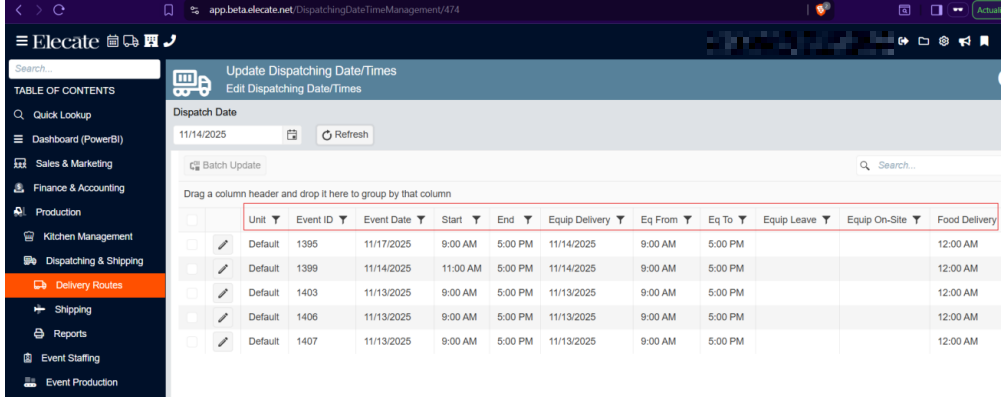
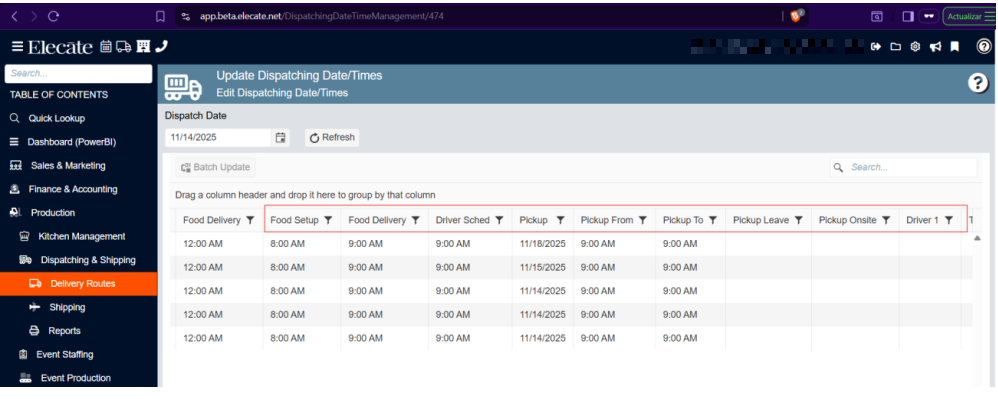
7. Needing more dispatch columns in the Update Dispatch Window:
Given a dispatcher in the Update Dispatching Date/Times window, when they want a printout of the Events' driver and time scheduling then they will have columns that give the proper context.
1. On the left side panel, go to Production
2. Click on Dispatching & Shipping
3. Select Delivery Routes
4. Choose Update Dispatching Date/Times
8. Working on a new Data Import for Rooms and Customer into UTAH database:
-
Create SSRS folders:
/ElecateDemoBeta/24CBeta
- Copy or set up required report items (RDLs, shared datasets, shared data sources) into each Beta folder.
- Configure data sources for Beta folders to point to Beta databases/credentials (not RC).
- Update application configuration for:
- ElecateDemo Beta → SSRS base path should be
/ElecateDemoBeta - 24C Beta → SSRS base path should be
/24CBeta
- ElecateDemo Beta → SSRS base path should be
- Remove temporary pointing of ElecateDemo Beta to RC SSRS once the Beta folders are working.
- Document folder structure, configuration keys, and rollback steps.
1. On the left side panel, go to Sales & Marketing
2. Click on Event & Order Management
3. Select Event Management - All Status Types Included
4.Open an existing event and go to the report field.
Elecatedemo RC: 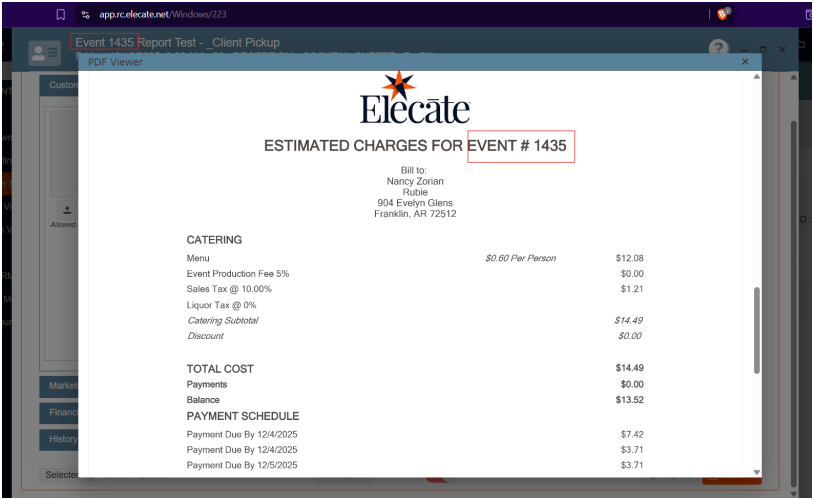
Elecatedemo BETA: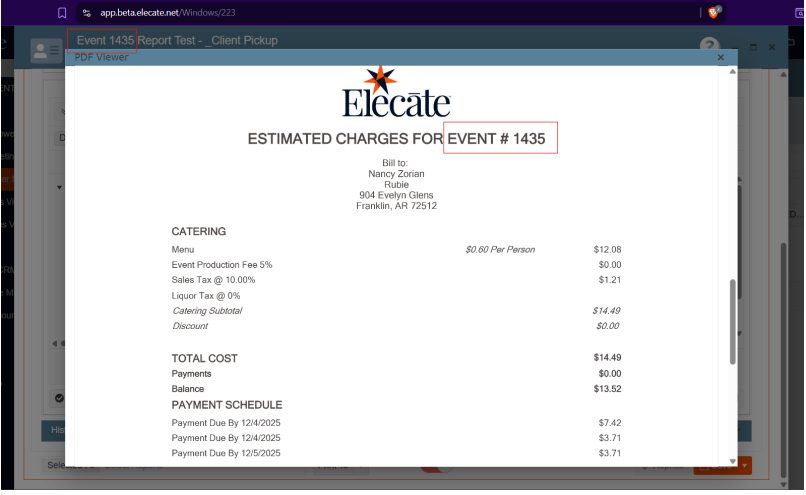
10. Needing the DB team work on Reset Recipe Groups, Recipes, and Tax Tables while keeping example items:
- All existing Recipe Groups, Recipes, and Tax Tables are deleted from the system.
- Example items remain in the system for reference:
- Ingredients
- Beverages
- Miscellaneous
- The system is ready for new configuration after cleanup.
- Notify the client (Francisco Christian) once the cleanup is completed and provide next steps.
- The USP is successfully executed on ODC and R&S environments without errors.
- The new tax law changes are applied correctly in both environments.
- The [PCT2] column is present and displays accurate values according to the updated tax logic.
- Validation is performed to ensure consistency between ODC and R&S after execution.
- A plan is documented for rolling out the USP to all remaining environments.