To check Recipe Production by Prep Date:
1. On the side panel go to Production
2. Click on Kitchen Management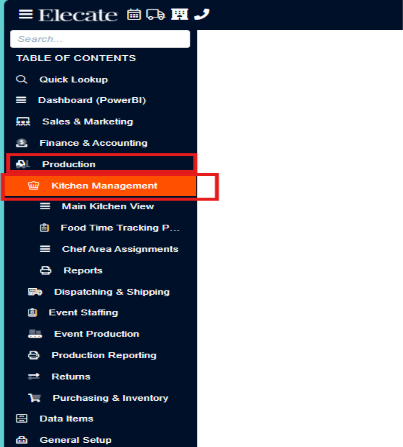
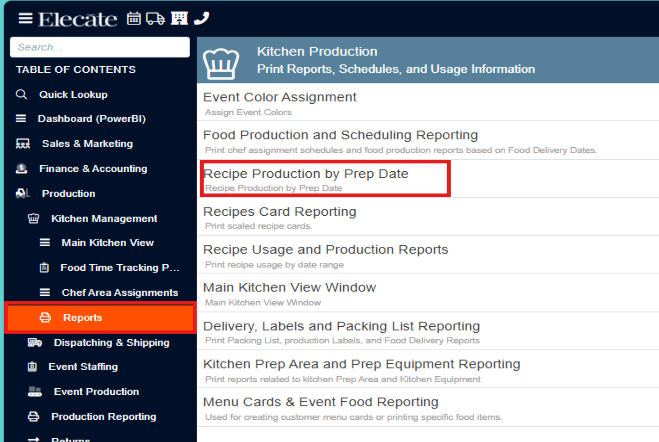
3. Select Reports
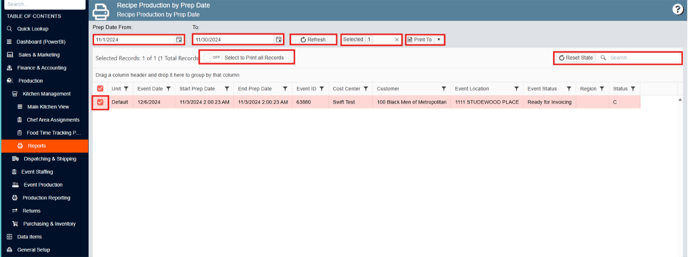
4. Choose Recipe Production by Prep Date

To check Recipe Production by Prep Date:
1. On the side panel go to Production
2. Click on Kitchen Management
3. Select Reports
4. Choose Recipe Production by Prep Date