To go to Miscellaneous Item Management:
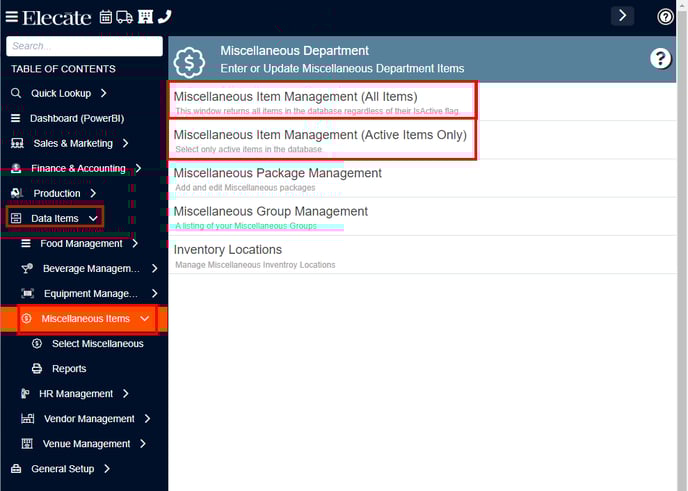
- Go to Data Items in the left side panel.
- Click Miscellaneous Items.
- Click Miscellaneous Item Management (All Items) or Miscellaneous Item Management (Active Items Only).
To see the Purchasing & Shipping on the Miscellaneous information:
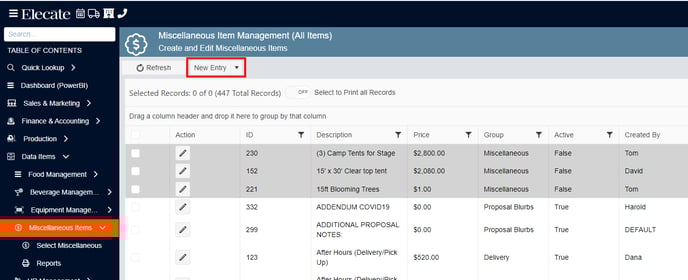
- Click on New Entry.
- Go to the Purchasing & Shipping tab.
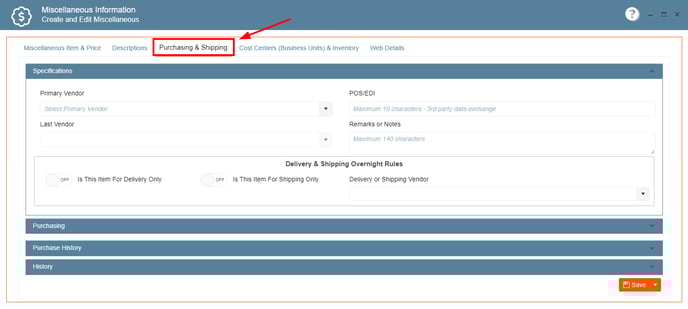
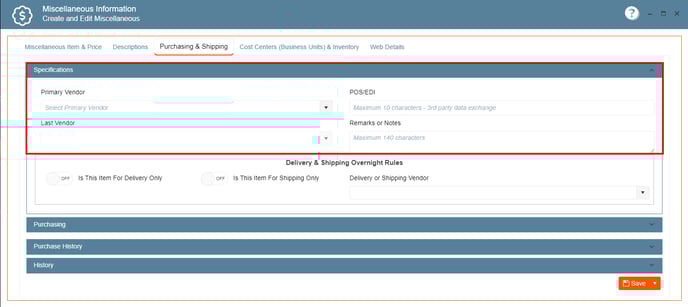
- On Specifications, you can enter the Primary Vendor, Last Vendor, POS/EDI and Remarks or Notes.
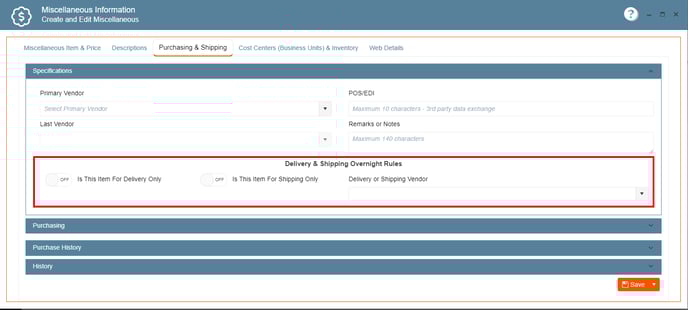
- On Delivery & Shipping Overnight Rules, you can enter the "Is this item for Delivery Only" Switch, "Is this item for Shipping Only" switch and the Delivery or Shipping Vendor.
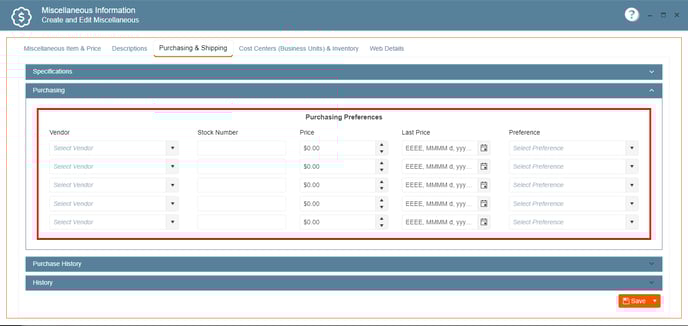
- On Purchasing, you can enter the Vendor, Stock Number, Price, Last Price and Preference.
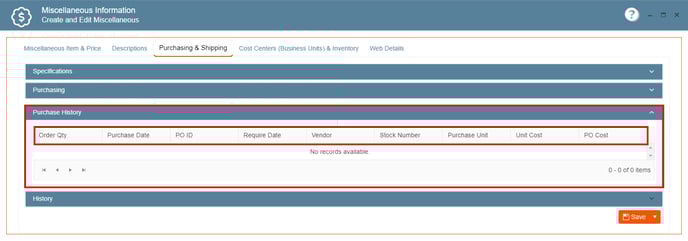
- On Purchase History, you can review the Order Qty, Purchase Date, PO ID, Require Date, Vendor, Stock Number, Purchase Unit, Unit Cost and PO Cost