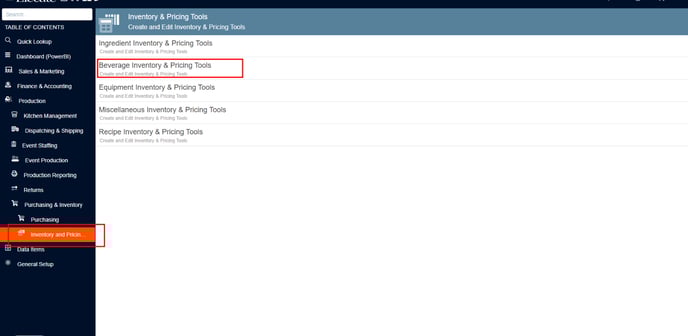
- Go to Production on the left side panel.
- Click on Purchasing & Inventory.
- Click on Inventory and Pricing tools.
- Click on Beverage Inventory & Pricing Tools.
- Click the Search Bar and enter the Item ID or the beverage name.
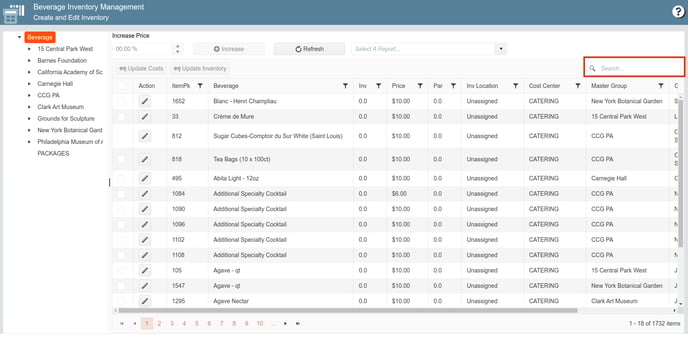
- On the Action column, click on the pencil icon to modify or edit the item.
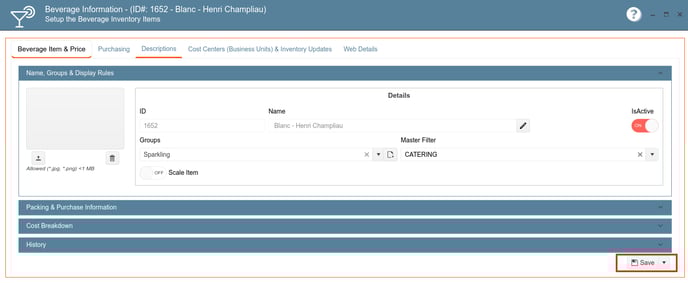
- Click the Save button to apply the updates.
English
