How to Enable Mobile Access for Existing Users:
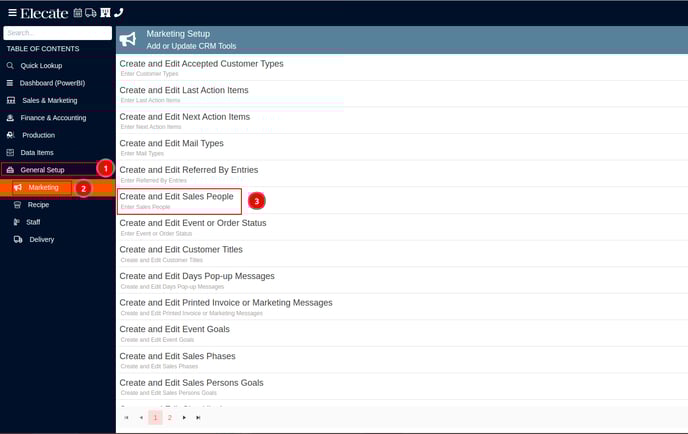
- Go to General Setup.
- Go Marketing.
- Go to Create and Edit Salespeople.
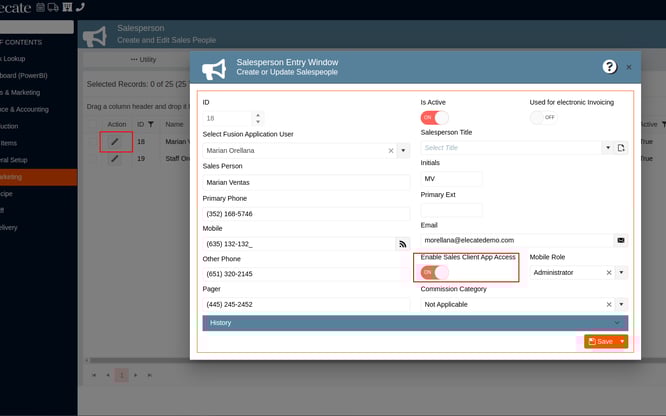
- Click on the Pencil icon.
- Click on Enable Sales Client App Access.