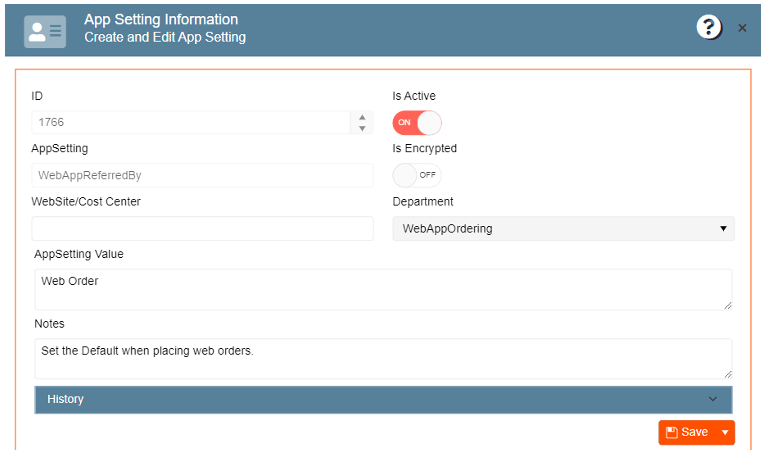
For optimal shopping cart functionality, the Web order defaults must be created and assigned to the
appsettings.
Setting default referred by value:
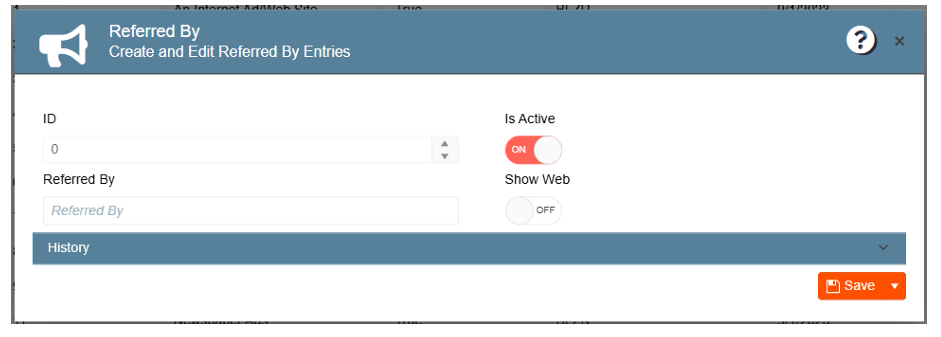
Creating default referred by value for web orders:
1. From the General Setup menu, enter the Marketing module
2. Navigate to the Create and Edit Referred by Entries
3. Click on New Entry
4. Type the default value
5. Enable toggles “Is Active” and “Show Web”
6. Save changes
Assigning value to appsetting:
1. Navigate to the Gear Icon
2. Go to App Settings
3. Look for “WebAppReferredBy”
4. Enter the value previously created for Web orders
5. Click Save
All new web orders will have this default value.