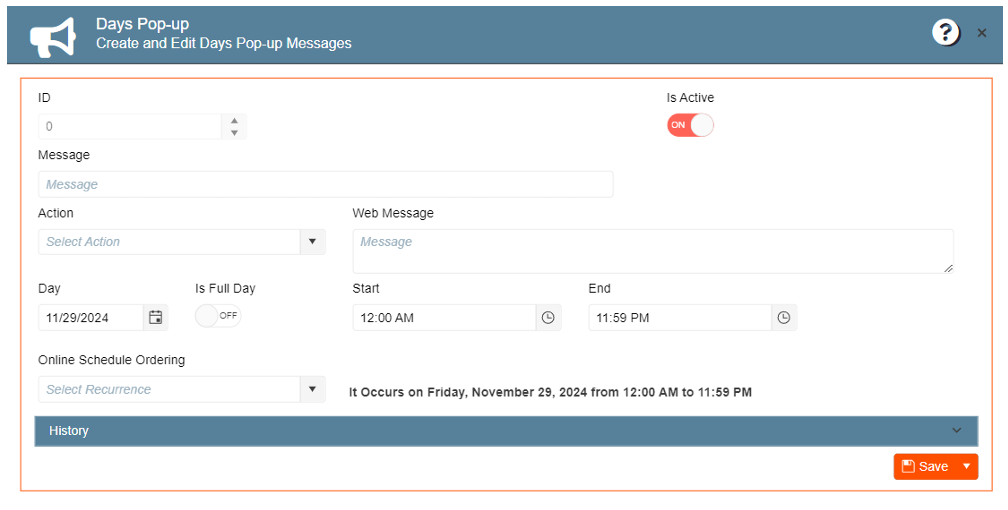
Setting partial day closures:
This functionality allows the administrator to configure partial day closures to prevent the user from placing orders on the selected schedule. The web portal will show a pop-up customizable message.
For this function, appsetting UseDeliveryDateTimeForWebItems value should be “Yes”. Otherwise, the
system will ignore all schedules, even if active.
1. Display the General Setup side menu
2. Select Marketing module
3. Create and Edit Days Pop-up Messages
4. New Entry
For a one-time message:
a. Enter the message name. This will be the message title.
b. Enter the Web Message. This will be the message content.
c. Select a date
d. Turn off the “Is Full Day” toggle
e. Select Start and End date
f. Save
For a recurring message:
a. Enter the message name. This will be the message title
b. Enter the Web Message. This will be the message content
c. Select an Online Ordering Schedule (Web Item Availability)
d. Click Save