
S
ales Phases define the pipeline stages available for tracking where each customer stands in the proposal and booking process. Each entry configured here becomes a selectable option in the Sales Phase dropdown inside the CRM tab of the Customer Sales and Marketing Management window.
Common examples include stages like "Prospect-10%", "Proposal-50%", "Closing-80%", or "Booked-100%" — percentages that reflect the likelihood of converting a lead into a confirmed event.
By maintaining a well-defined Sales Phase list, your team can:
- Visualize the health of your sales pipeline at any point in time
- Identify which customers are close to booking and which need follow-up
- Generate Sales & Marketing Reports filtered by pipeline stage
- Align your sales workflow with a consistent, shared language across the team
- Combine Sales Phase with Last Action and Next Action for a complete CRM picture
Navigation
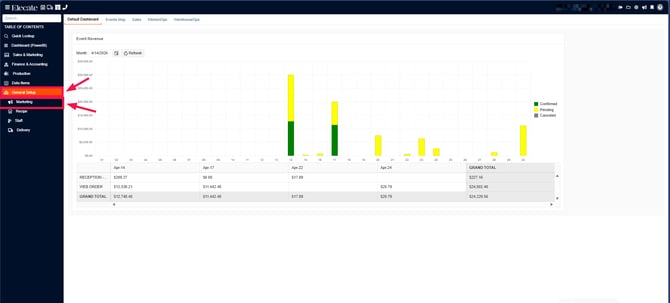
1. On the left side panel, go to General Setup
2. Click on Marketing
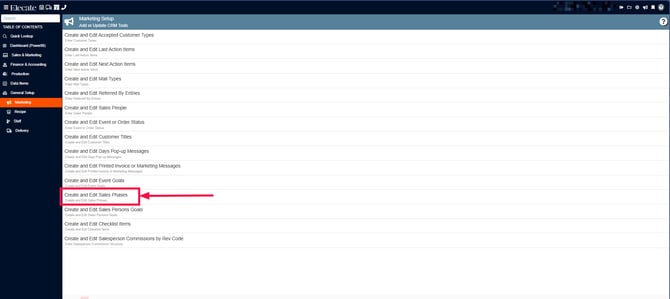
3. Select Create and Edit Sales Phases
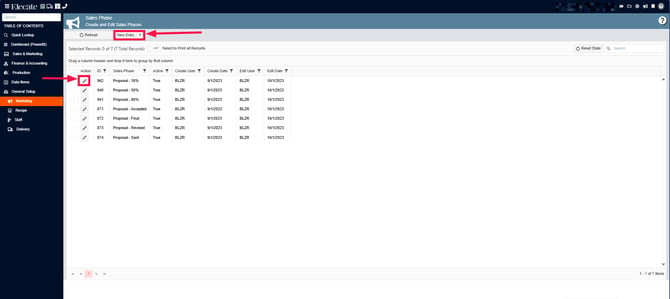
4. You can either open an existing record or create a new by clicking on New Entry
Enter the Sales Phase:
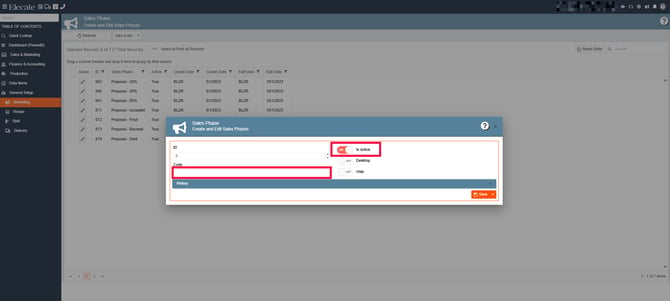
Make sure the “Is Active” checkbox is selected.
Click [Save].
Field Definitions
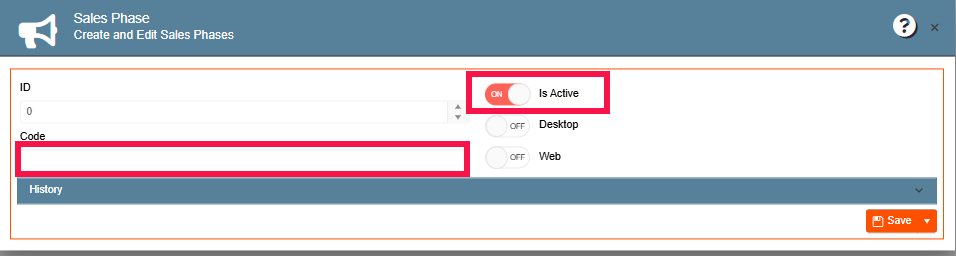
| Field | Type | Description |
|---|---|---|
| ID | Auto-generated | System identifier. Read-only. Assigned automatically on creation. |
| Sales Phase | Text | The name of this pipeline stage as it will appear in the Sales Phase dropdown in the CRM tab. Convention: include a percentage likelihood (e.g., "Prospect-10%", "Proposal-50%", "Closing-80%", "Booked-100%") to make the pipeline visually intuitive. |
| Is Active | Checkbox (checked/unchecked) | Controls whether this phase appears as an option in the CRM tab Sales Phase dropdown. Uncheck to hide obsolete phases without deleting them. Default: checked. |