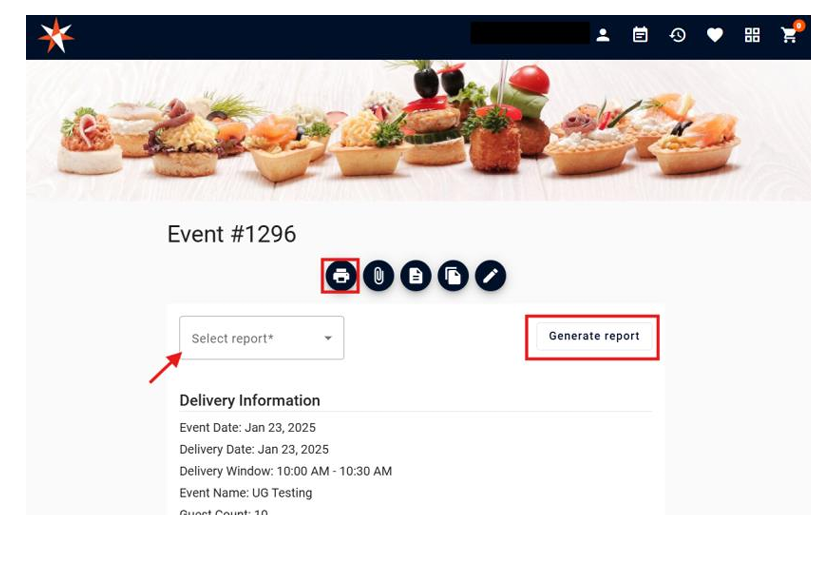
Available reports that can be printed from the online ordering portal include payment receipts, equipment packing list and statements.
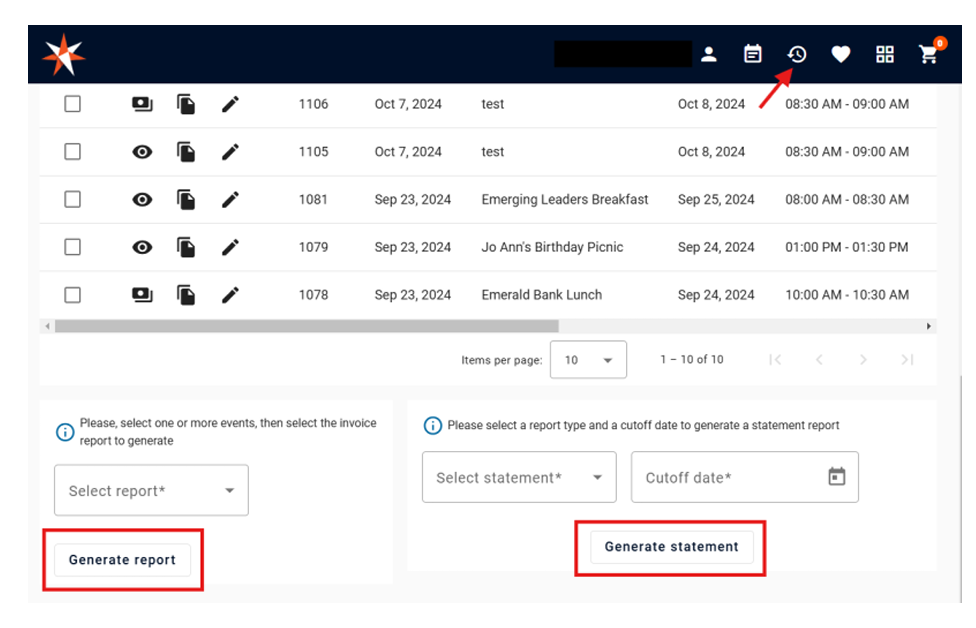
Payment receipts and Equipment Packing List can be printed from the order history or from the order itself. Statements can be printed only from the order history.
To print report or statements from the order history:
1. Click on the Order History Icon located on the top right corner
2. Select the order or orders you want to incluye in your report
3. Scroll down and you will find the options to select the reports you want to print
4. Click on Generate Report or Generate Statement
To print reports from an order:
1. Click on the Order History Icon located on the top right corner
2. Click on the View Order Icon or Edit/Pay Order Icon located on the actions column
3. Click on the Printer Icon
4. Select the report you want to print
5. Click on the Generate Report