Feature Request:
1. Displaying Salesperson and Request Date/Time in Production Changes Modal window:
The requested enhancement has now been implemented in the application.
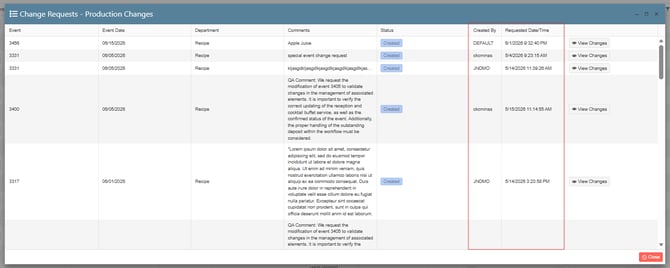
When the Change Request – Production Changes modal is displayed in the Main Kitchen View, users will now see two additional columns that provide more context for each change request:
- Salesperson – Displays the name of the user who submitted the change request.
- Request Date/Time – Displays the date and time when the change request was submitted.
This enhancement gives the Main Kitchen team greater visibility into the origin and timing of change requests, helping them review and process production changes more efficiently and with better context.
1. On the left side panel, go to Production
2. Click on Kitchen Management
3. Select Main Kitchen View
2. Wanting that "Guest" count will be lock after a department has been submitted to an event:
The requested enhancement has now been implemented in the application.
Once one or more departments submit order details for an event, the event-level Guest Count field will automatically become locked and unavailable for editing.
This restriction helps maintain data integrity by ensuring that submitted departmental allocations, quantities, and any related downstream calculations remain accurate and aligned with the original event configuration.
The Guest Count field will only become editable again when all submitted departments have been returned to the Sales department (or restored to an equivalent pre-submission state). At that point, users can update the guest count as needed before departments resubmit their order details.
1. On the left side panel, go to Sales & Marketing
2. Click on Event & Order Management
3. Select Event Management - All Status Types Included
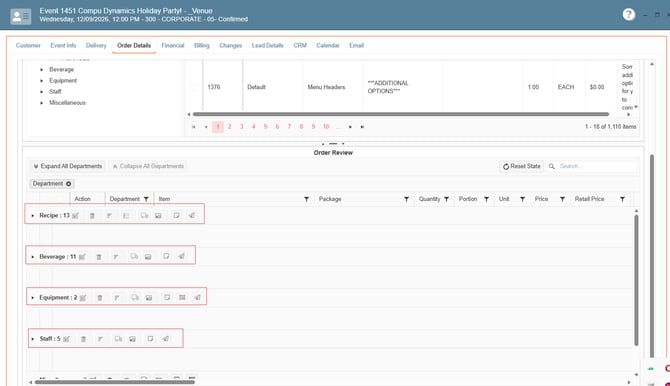
4. Search for your event, add items to the event, submit the different departments:
If you want to confirm if the has been submitted you can do it through the Main Kitchen View Window: 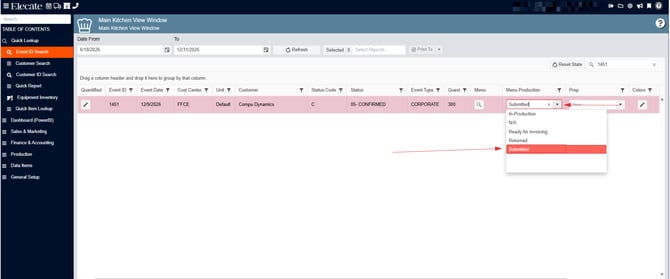
Once the departments have been submitted, then go to the Event Info Tab and try to change the Guess Account, the field should be locked: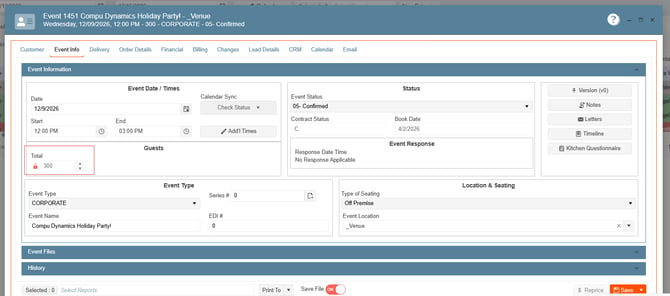
Bug Fixes:
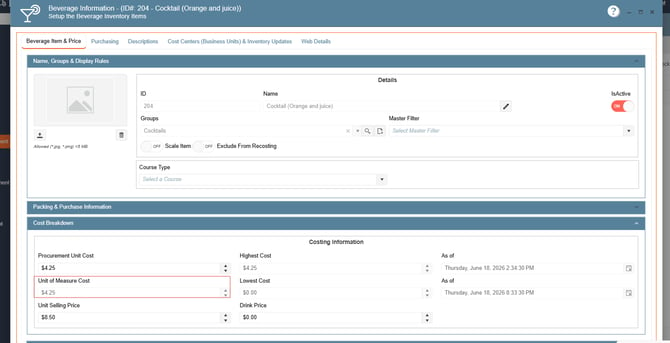
1. Beverage on the fly is not picking up the cost into the Unit of Measure Cost field:
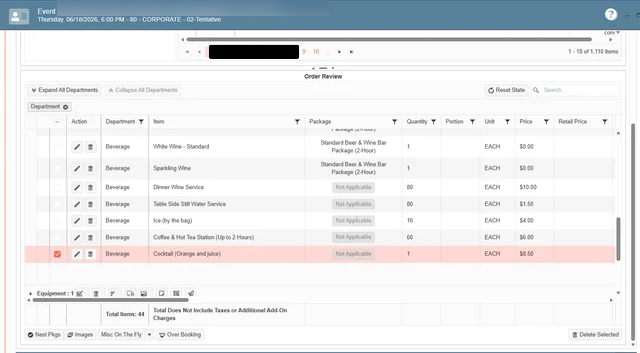
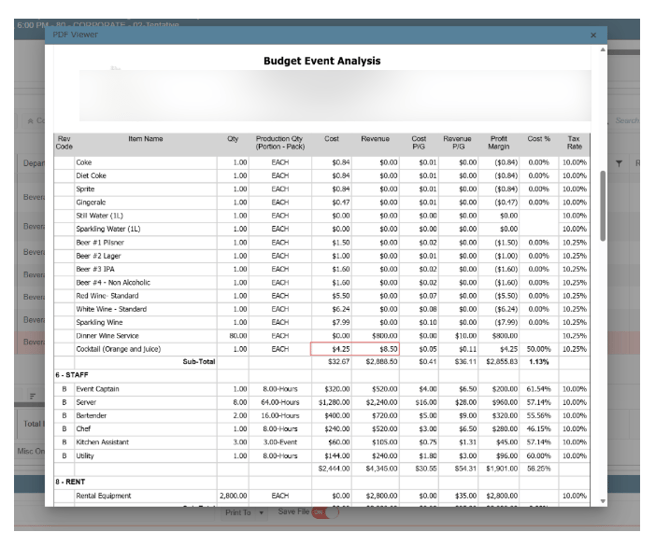
When adding items using the Misc On The Fly feature, the system now correctly updates and displays the cost in the Unit of Measure Cost field. This ensures that the cost assigned to the item is accurately reflected and retained throughout the process.
Users can now expect consistent cost information when working with Misc On The Fly items, reducing discrepancies and improving the accuracy of downstream calculations and billing.
1. Go to Sales & Marketing2. Select Event & Order Management
4. Open an existing event, go to the order details
5. At the bottom, you´ll find the Misc On The Fly button, create a new Beverage Item, next check the report Budget Event Analysis, review the columns Cost and Revenue
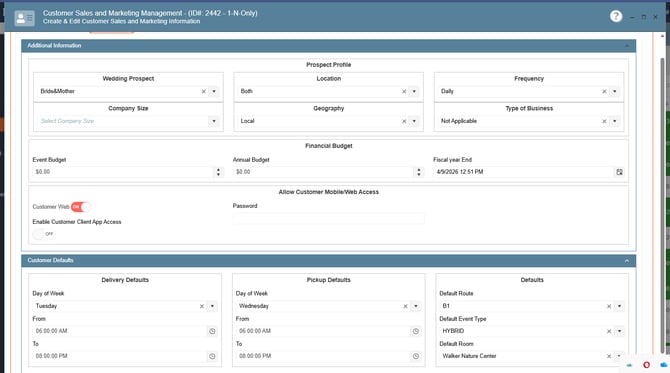
2. Additional Info Tab in the Customer and Marketing window is not storing customer´s information:
The requested enhancement has now been implemented in the application.
Information entered in the Customer Sales & Marketing Management window under the Additional Info tab is now saved and stored correctly when users save their changes.
When users return to review or update customer information, all previously saved data in the Additional Info tab will be displayed and readily available within the window.
1. Go to Sales & Marketing2. Click on Customer (CRM)
3. Select Customer Sales and Marketing Management
4. Open an existing record, go to Additional Info
5. Go to the second section from that tab, Customer Defaults
6. Complete the following fields: Day of Week for Deliver, Day of Week for Pickup, Default Event Type, Room and Route, Save & Close
7. Open the same record, go to the Additional Info, review if app saves the changes.