
Feature Request:
1. Faster Multi-Item Addition to Event Orders with Accurate Partial-Failure Feedback:
The process has been optimized to be faster, smoother, and more reliable:
- When selecting 10 or more items, they are now added together with a single loading state, and the Finance tab refreshes only once, reducing wait time.
- You can add a mix of recipe, beverage, and equipment items in one action, as long as all required data is complete.
- If no items are selected, clicking Add will simply do nothing (preventing accidental actions).
- The Finance tab now updates accurately after all items are added in a single refresh.
2. Reduce Order Save Latency by Running Per-Item Inventory Checks in Parallel:
The save process has been optimized to be faster, more efficient, and more transparent:
- Inventory checks for multiple items are now processed in parallel, significantly reducing save time—especially for orders with 10 or more equipment items.
- Orders that include items from multiple departments now update all department totals correctly and more efficiently.
- The system maintains the same behavior for recipe and beverage-only orders, ensuring no unnecessary inventory checks are triggered.
- Inventory-related errors for individual items are now clearly shown to the user instead of being silently ignored.
- Equipment and miscellaneous sell-item inventory adjustments continue to work accurately, including both increases and decreases in quantity.
- Performance tracking has been added behind the scenes, helping monitor and ensure continued improvements in speed.
3. Reduce Event Save Time by Running Independent Post-Save Steps Concurrently:
The post-save process has been optimized to run faster and more efficiently:
- Independent updates that occur after saving an event now run in parallel, significantly reducing the total time it takes to complete the save process.
- Key steps that must happen in order—such as validating and saving customer information and saving order details—remain properly sequenced to ensure data accuracy.
- Important updates like financial recalculations and rewards processing continue to run as needed, but now complete more quickly.
- All essential post-save updates still occur as expected, including:
- Cost center updates
- Delivery charge calculations
- Financial recalculations (when applicable)
- Room and event data synchronization
- Error handling has been improved—if an issue occurs in one step, it will still be shown to the user without preventing other updates from completing.
- New event creation continues to work correctly, including all related setup steps such as inventory checks and timeline creation.
- The Order Details tab still saves automatically, but only after all background processes are complete to ensure consistency.
4. Reduce Equipment Editor Open Latency by Parallelizing Independent Initialization Calls:
The editor loading process has been optimized to be significantly faster and more efficient:
- Data needed to load the editor is now retrieved and processed in parallel wherever possible, instead of sequentially. This reduces the overall time it takes for the editor to open.
- In some cases, existing data is reused instead of being requested again, further improving performance when adding new items.
- Dropdowns and fields within the editor (such as financial settings, locations, vendor details, and item groupings) now load more efficiently but continue to display accurate information.
- Inventory details (Available, Confirmed, Pending) and vendor information load correctly and faster.
- Specialized scenarios—such as package items, sell items, and item substitutions—continue to work as expected.
- Navigation within the editor (Previous/Next items) remains smooth and fully functional.
Bug Fix:
1. Unable to Delete the Equipment Department from an Event due to error message:
The issue with the Equipment Department when attempting to delete it has been resolved. Users can now delete the entire department without encountering an error message.
1. On the left side panel, go to Sales & Marketing
2. Select Event & Order Management
3. Click on Event Management - All Status Types Included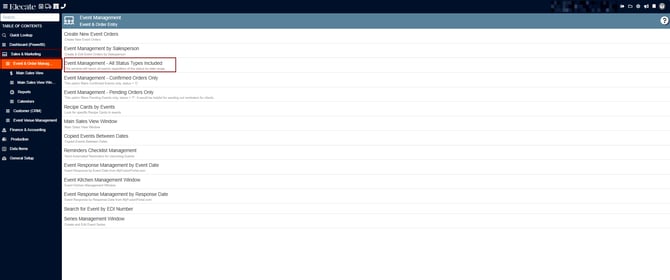
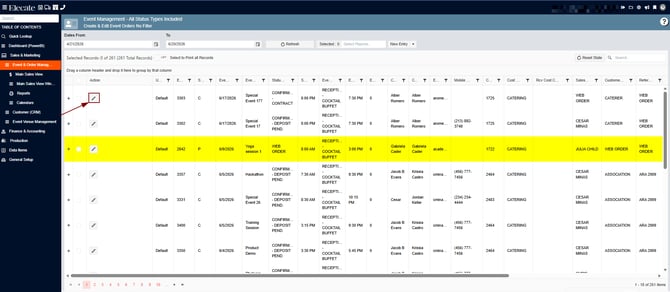
4. Open an existing event by clicking on the pen icon
5. Go to Order Details, try to delete the Equipment Department
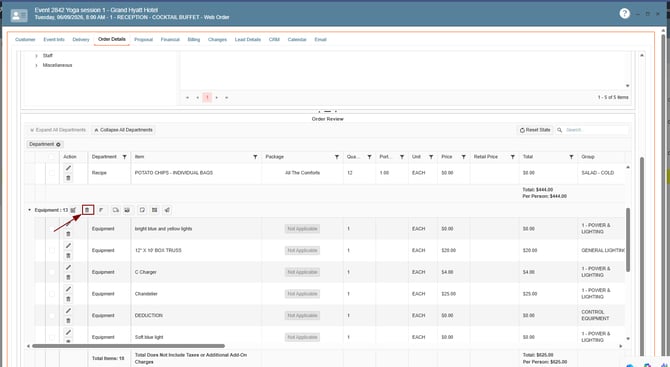
When clicking on the Trash Icon the following message is displayed, instead of the error previously displayed: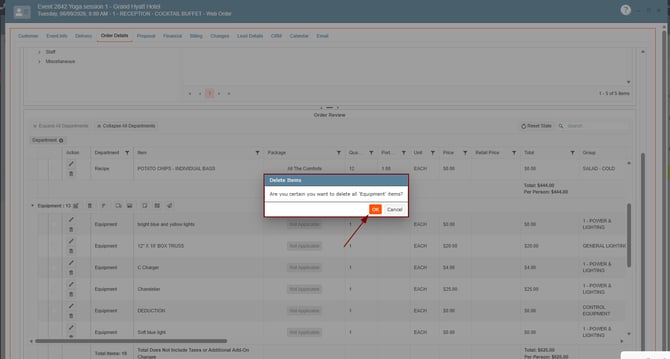
Department successfully deleted: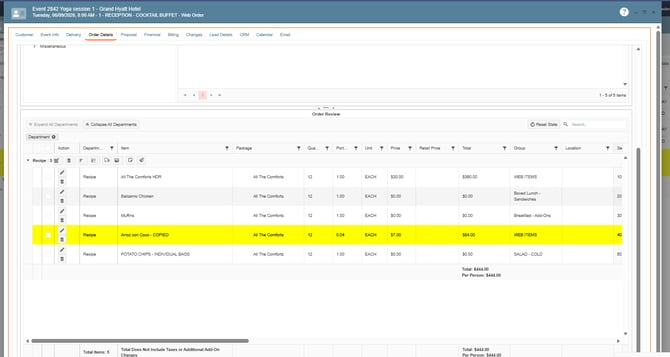
2. Locations not displaying in grids in specific windows:
We’ve standardized how data fields are defined and mapped throughout the application, ensuring everything is aligned and consistent.
Event Summary Reporting:

Call Date/ Call Inquiry Reporting:


