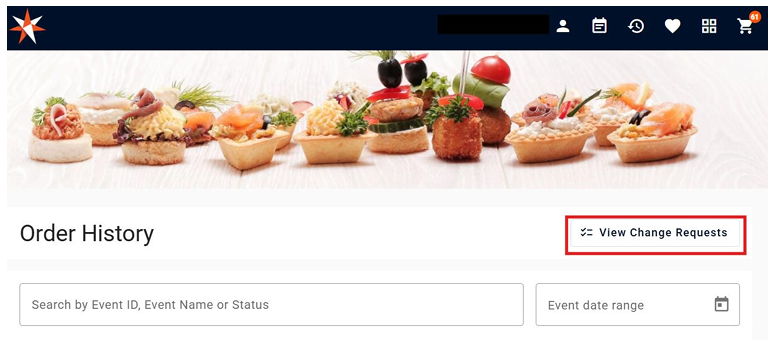
Customer will be able to make changes on existing order depending on the business rules set for the shopping cart, this will facilitate the communication between the customer and the salesperson.
To make changes on an existing order go to:
1. Click on the Order History Icon Located on the top right corner
2. Locate the Order you want to copy
3. Click on the Pencil Icon on the action's column
4. This will take you back to the cart so you can add or remove products
5. After making the changes click on Submit Request
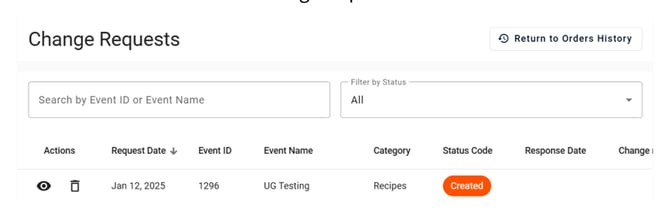
The order will show on the change request list with the status of ¨Created¨
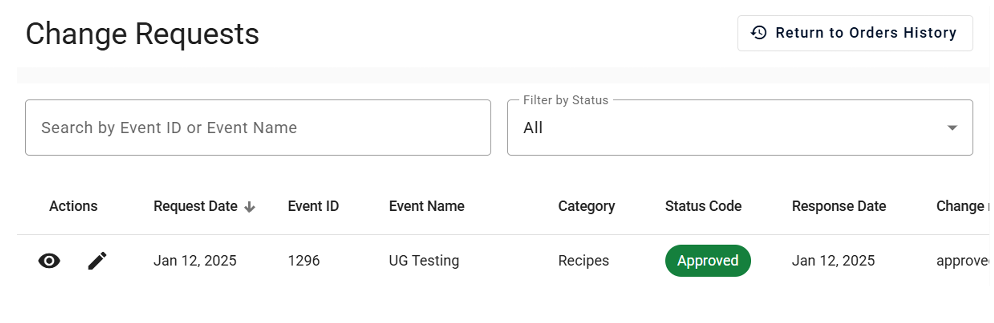
After the change request has been approved by the staff it will show as ¨Approved¨
View Change Request:
You can view all your change requests from the order history by clicking on View Change Request: