
When adding a Menu or Beverage Package to an event, the behavior of item deletion depends on the Prevent Menu or Beverage Package Changes setting in Legacy Settings.
How to Check the Legacy Setting for Menu or Beverage Packages
- Click the Gear icon in the upper-right corner of the screen.
- Search for and select Legacy Settings.
- Open the Food & Beverage Options tab.
- Locate the Packages Options box, next check the following toggles: Allow Menu Package Changes and Allow Beverage Package Changes that will override the Package Price and verify whether are On or Off.
How the Setting Affects Menu and Beverage Packages
- Toggle ON: Users can remove individual items from the package without affecting the rest of the package.
- Toggle OFF: Users cannot remove individual items from the package. If they attempt to delete an item, the system will remove the entire equipment package from the event.
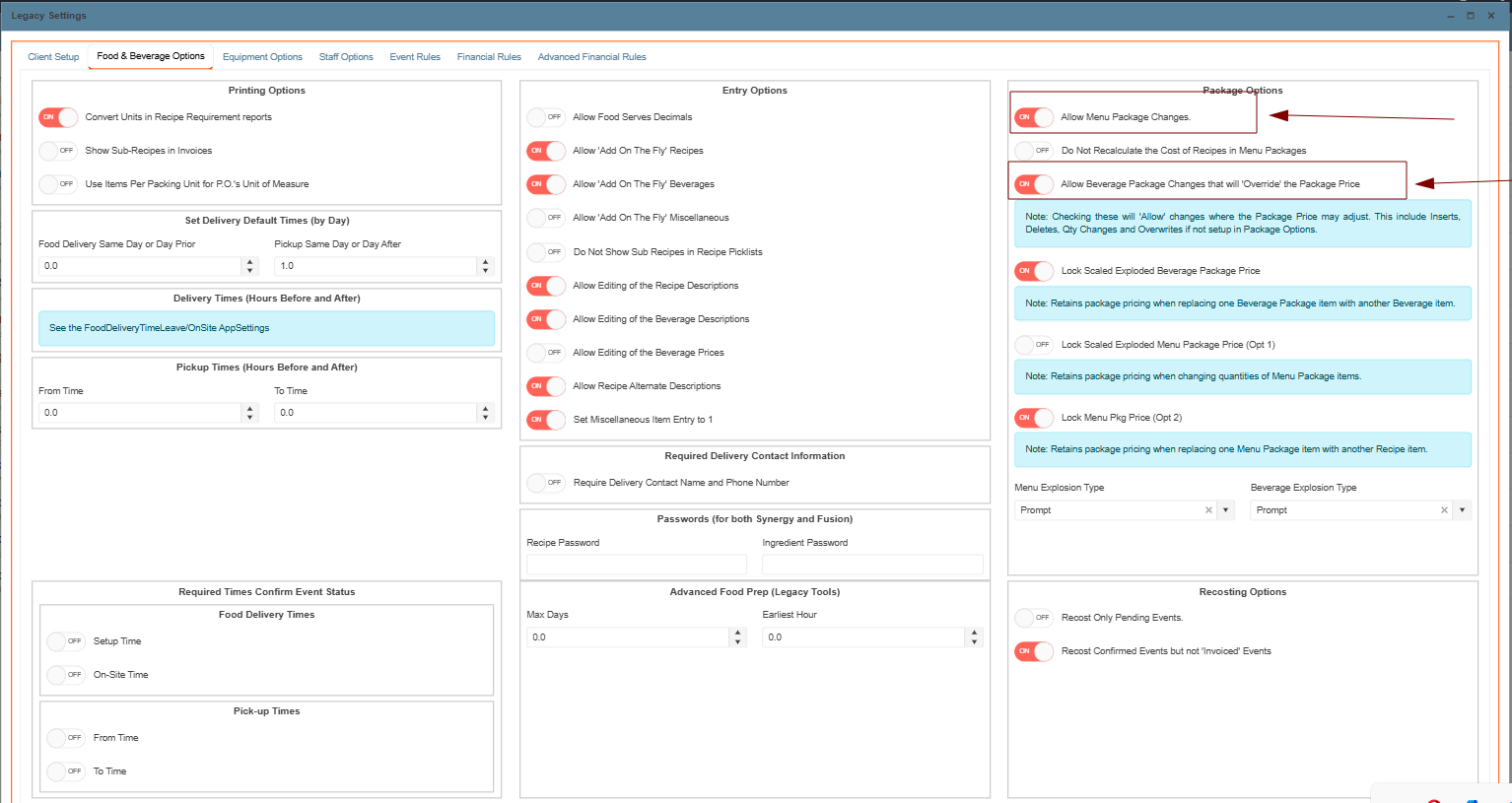
Note: If individual items need to be removed from a package, ensure that the Allow Menu Package Changes or Allow Beverage Package Changes that will override the Package Price setting is turned On before making changes.