
Before processing any payments, it is important to configure the credit card convenience fee settings. Set the percentage you want to charge for each transaction, and based on this configuration, the system will automatically apply the corresponding fee during payment processing.
Review and Configure App Settings
Follow these steps to enable and set up credit card convenience fees:
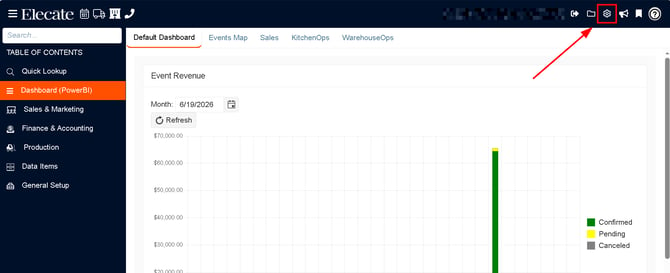
1. At the top of the screen, on the right side click on the Gear Icon
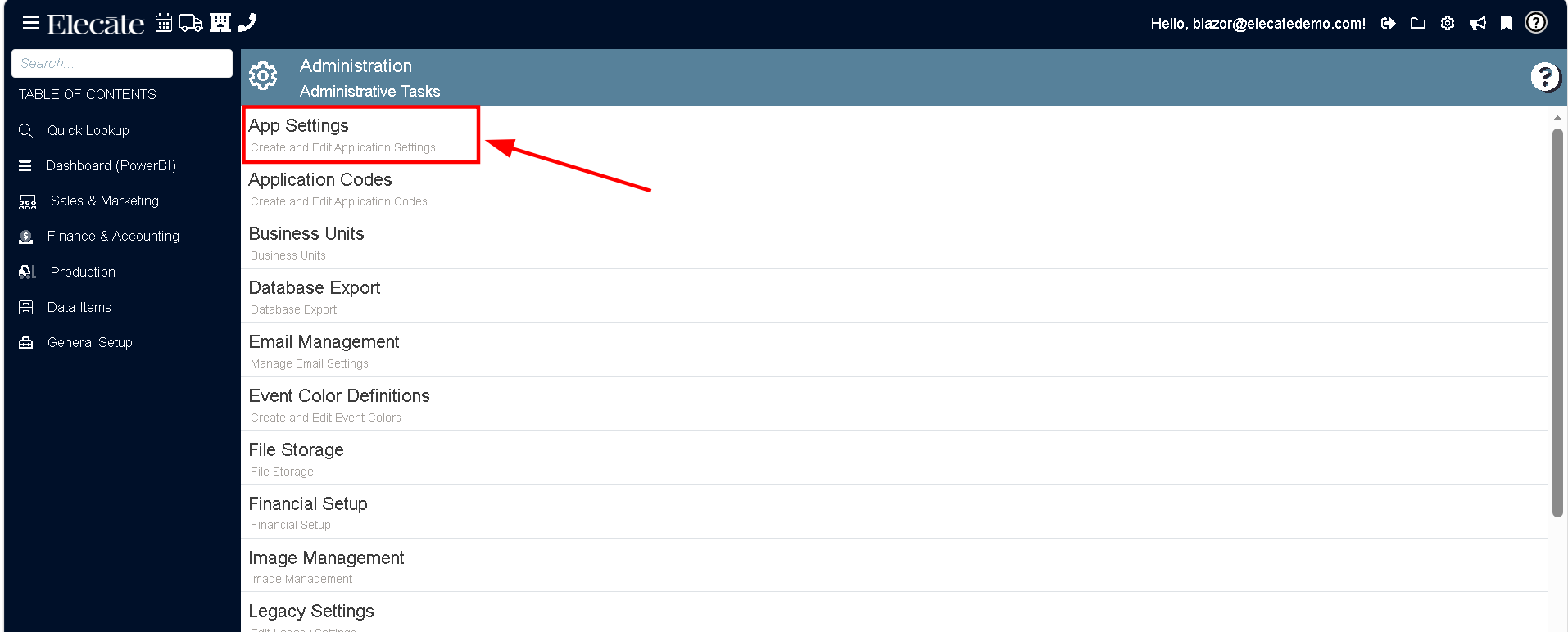
2. Select the Appsettings option
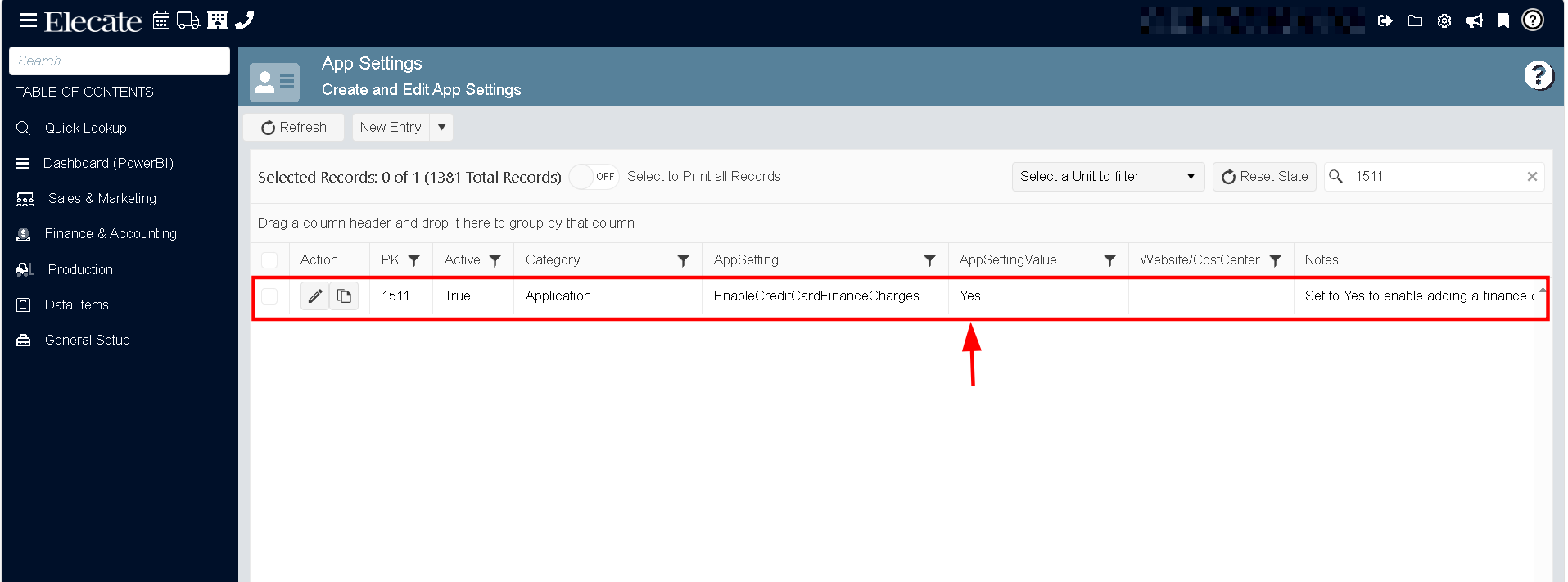
3. Enable Credit Card Finance Charges
Search for the app setting EnableCreditCardFinanceCharges and set the value to Yes to activate the feature.
Search for the app setting EnableCreditCardFinanceCharges and set the value to Yes to activate the feature.
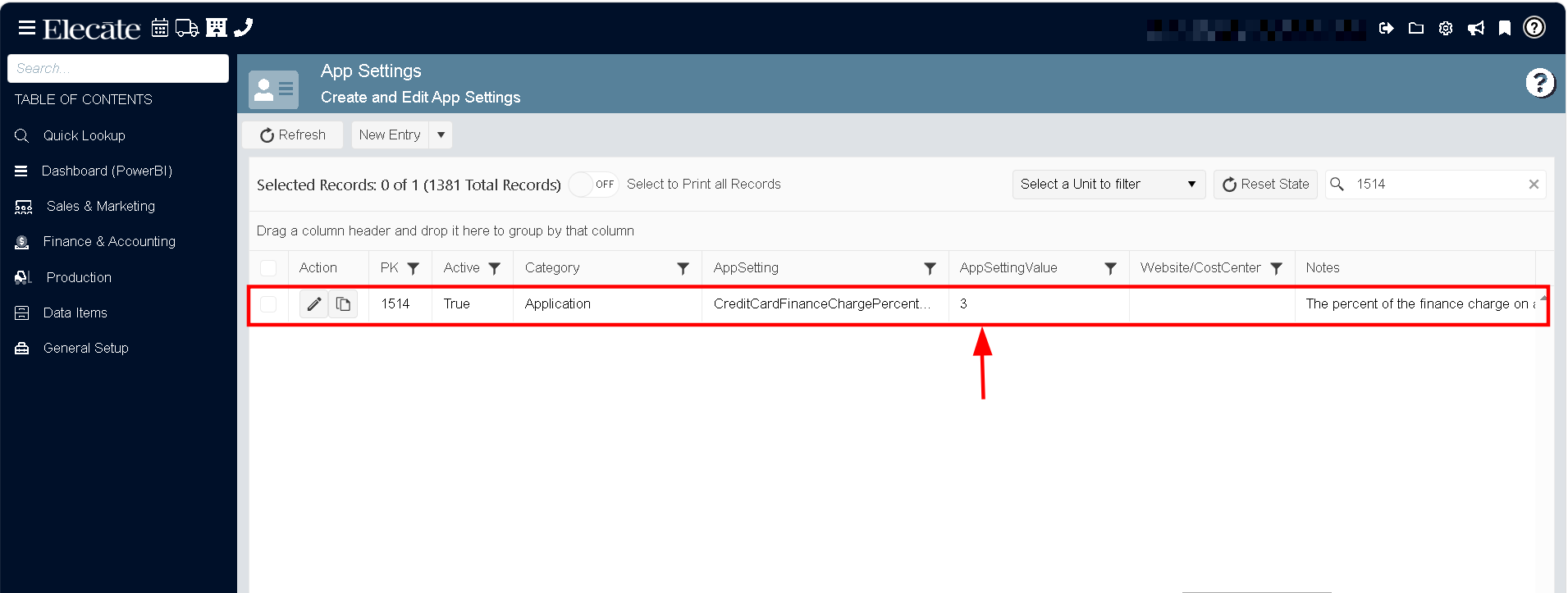
4. Set the Fee Percentage:
Locate the app setting CreditCardFinanceChargePercentage and enter the percentage you want to charge. (Common values typically range between 3% and 5%.)
Once you’ve completed the setup, save your changes. The system will use these settings to automatically apply the credit card fee during payment processing.