
Delivery Configurations is the section of General Setup where you define all the geographic and logistics reference data that Elecate uses to plan, route, and execute event deliveries.
Every field in this section feeds directly into the Dispatching module, delivery pricing, and event logistics; making accurate setup critical before your team begins scheduling deliveries.
Navigation & Setup
1. On the left side panel, go to General Setup
2. Click on Delivery, the following options will appear:
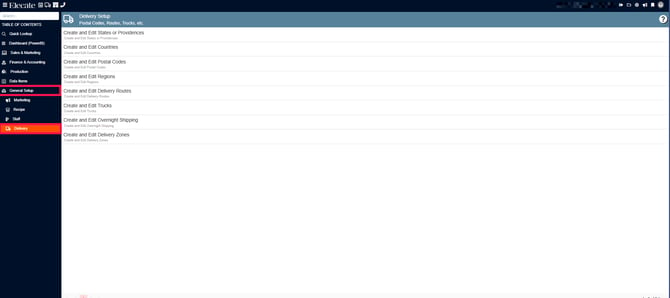
Delivery configurations define geographic and logistics settings used when planning and executing event deliveries.
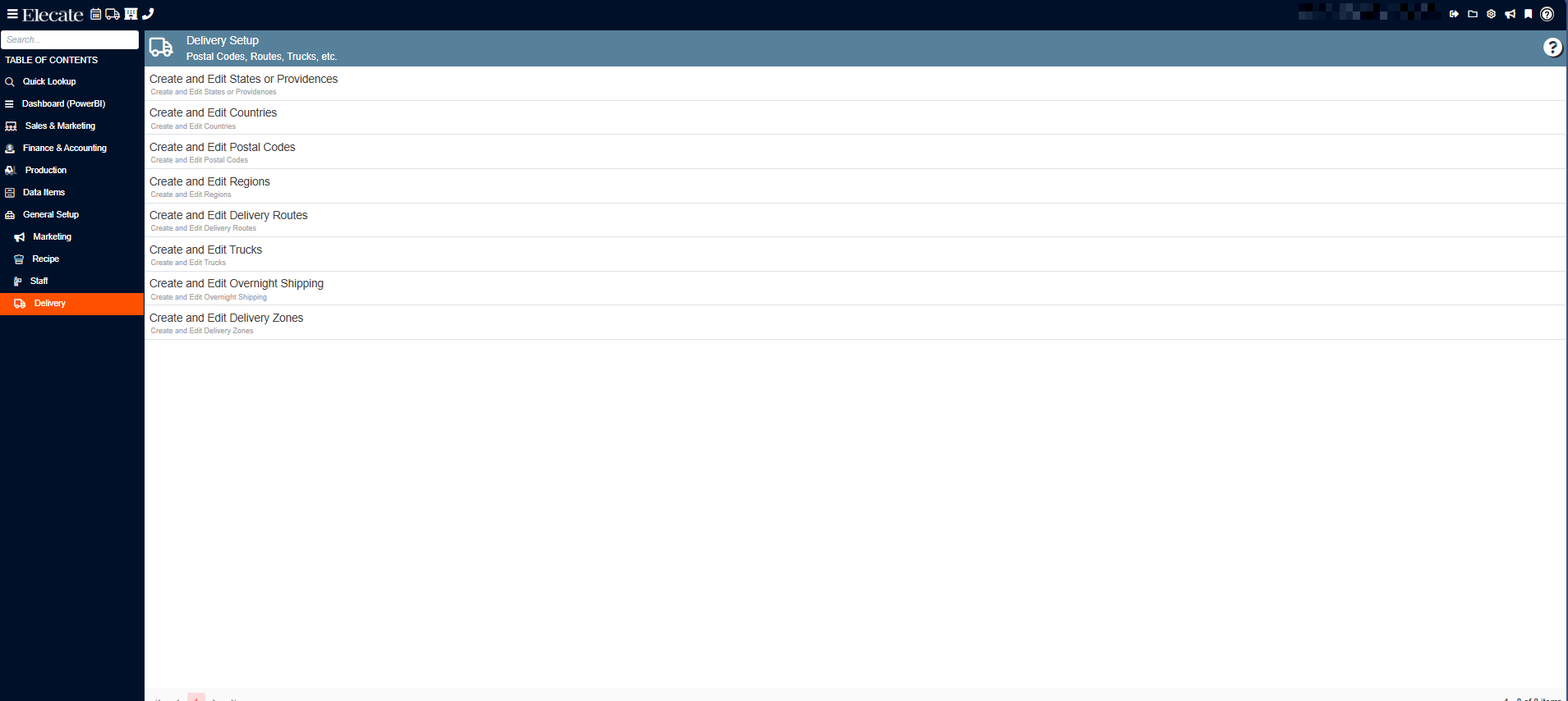
States or Providences
Purpose: Defines U.S. states (or Canadian provinces) available for address selection throughout the system.
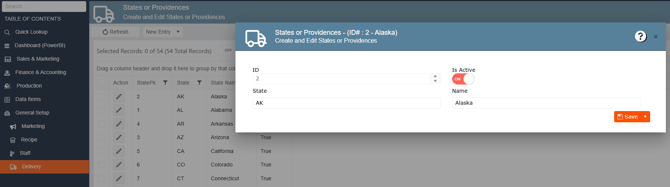
Fields:
| Field | Description |
|---|---|
| State | Two-letter abbreviation (e.g., AK, AL, CA) |
| Name | Full state name (e.g., Alaska, Alabama) |
| Is Active | Toggles whether this state appears in address dropdowns |
Countries
Purpose: Defines the countries available for address and delivery configuration.
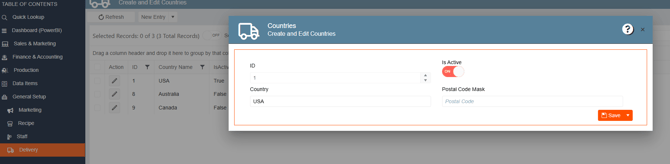
Fields:
| Field | Description |
|---|---|
| Country | Country name (e.g., USA, Australia, Canada) |
| Postal Code Mask | Format mask for postal code entry |
| Is Active | Toggles visibility |
Example values: USA (Active), Australia (Inactive), Canada (Inactive)
Postal Codes
Purpose: Maps zip codes to geographic and operational data used for delivery planning, zone assignment, and tax jurisdiction. This is the most detailed entry in Delivery.
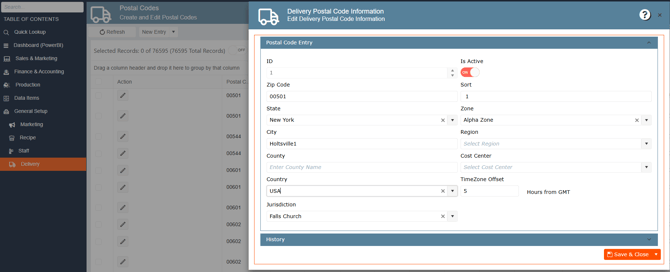
Fields:
| Field | Description |
|---|---|
| Zip Code | 5-digit postal code |
| State | State linked to this postal code |
| City | City name |
| County | County name (optional) |
| Country | Country (e.g., USA) |
| Jurisdiction | Tax jurisdiction (e.g., Falls Church) |
| Sort | Sort order for display |
| Zone | Delivery zone assigned (e.g., Alpha Zone) |
| Region | Sales/delivery region |
| Cost Center | Cost center for deliveries to this area |
| TimeZone Offset | Hours offset from GMT (e.g., 5) |
Regions
Purpose: Defines broad geographic regions used for delivery planning and sales territory assignment.
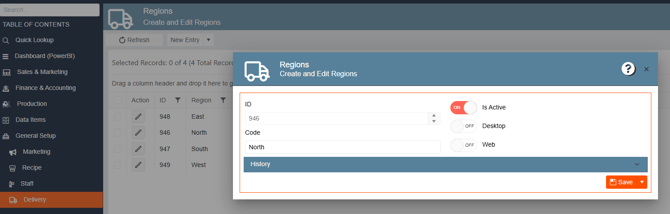
Example values: East, North, South, West
Delivery Routes
Purpose: Defines named delivery routes used by dispatchers to organize event deliveries.
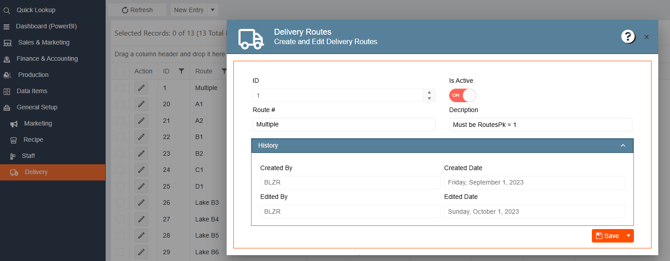
Fields:
| Field | Description |
|---|---|
| Route # | Route identifier code (e.g., Multiple, A1, A2, B1) |
| Description | Notes about the route |
Example values: Multiple, A1, A2, B1, B2, C1, D1, Lake B3, Lake B4, Lake B5, Lake B6
Trucks (Delivery Vehicles)
Purpose: Registers and tracks all delivery vehicles in the fleet.
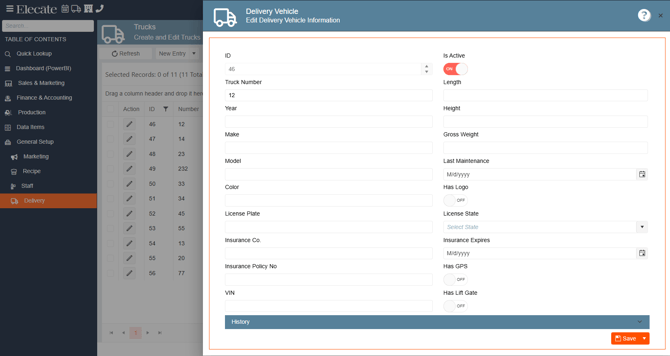
Fields:
| Field | Description |
|---|---|
| Truck Number | Internal truck number |
| Year / Make / Model / Color | Vehicle identification details |
| License Plate / License State | Registration information |
| Insurance Co. / Policy No / Expires | Insurance details |
| VIN | Vehicle Identification Number |
| Length / Height / Gross Weight | Physical dimensions |
| Last Maintenance | Date of last maintenance service |
| Has Logo | Company branding on vehicle |
| Has GPS | GPS tracking installed |
| Has Lift Gate | Lift gate available |
Delivery Zones
Purpose: Defines geographic delivery zones with associated cost and billing rates. These zones link to postal codes for automatic zone assignment.
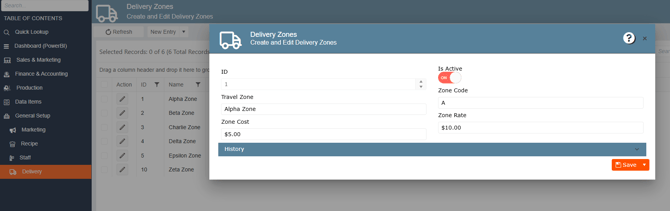
Fields:
| Field | Description |
|---|---|
| Travel Zone | Zone name (e.g., Alpha Zone) |
| Zone Code | Short code (e.g., A) |
| Zone Cost | Internal cost for deliveries to this zone (e.g., $5.00) |
| Zone Rate | Rate billed to client for this zone (e.g., $10.00) |