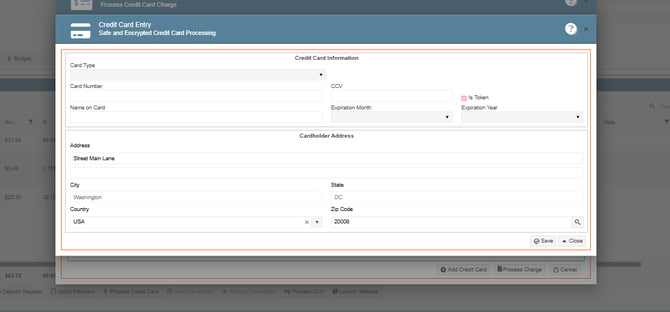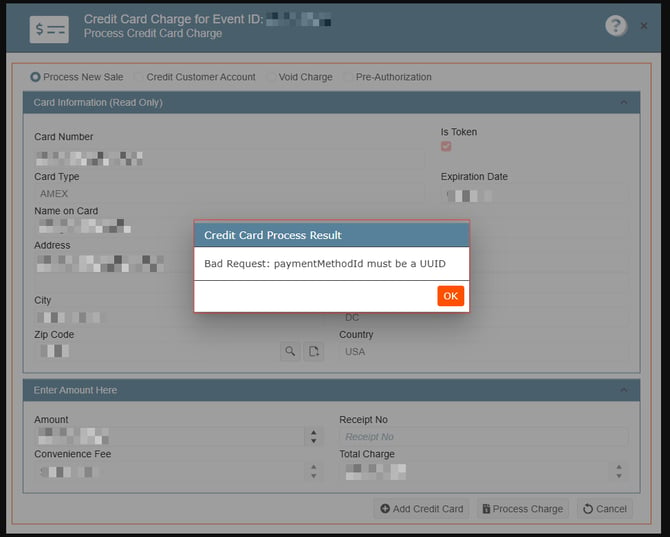
The "Secure Token" might have expired or is no longer valid. This issue can typically be resolved by deleting and re-entering the credit card information to update the token and then processing the payment again.
Users can complete this from either:
- Finance & Accounting, or
- Directly from the Event payment section.
After re-entering the information, the payment should process successfully without any further issues.
Entering Card from Finance and Accounting:
-
Go to Finance & Accounting
-
Click on Customer Financials
-
One more time, click on Customer Financials
-
Select Customer Financial Management
-
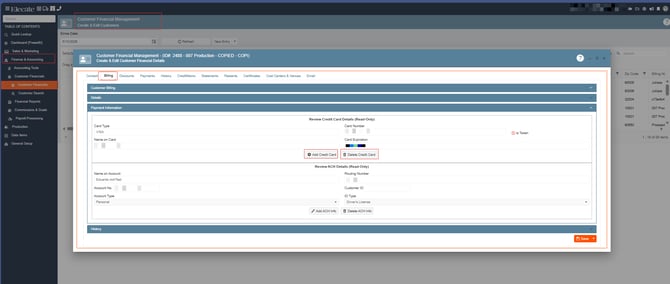
Search for your customer, go to the Billing Tab, under Payment Information, you´ll find the options to update or delete the card information:
Entering Card information from the event:
-
Go to Sales & Marketing
-
Click on Event & Order Management
-
Select Event Management - All Status Types Included
-
Open an existing event, go to the Financial Tab, under Payment Schedule, you´ll be able to enter the card information
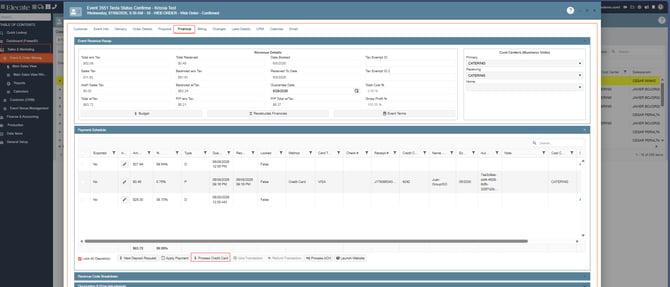
Click on Add Credit Card: 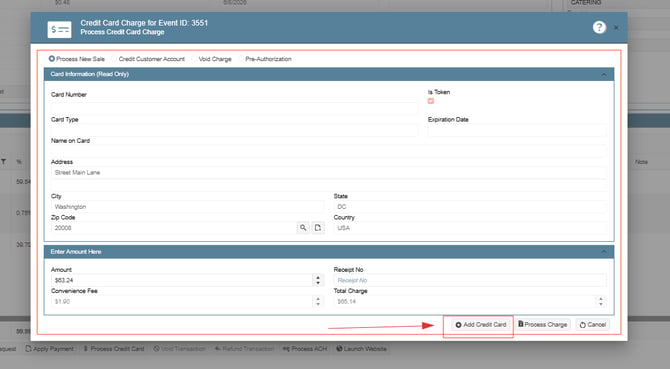
Enter the Card Details: