
Creating a Web Item:
1. Select the correct unit from the top dropdown
2. Create a recipe like normal by following the below steps:
a. Data Items
b. Food Management
c. Recipe Management (All Items)
d. New Entry -> complete all required fields and save
3. Navigate to the Web Details Tab
a. Toggle Web Enabled to On
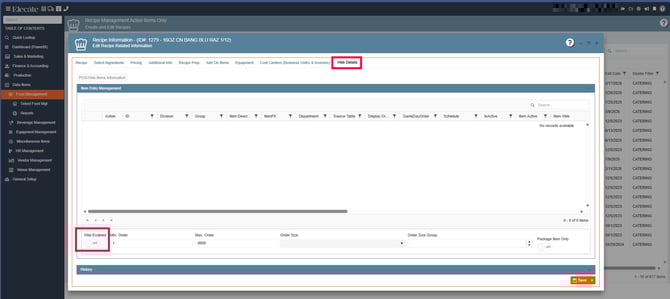
4. Navigate to the gear icon to make the recipe web enabled by following these steps
a. POS Web Item Management
b. Item Entry Management
c. New Entry
d. Complete the POS/Web Items Information window:
i. Department:
▪ Select Food when putting in recipes, Select Menu when putting in packages
ii. Source Table:
▪ Select Recipe when inputting recipes, select Menu when inputting packages
iii. Web Division:
▪ Select the WebDivision.
iv. Web Group:
▪ Select the same sub-group as the data item.
v. Item:
▪ Select from the dropdown list. Only items where web item has been toggled on at the data item level will appear on this list.
vi. Display Order:
▪ Enter a number that corresponds to the order in which you want the items to
display
vii. Schedule:
▪ Optional field to correspond with item availability