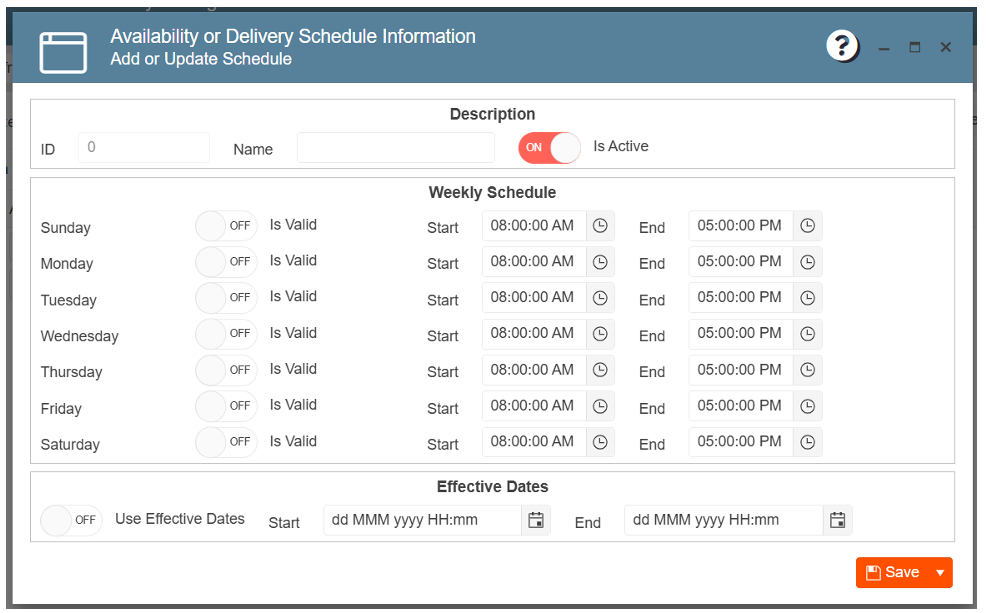
Setting a web item availability:
Also called Online Ordering Schedule. For this function, appsetting UseDeliveryDateTimeForWebItems
value should be “Yes”. Otherwise, the system will ignore all schedules, even if active.
1. Navigate to the Gear Icon
2. Click POS Web Item Management
3. Click Item Availability Management
4. Click on New Entry
5. Set up the desired schedule
6. Enter the schedule name
7. Click Save