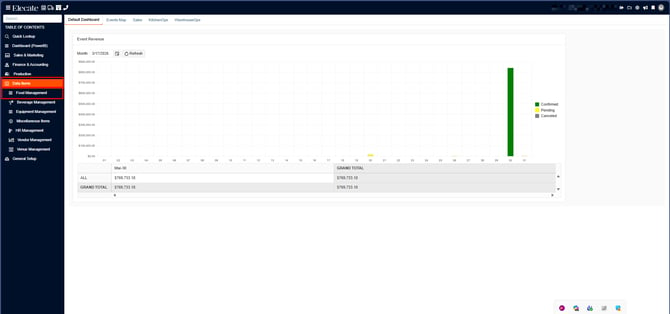
1. On the left side panel, go to Data Items
2. Click on Food Management
3. Choose Menu Packages
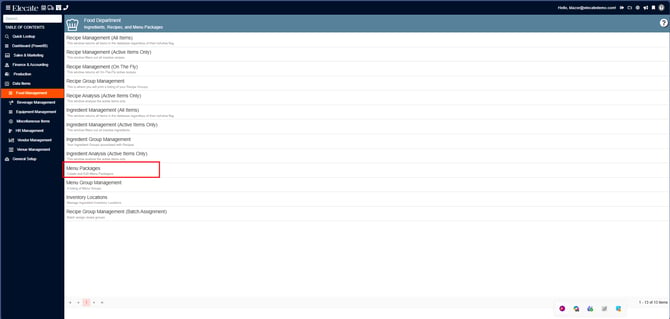
4. You can either select an existing package to add substitutions, or create a brand-new package by selecting the New Entry button: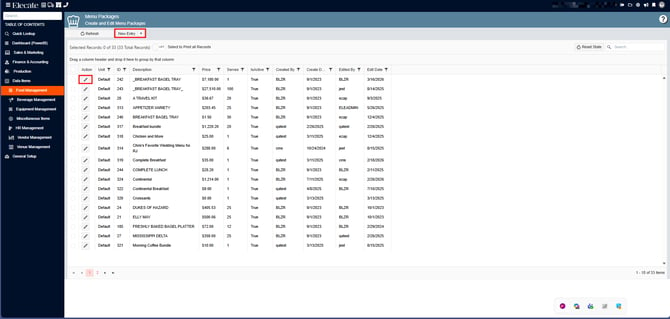
5. If an existing record was selected, next go to Recipes Components, from the Recipe list of items add more items or keep the existing ones, to add substitutions go to order details, select the item and next to the pencil icon is the substitution button click on it: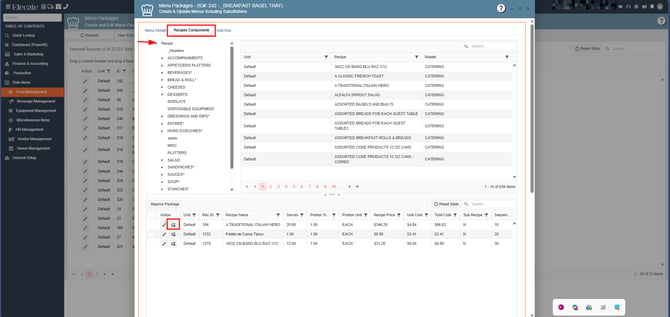
After clicking on the substitution button, the following window will appear, on here you can add as much as substitution you want for that item, you can add more than 20 substitutions items for that recipe: 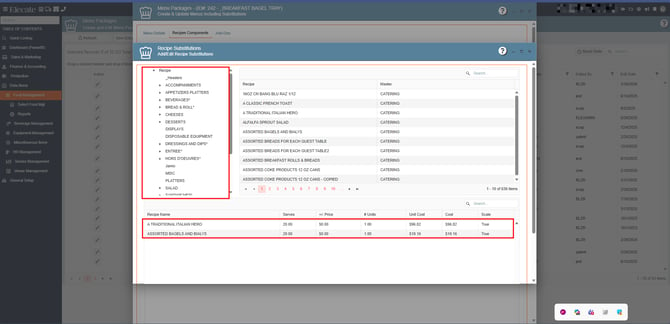
Once the substitution items are added to the menu package, do not forget to press on Close: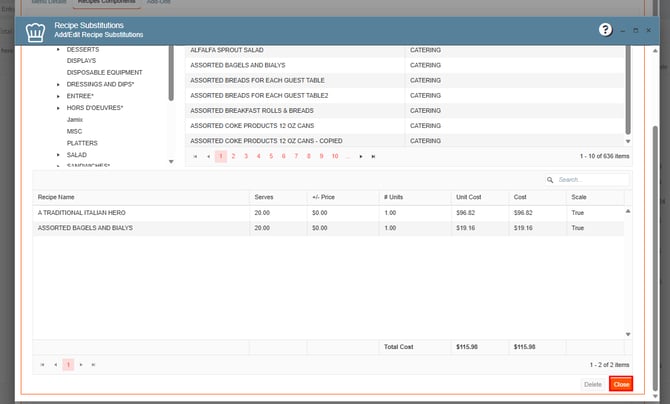
Next process will be added the recipe items with substitutions to an event:
6. Go to Sales & Marketing
7. Click on Event & Order Management
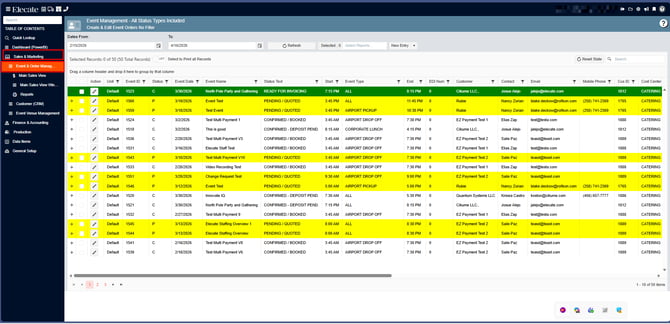
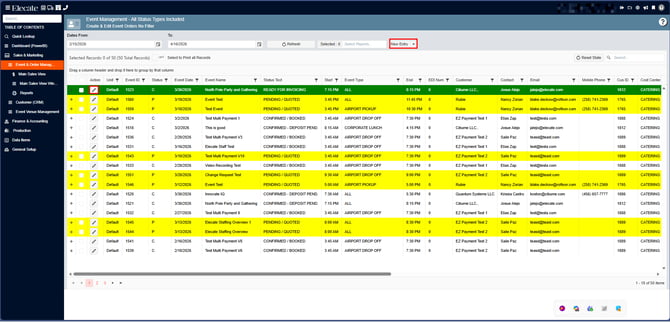
8. You can either open an existing event or create a new one by clicking on the pen icon:
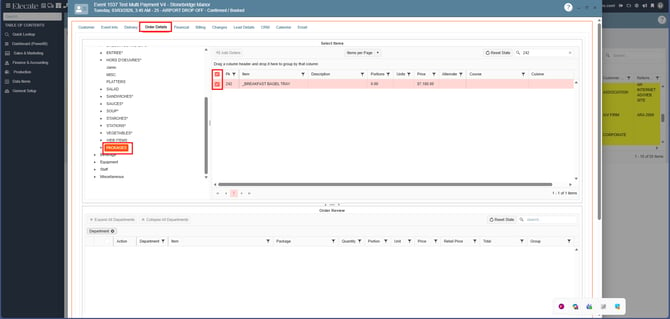
9. Once the event is opened, go to Order Details, click on Recipes, go to the packages section:
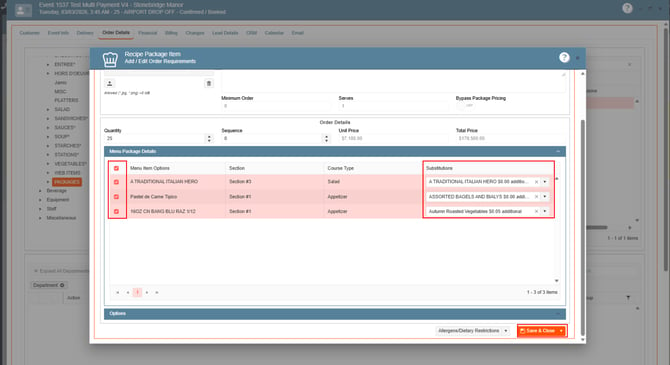
When packages with substitutions are added to an event, the substitution column will display a field with a drop-down menu, see the image below:
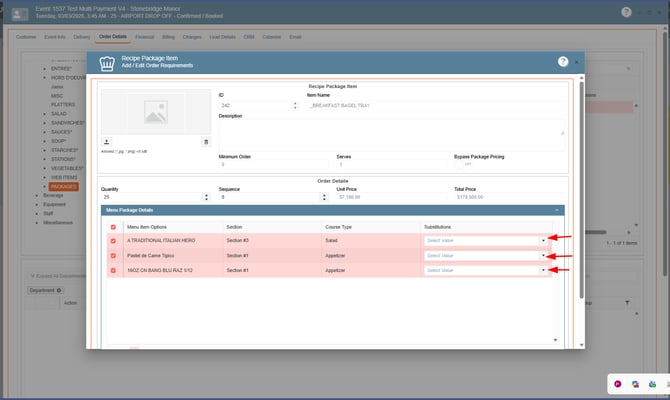
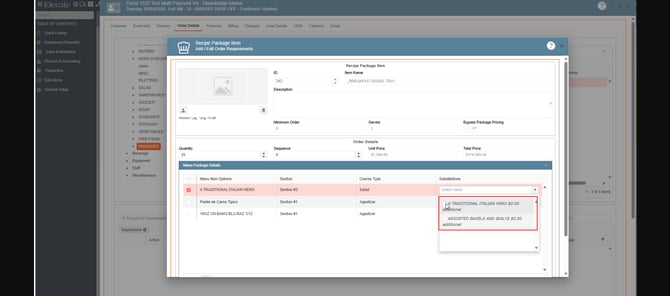
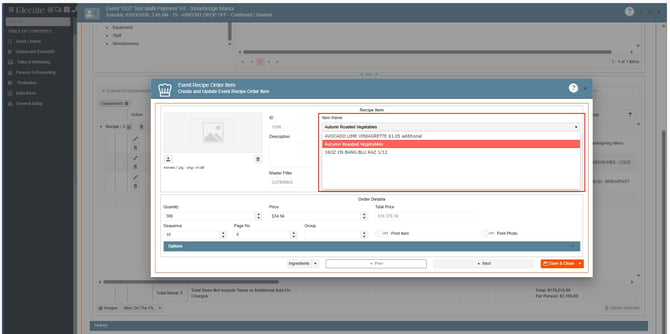
One a substitution item is selected, the empty field in the substitution column, will display the name of the item, before closing the window make sure all the items have a check mark, if you want to add all the items to the event:
Do not forget to press Save & Close: