
When copying a past order, you will have the ability to edit the cart to add different items or remove existing ones, or you can proceed to checkout without making changes. This process simplifies placing an order with the same or similar items to a previous one.
To copy an order go to:
1. Click on the Order History Icon located on the top right corner
2. Locate the order you want to copy
3. Click on the Copy Icon on the actions column
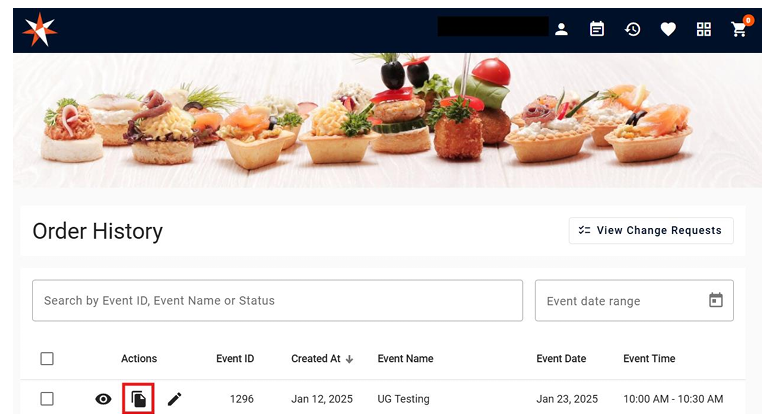
This action will add the items to the shopping cart so you can proceed with the order as usual.