1. Click on the Order History Icon located on the top right corner
2. Click on the View Order icon located on the Actions column
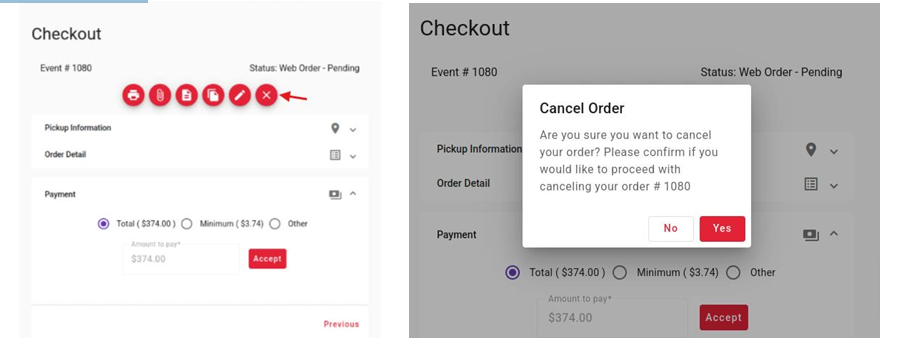
3. Click on the Cancel Order or x icon
4. Enter the reason why you want to cancel the order
5. Click Confirm

1. Click on the Order History Icon located on the top right corner
2. Click on the View Order icon located on the Actions column
3. Click on the Cancel Order or x icon
4. Enter the reason why you want to cancel the order
5. Click Confirm