
General Setup is the master configuration area of Elecate. It defines the reference data that populates dropdown menus and selection fields throughout the platform — when creating events, assigning staff, building menus, or planning deliveries.
Think of it as the "dictionary" of your operation: before users can select an event type, a delivery method, or a staff role, that option must exist in General Setup.
Navigation & Setup
How to access General Setup
- On the left side panel, click General Setup.
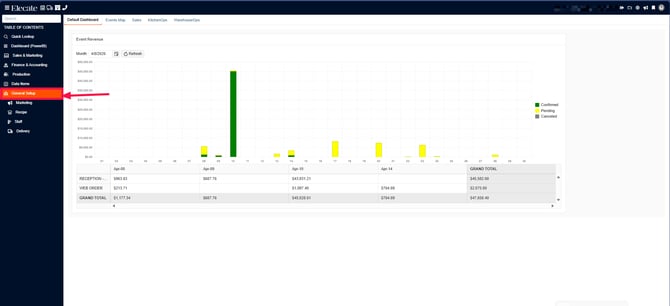
2. The four department tabs will appear: Marketing, Recipe, Staff, and Delivery.
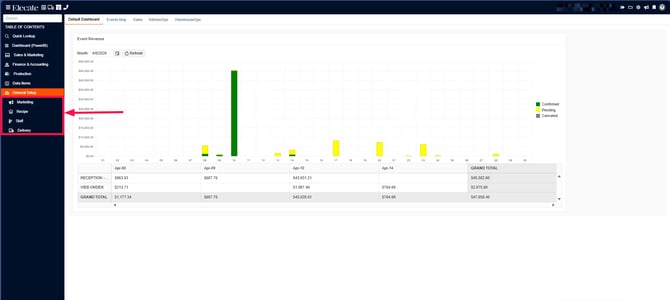
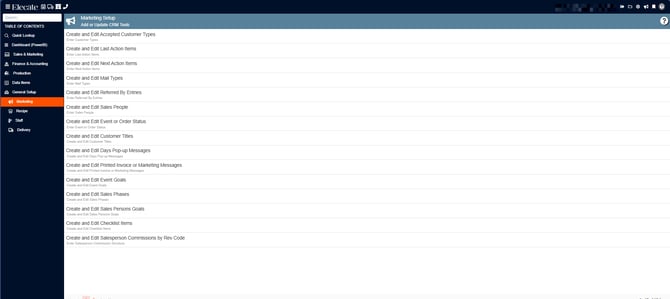
3. Click the department you want to configure.
a) Marketing,
these fields help track customer relationships and sales activity, we have the following options:
Customer Types
Purpose: Classifies the type of customer or client associated with an event.
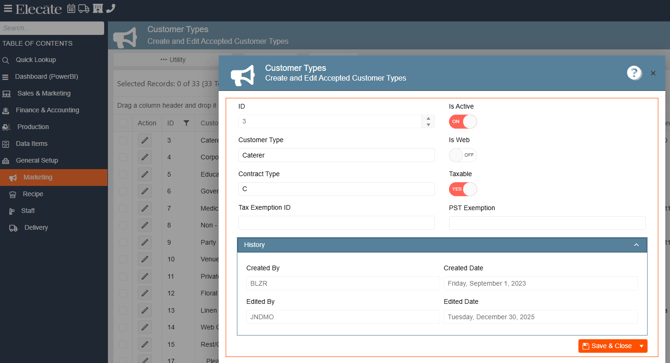
Fields:
| Field | Description |
|---|---|
| Customer Type | Name of the customer classification |
| Contract Type | Contract category code (e.g., C = Corporate, N = Non-Profit) |
| Tax Exemption ID | Tax exemption number if applicable |
| PST Exemption | Provincial Sales Tax exemption identifier |
| Is Active | Toggles visibility in selection menus |
| Is Web | Makes this type available on the web portal |
| Taxable | Indicates if this customer type is subject to tax |
Example values: Caterer, Corporate, Corporate Taxable, Distributor, Education, Event Management, Floral, Flying Agency, Government, Medical, Non-Profit, Party Rental, Venue.
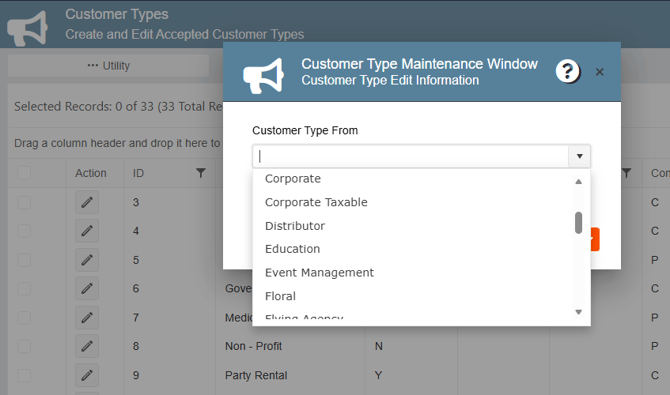
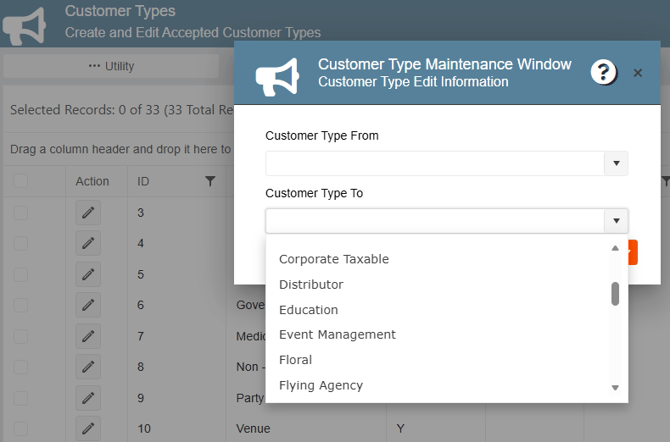
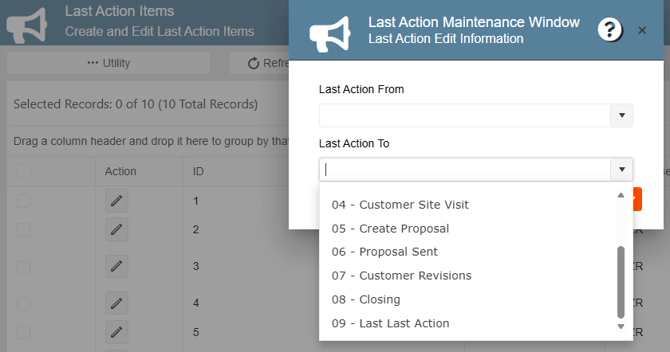
Utility — Bulk Reassignment:
Last Action Items
Purpose: Tracks the most recent action taken in the sales process for a customer or event.
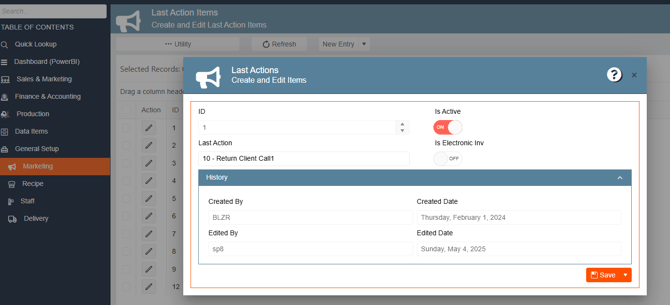
Fields:
| Field | Description |
|---|---|
| Last Action | Description of the last action taken (numbered sequence) |
| Is Active | Toggles visibility |
| Is Electronic Inv | Indicates if this action relates to electronic invoicing |
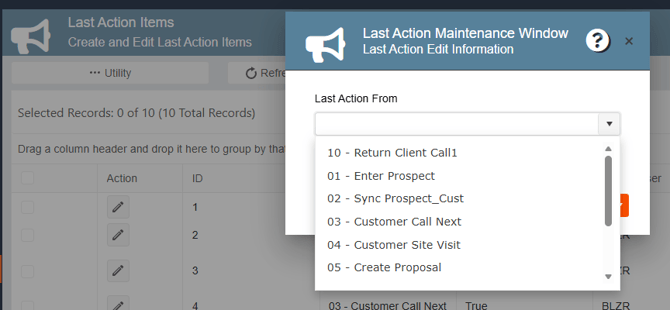
Example values: 01-Enter Prospect, 02-Sync Prospect_Cust, 03-Customer Call Next, 04-Customer Site Visit, 05-Create Proposal, 06-Proposal Sent, 07-Customer Revisions, 08-Closing, 09-Last Last Action, 10-Return Client Call1
Utility — Bulk Reassignment:
Next Action Items
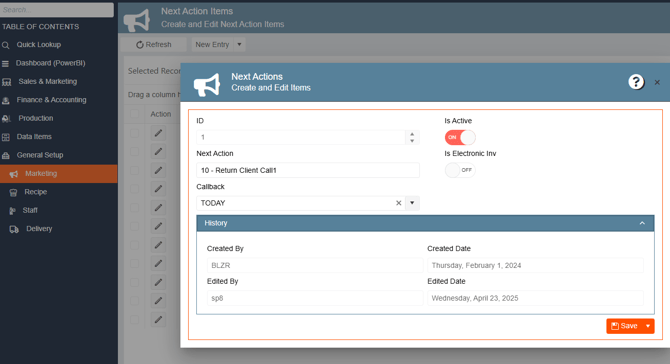
Purpose: Defines the planned next step in the sales follow-up process.
Fields:
| Field | Description |
|---|---|
| Next Action | Description of the planned next step |
| Callback | Scheduled callback timing (e.g., TODAY) |
| Is Active | Toggles visibility |
| Is Electronic Inv | Indicates if this action relates to electronic invoicing |
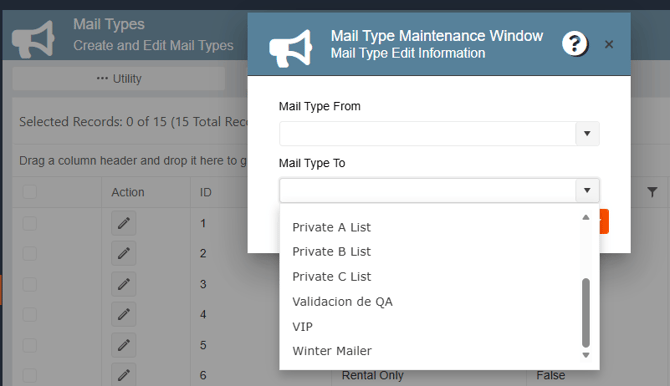
Mail Types
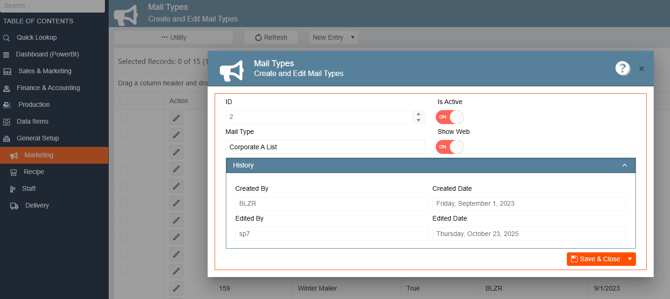
Purpose: Categorizes mailing lists used for marketing communications.
Fields:
| Field | Description |
|---|---|
| Mail Type | Name of the mailing list or category |
| Is Active | Toggles visibility |
| Show Web | Makes this type visible on the web portal |
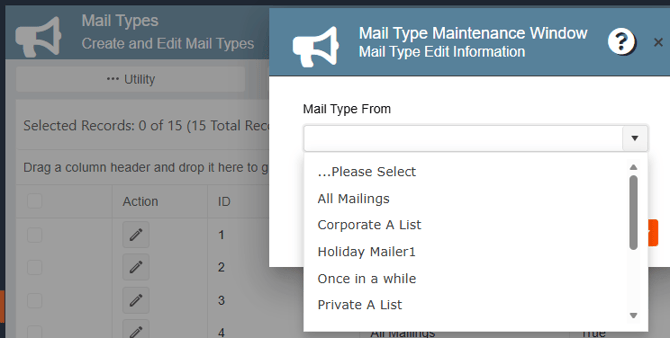
Example values: All Mailings, Corporate A List, Holiday Mailer1, Once in a while, Private A List, Private B List, Private C List, Validacion de QA, VIP, Winter Mailer.
Utility — Bulk Reassignment:
Referred By
Purpose: Tracks the source or referral channel that brought in a customer.
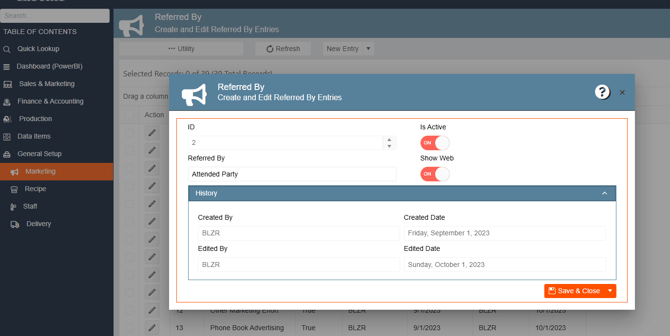
Fields:
| Field | Description |
|---|---|
| Referred By | Name of the referral source |
| Is Active | Toggles visibility |
| Show Web | Makes this entry visible on the web portal |
Example values: Attended Party, Other Marketing Effort, Phone Book Advertising.
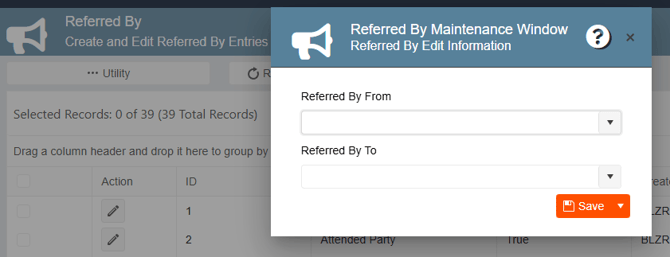
Utility — Bulk Reassignment:
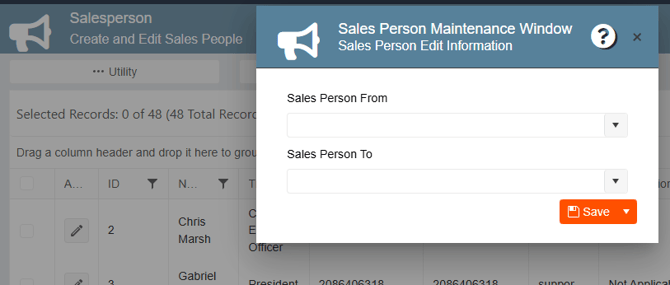
Salesperson
Purpose: Registers and manages the sales representatives in the system.
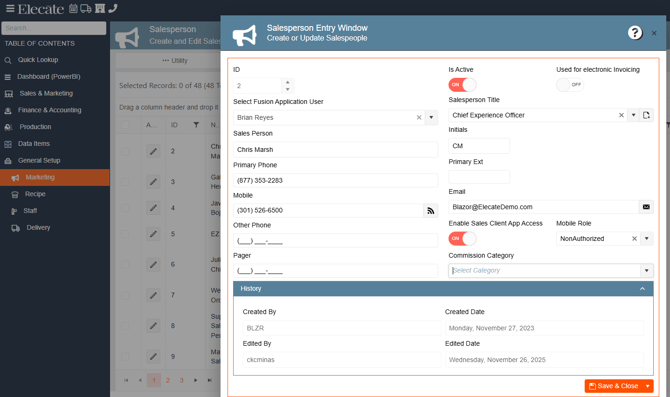
Fields:
| Field | Description |
|---|---|
| Select Fusion Application User | Links the salesperson to their system login account |
| Sales Person | Full name |
| Primary Phone / Mobile | Contact phone numbers |
| Is Active | Toggles visibility |
| Used for Electronic Invoicing | Enables this salesperson for e-invoicing workflows |
| Salesperson Title | Job title (e.g., Chief Experience Officer) |
| Initials | Short code (e.g., CM for Chris Marsh) |
| Contact email address | |
| Enable Sales Client App Access | Grants access to the Elecate Sales Client mobile app |
| Mobile Role | Permission level in the mobile app (e.g., NonAuthorized) |
| Commission Category | Links to a commission structure |
Utility — Bulk Reassignment:
Event or Order Status
Purpose: Defines the lifecycle stages an event or order can be in. This is a critical field — it drives reporting, dispatching, billing, and accounting workflows.
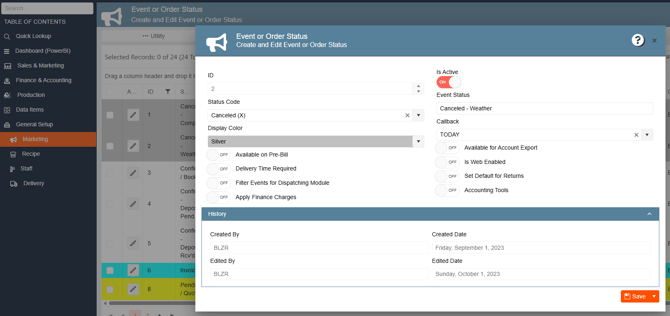
Fields:
| Field | Description |
|---|---|
| Status Code | Dropdown category (e.g., Canceled (X), Confirmed (C)) |
| Display Color | Color shown in calendar and list views |
| Event Status | Full descriptive name |
| Callback | Default callback timing |
| Available on Pre-Bill | Enables pre-billing for this status |
| Delivery Time Required | Requires delivery time before saving |
| Filter Events for Dispatching Module | Includes/excludes from dispatch views |
| Apply Finance Charges | Auto-applies finance charges |
| Available for Account Export | Allows accounting export |
| Is Web Enabled | Shows this status on the online portal |
| Set Default for Returns | Uses this status for return orders |
| Accounting Tools | Enables accounting tool access |
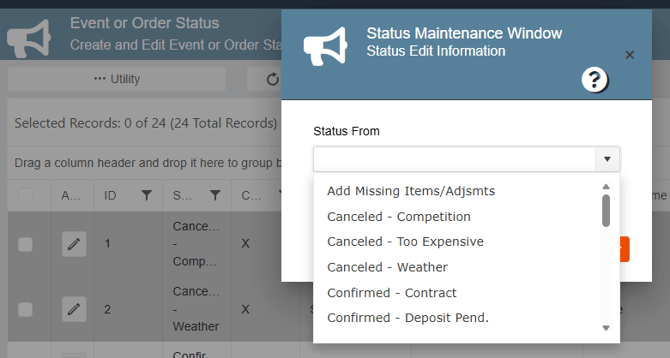
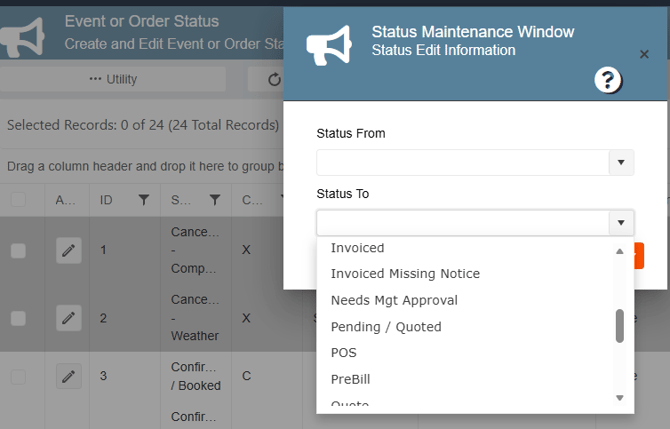
Example values: Add Missing Items/Adjsmts, Canceled-Competition, Canceled-Too Expensive, Canceled-Weather, Confirmed/Booked, Confirmed-Contract, Confirmed-Deposit Pend., Invoiced, Invoiced Missing Notice, Needs Mgt Approval, Pending/Quoted, POS, PreBill, Quote.
Utility — Bulk Reassignment:
Customer Titles
Purpose: Defines professional titles used when creating customer contact records.
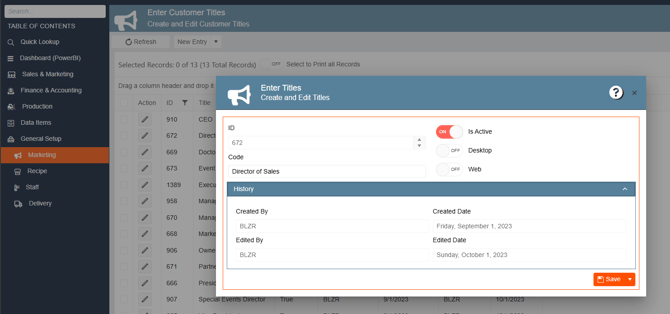
Example values: CEO, Director of Sales, Doctor, Event Coordinator, Executive, Manager, Marketing Manager, Owner, Partner, President, Special Events Director, Vice President.
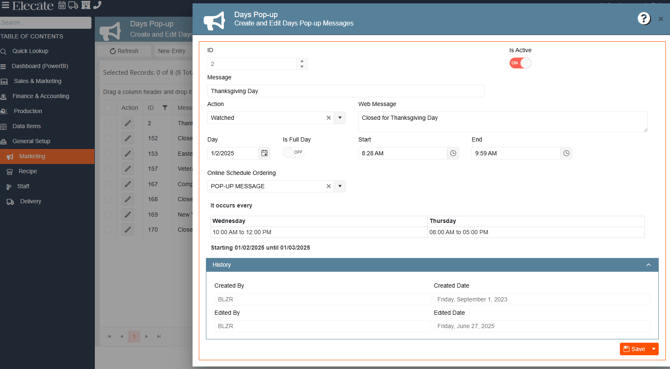
Days Pop-up
Purpose: Configures pop-up messages that appear on specific dates — holidays, closures, or operational reminders. Also supports online scheduling notifications.
Fields:
| Field | Description |
|---|---|
| Message | Internal label (e.g., "Thanksgiving Day") |
| Action | Type of action triggered (e.g., Watched) |
| Day | Date the pop-up is set for |
| Is Full Day | Marks as an all-day event |
| Start / End | Time window |
| Web Message | Text shown on the online portal (e.g., "Closed for Thanksgiving Day") |
| Online Schedule Ordering | Behavior in online scheduling (e.g., POP-UP MESSAGE) |
| It occurs every | Recurring schedule (days and times) |
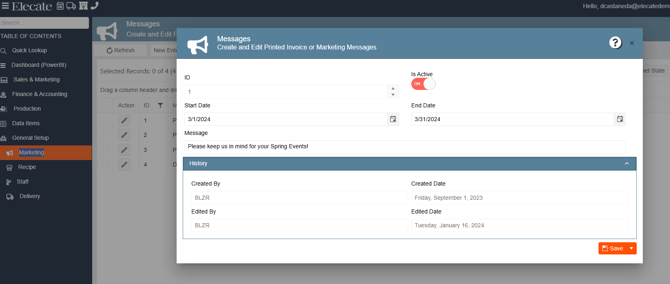
Messages
Purpose: Configures time-limited messages that print on invoices or appear in marketing communications.
Fields:
| Field | Description |
|---|---|
| Start Date | Date the message becomes active |
| End Date | Date the message expires |
| Message | Text content (e.g., "Please keep us in mind for your Spring Events!") |
Event Goals
Purpose: Defines goal categories used to classify the purpose or objective of an event.
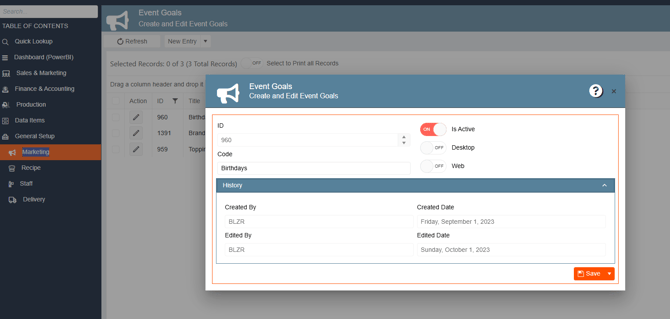
Example values: Birthdays, Branding, Topping.
Sales Phase
Purpose: Defines the phases in the sales cycle used to track proposal progress.
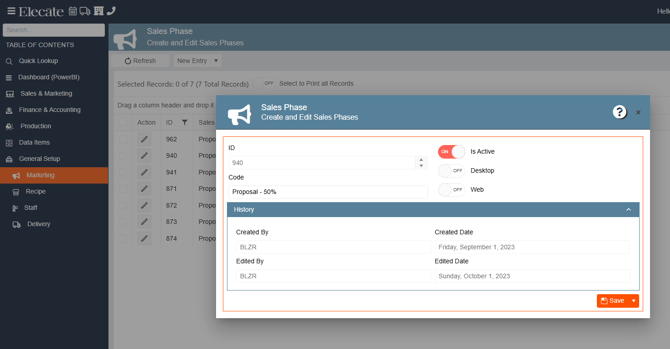
Example values: Proposal - 50% and other proposal stage percentages.
Sales Person Goals
Purpose: Sets monthly revenue targets for each salesperson, by cost center.
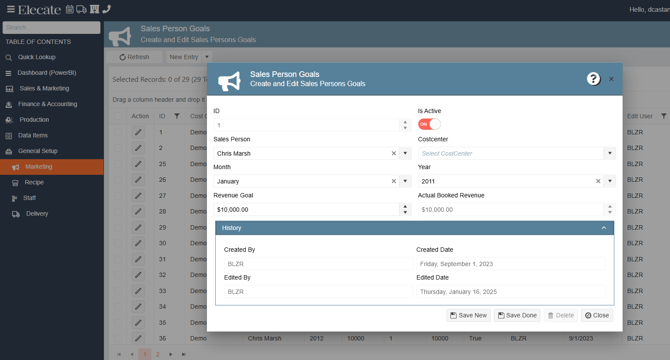
Fields:
| Field | Description |
|---|---|
| Sales Person | The salesperson the goal applies to |
| Costcenter | The cost center or market associated with this goal |
| Month | Month the goal applies to |
| Year | Year the goal applies to |
| Revenue Goal | Target revenue amount (e.g., $10,000.00) |
| Actual Booked Revenue | Read-only — shows actual booked revenue |
Event Checklist
Purpose: Defines checklist items that can be associated with events.
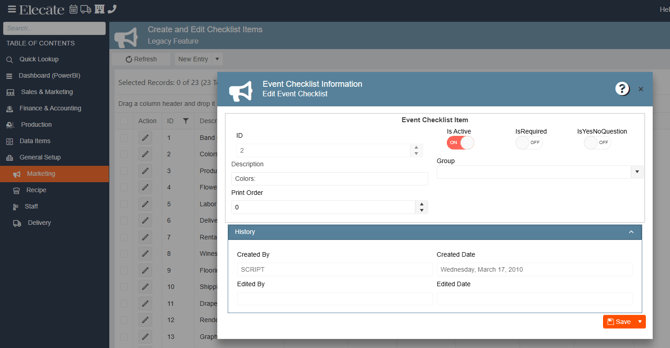
Fields:
| Field | Description |
|---|---|
| Description | Text of the checklist item (e.g., "Colors:") |
| Print Order | Order in which items print |
| IsRequired | Marks the item as mandatory |
| IsYesNoQuestion | Formats the item as a yes/no question |
| Group | Groups related checklist items |
Salesperson Commissions by Rev Code
Purpose: Defines the commission percentage each salesperson earns per revenue code category.
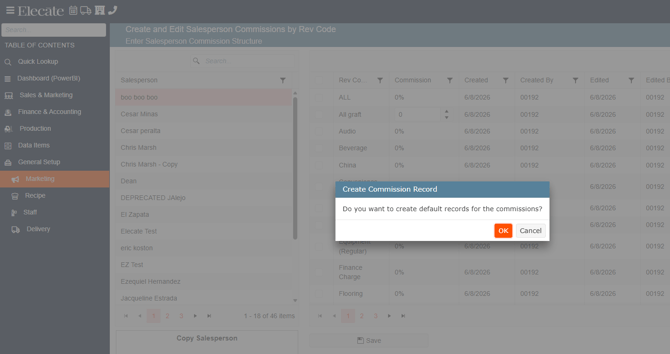
The screen has two panels:
- Left panel: list of all salespersons
- Right panel: commission % by Revenue Code (ALL, Audio, Beverage, China, Equipment, Finance Charge, Flooring, etc.)
Tip: Use "Copy Salesperson" to copy a commission structure from one salesperson to another. Use "Create Commission Record" to generate default records for a new salesperson.
Proposal Items
Purpose: Defines reusable proposal line items that can be added to event estimates.
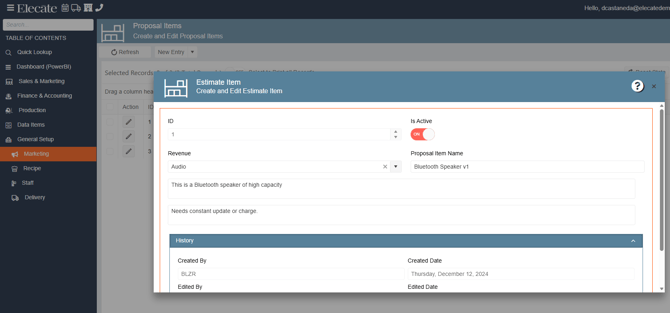
Fields:
| Field | Description |
|---|---|
| Revenue | Revenue code category (e.g., Audio) |
| Proposal Item Name | Name of the item (e.g., "Bluetooth Speaker v1") |
| Description 1 | Primary item description |
| Description 2 | Additional notes (e.g., "Needs constant update or charge.") |
b)Recipe Department
Recipe configurations support kitchen and operational workflows. These settings define how menu items are classified, prepared, measured, and presented.
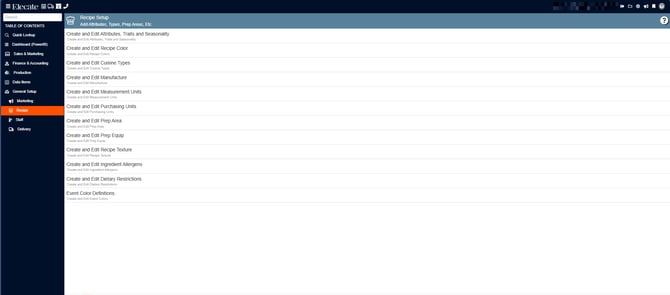
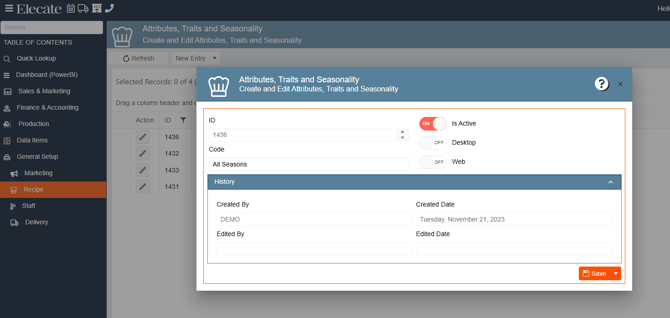
Attributes, Traits and Seasonality
Purpose: Tags ingredients or recipes with descriptive attributes and seasonal availability.
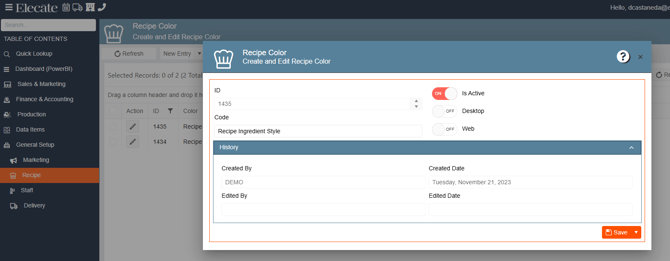
Recipe Color
Purpose: Defines color coding styles used in recipe display (e.g., ingredient style differentiation).
Cuisine Types
Purpose: Classifies recipes by cuisine style for menu organization and filtering.
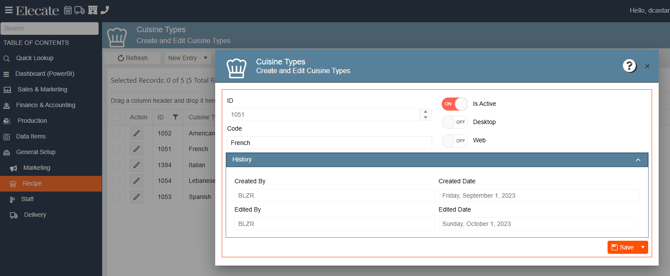
Example values: American, French, Italian, Lebanese, Spanish.
Manufacture
Purpose: Records the manufacturer or brand of ingredients used in recipes.
Example values: Pound, Pint Liter
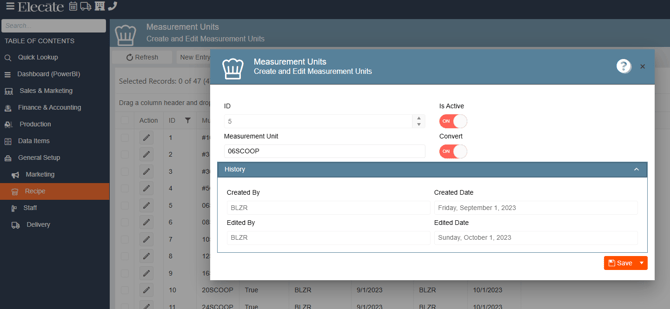
Measurement Units
Purpose: Defines the units of measure used when specifying ingredient quantities in recipes.
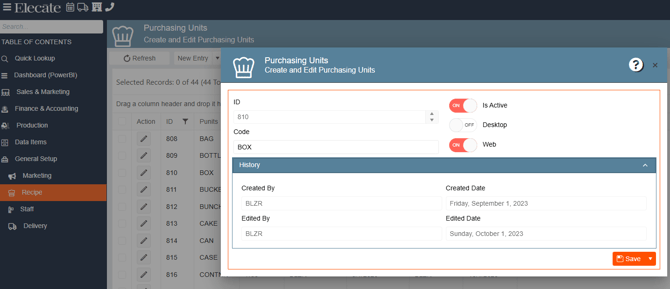
Fields:
| Field | Description |
|---|---|
| Measurement Unit | Unit name |
| Is Active | Toggles visibility |
| Convert | Enables unit conversion for this measurement |
Purchasing Units
Purpose: Defines the packaging or purchasing units used when ordering ingredients from vendors.
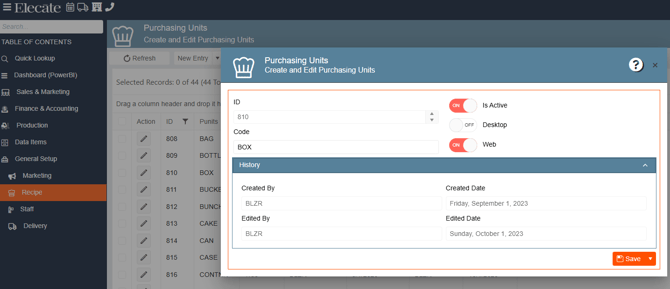
Example values: BAG, BOTTLE, BOX, BUCKET, BUNCH, CAN, CASE.
Prep Area
Purpose: Defines the kitchen station or prep area where a recipe or item is prepared.
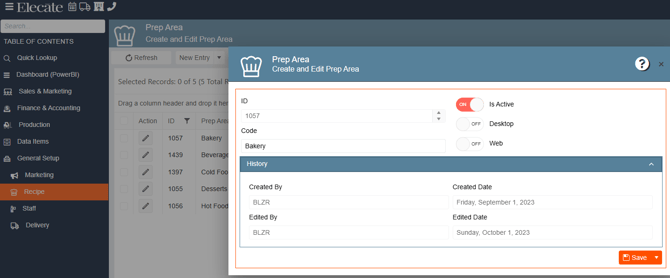
Example values: Bakery, Beverage, Cold Food, Desserts, Hot Food
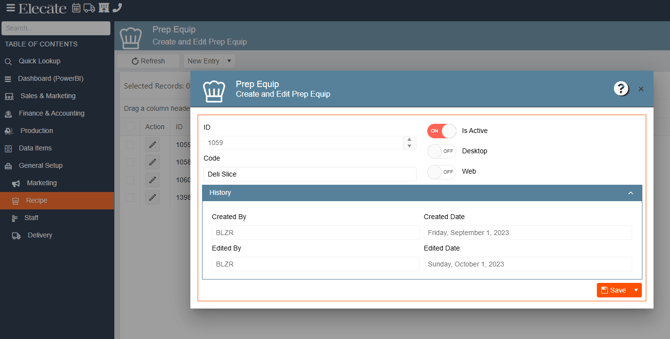
Prep Equip
Purpose: Defines the kitchen equipment used in recipe preparation.
Recipe Texture
Purpose: Tags recipes or items with texture descriptors used in menu descriptions.
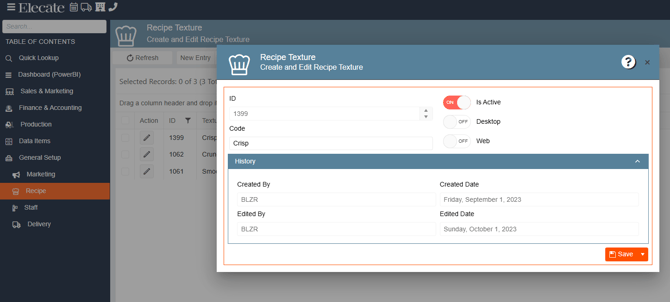
Example values: Crisp, Crunchy, Smooth
Ingredient Allergens
Purpose: Flags ingredients with allergen information for menu labeling and client safety.
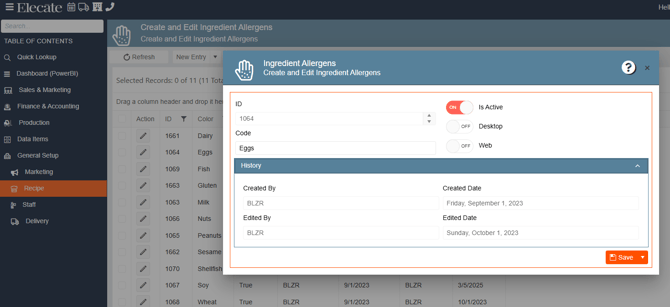
Example values: Dairy, Eggs, Fish, Gluten, Milk, Nuts, Peanuts, Sesame, Shellfish, Soy, Wheat
Dietary Restrictions
Purpose: Defines dietary categories applied to menu items for client accommodation. Typically visible on the web portal (Web toggle ON).
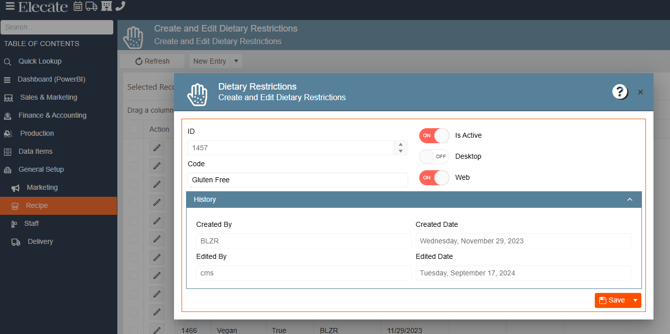
Example values: Gluten Free, Vegan (and others)
Event Color Definitions
Purpose: Defines color schemes used for visual identification of events in calendar and list views.
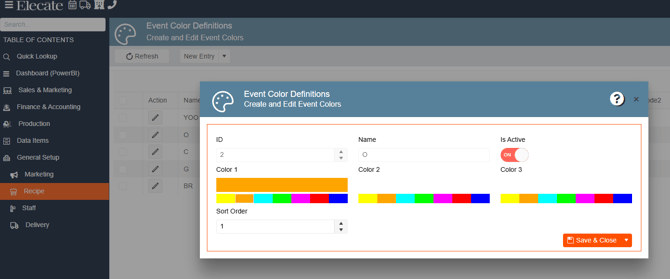
Fields:
| Field | Description |
|---|---|
| Name | Color scheme label |
| Color 1 | Primary color (selected from color picker) |
| Color 2 | Secondary color |
| Color 3 | Tertiary color |
| Sort Order | Display order in the color selector |
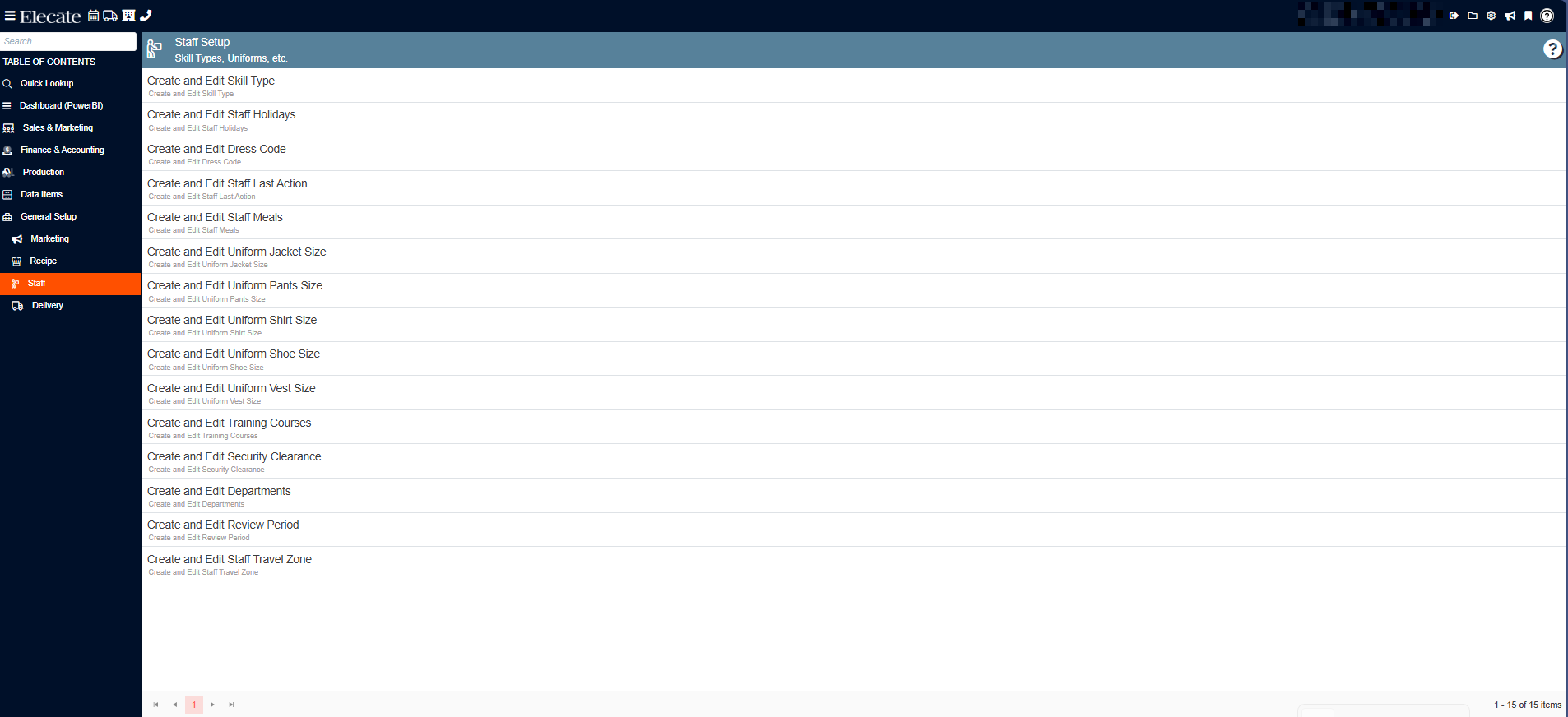
c) Staff Department
Staff configurations define how staff members are classified, scheduled, compensated, and managed throughout event operations.
Skill Type Management
Purpose: The most detailed Staff entry. Defines each billable staff role with its rate structure, operational settings, and payroll integration.
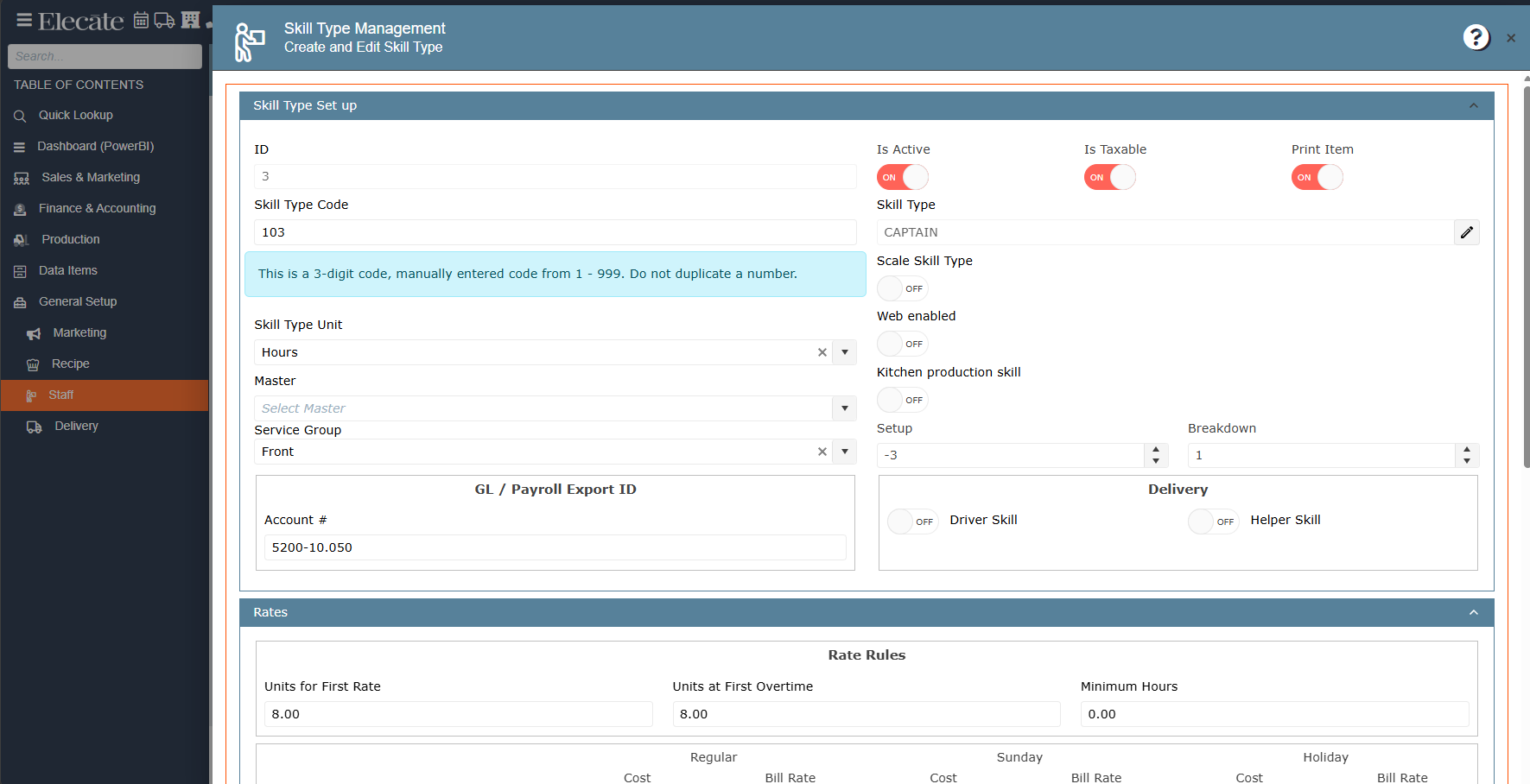
Skill Type Set up — Fields:
| Field | Description |
|---|---|
| Skill Type Code | 3-digit code (1–999). Do not duplicate. Manually entered. |
| Skill Type | Name of the role (e.g., CAPTAIN, SERVER, BARTENDER) |
| Skill Type Unit | Unit of time billed (e.g., Hours) |
| Master | Optional master skill type this is based on |
| Service Group | Service area (e.g., Front, Kitchen) |
| Is Active / Is Taxable / Print Item | Standard toggles |
| Scale Skill Type | Allows scaling of this skill type |
| Web Enabled | Shows on the web portal |
| Kitchen Production Skill | Marks this as a kitchen production role |
| Setup / Breakdown | Time offset hours before/after event |
| Driver Skill / Helper Skill | Marks delivery-related roles |
| GL/Payroll Export ID (Account #) | General Ledger account for payroll export |
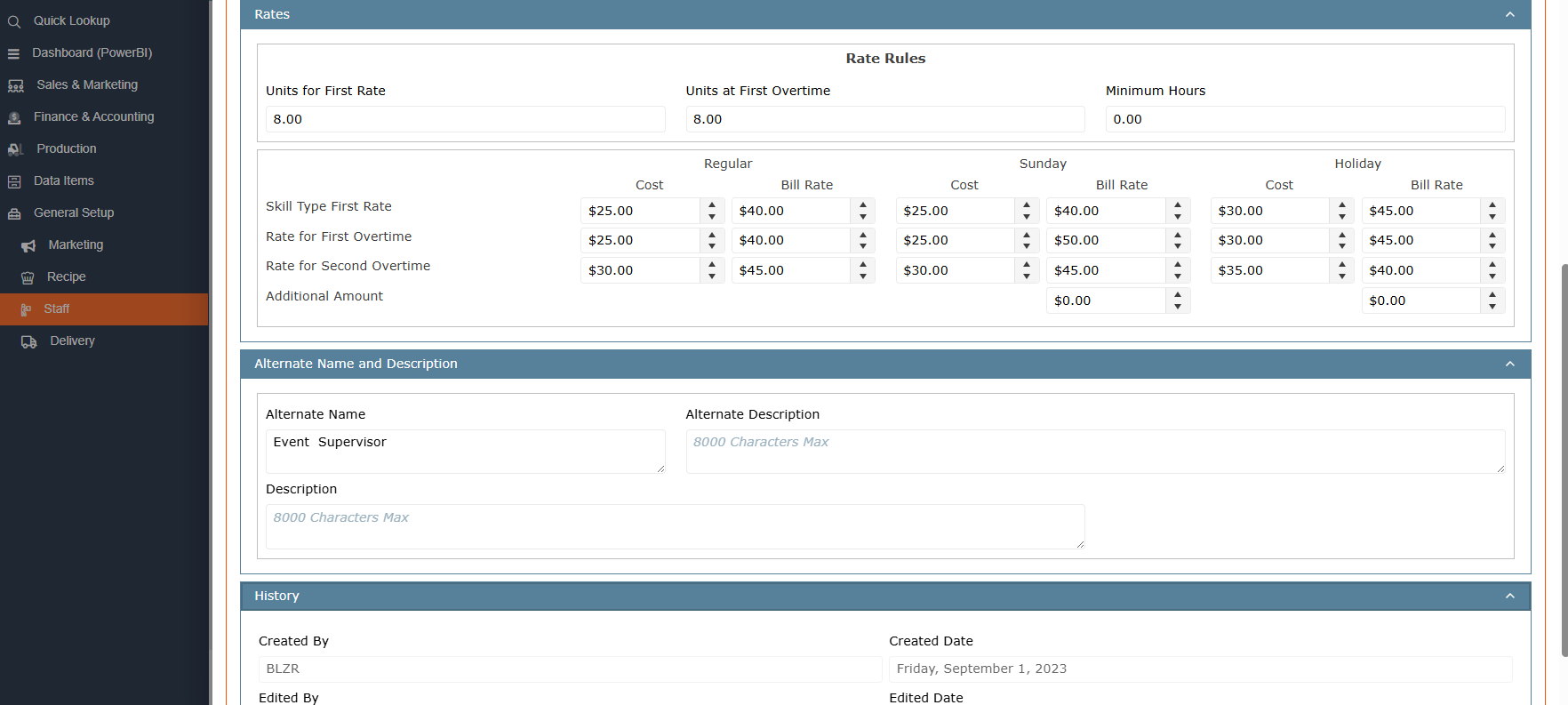
Rates — Fields:
| Field | Description |
|---|---|
| Units for First Rate | Number of units at the standard rate |
| Units at First Overtime | When overtime begins |
| Minimum Hours | Minimum hours guaranteed |
| Skill Type First Rate | Base Cost and Bill Rate (Regular / Sunday / Holiday) |
| Rate for First Overtime | First overtime Cost and Bill Rate |
| Rate for Second Overtime | Second overtime Cost and Bill Rate |
| Additional Amount | Extra charges for Sunday/Holiday |
| Alternate Name | Alternative display name (e.g., "Event Supervisor") |
| Description | Full description, up to 8,000 characters |
Staff Holidays
Purpose: Defines recognized holidays that affect staff scheduling and pay rates.
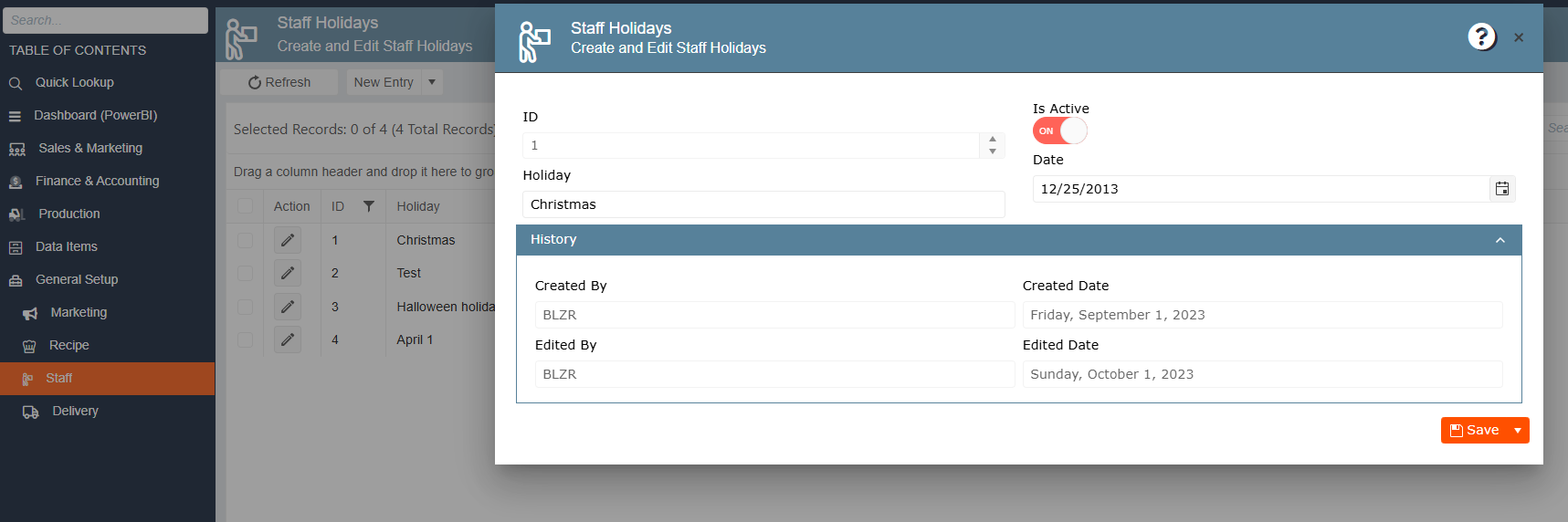
Fields:
| Field | Description |
|---|---|
| Holiday | Name of the holiday |
| Date | Date of the holiday |
Example values: Christmas, Halloween holiday, April 1
Staff Dress Code
Purpose: Defines dress code options that can be assigned to staff members for specific events.
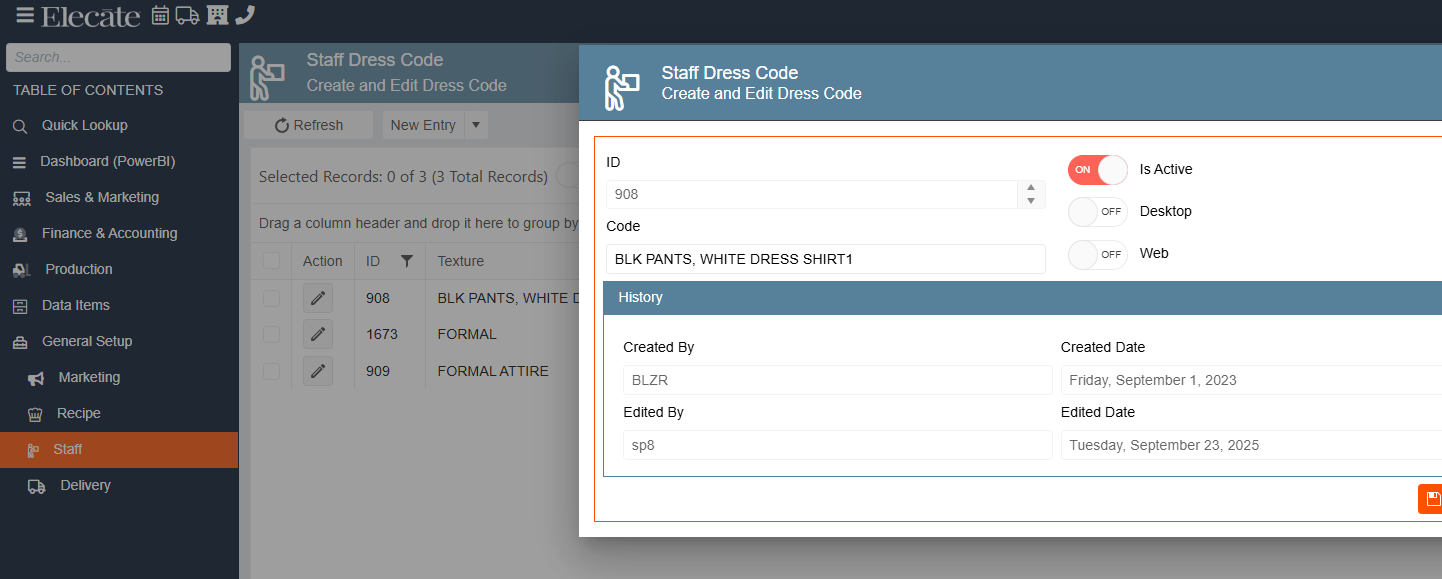
Example values: BLK PANTS WHITE DRESS SHIRT1, FORMAL, FORMAL ATTIRE
Staff Last Action
Purpose: Tracks the most recent action taken when recruiting or following up with a staff member.
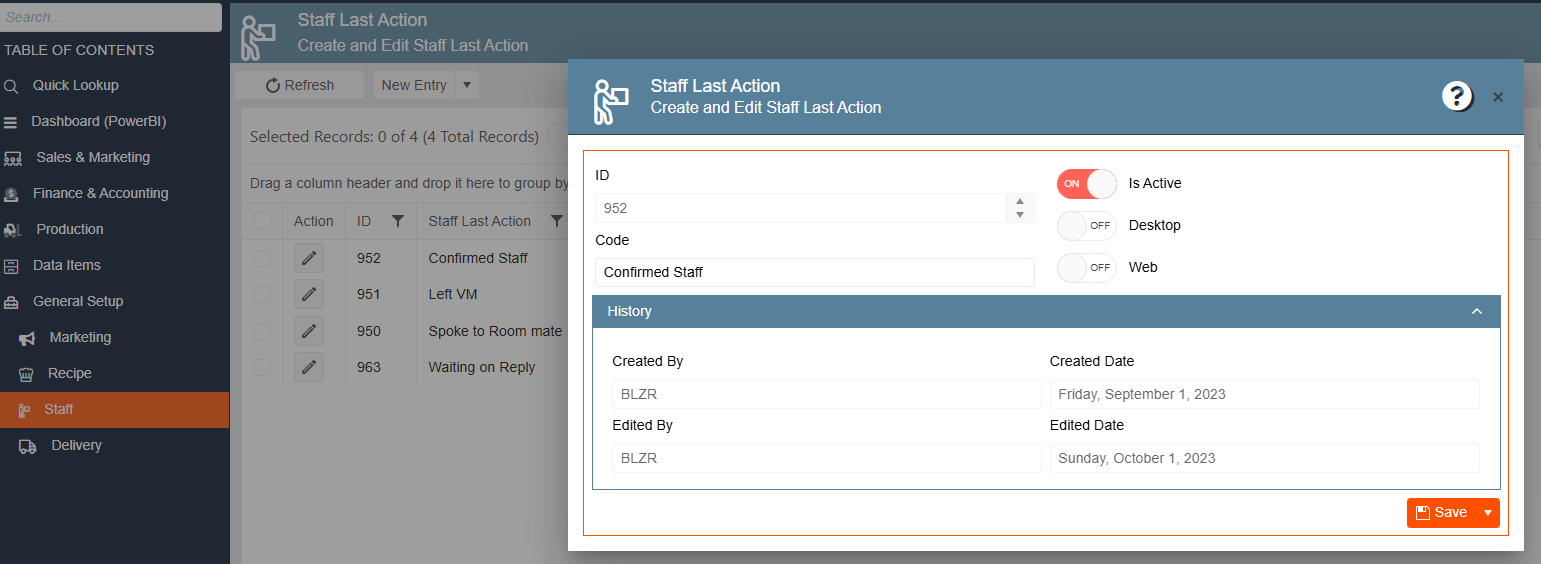
Example values: Confirmed Staff, Left VM, Spoke to Room mate, Waiting on Reply
Staff Meals
Purpose: Indicates whether and when a staff member receives a meal during an event.
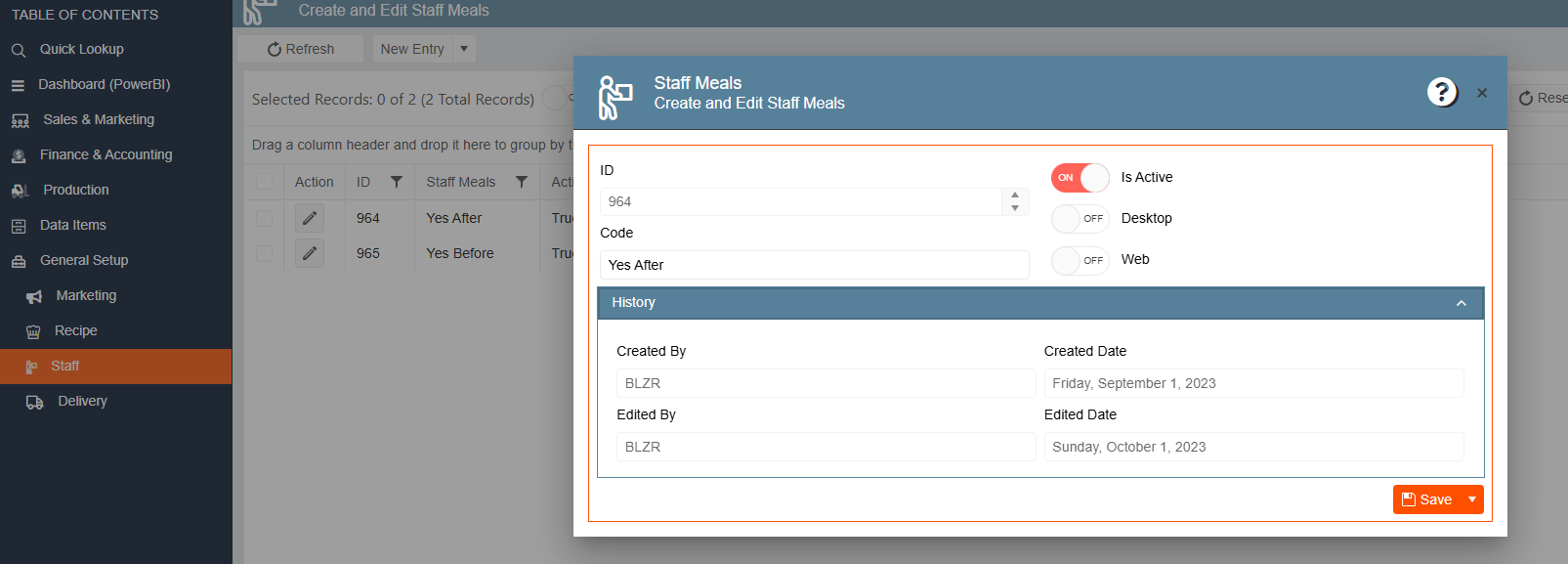
Example values: Yes After, Yes Before
Uniform Sizes
Purpose: Defines standard sizing options for each uniform component. Five categories with identical structure: ID, Code, Is Active, Desktop, Web.
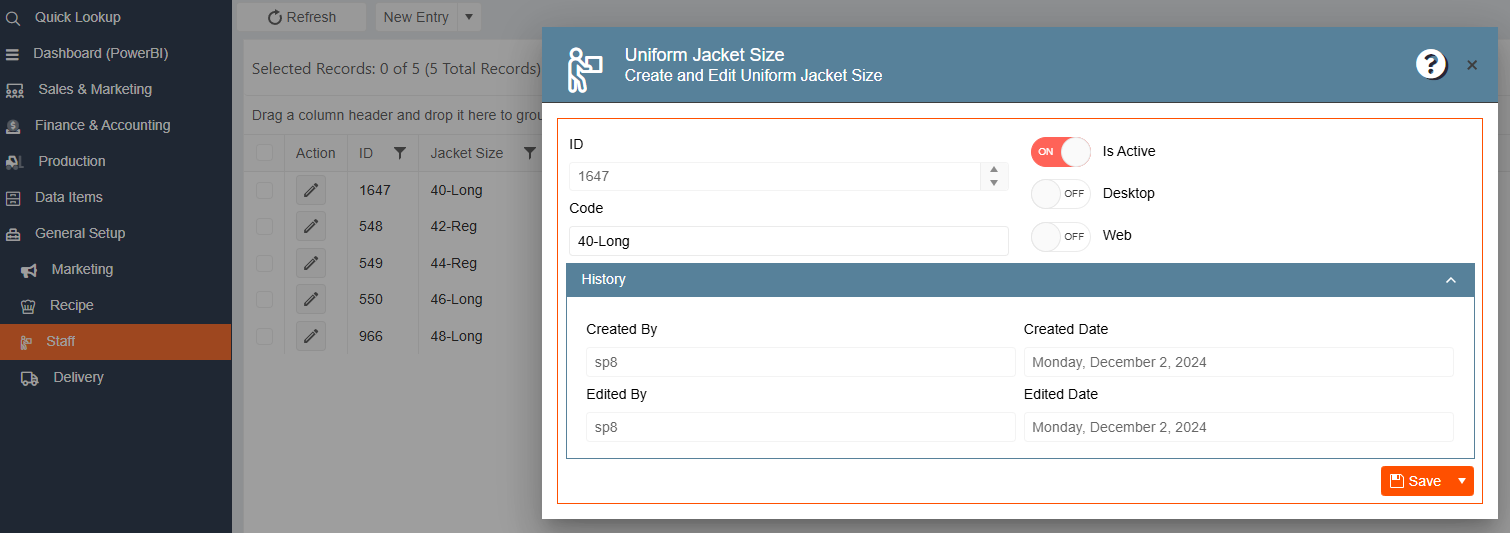
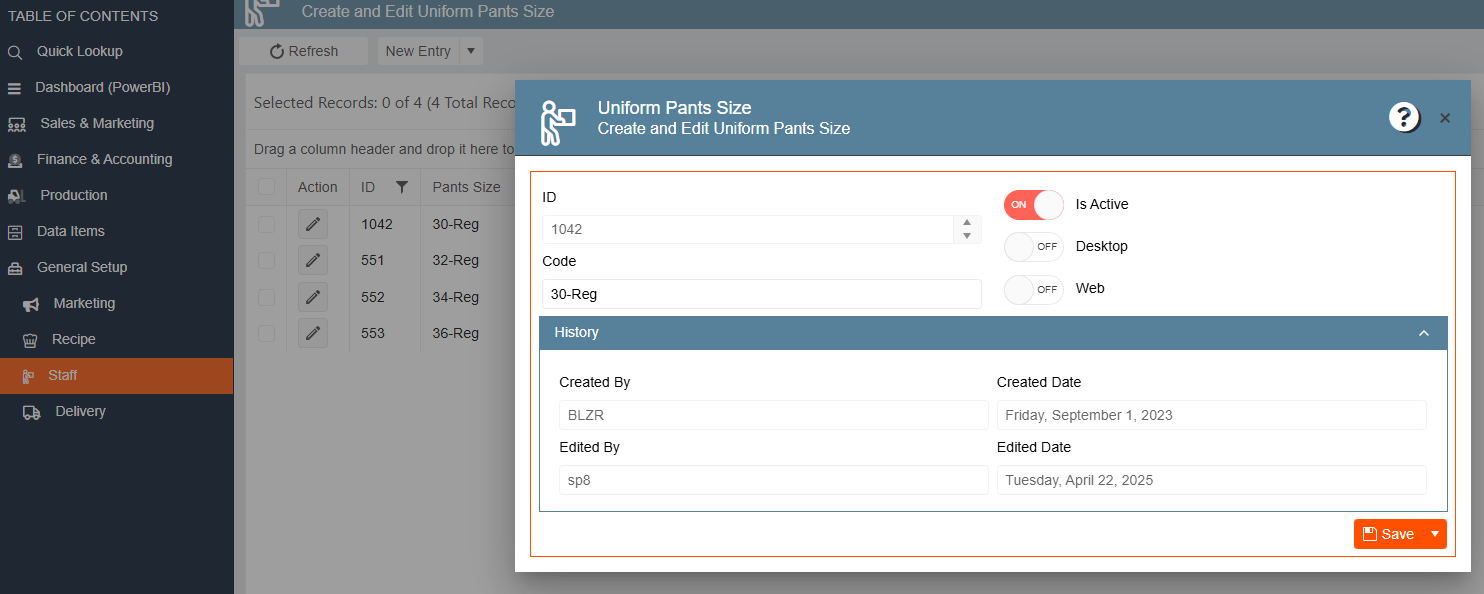
| Category | Example values |
|---|---|
| Jacket Size | 40-Long, 42-Reg, 44-Reg, 46-Long, 48-Long |
| Pants Size | 30-Reg, 32-Reg, 34-Reg, 36-Reg |
| Shirt Size | (same structure) |
| Shoe Size | (same structure) |
| Vest Size | (same structure) |
Training Courses
Purpose: Classifies the level or type of training a staff member has completed.
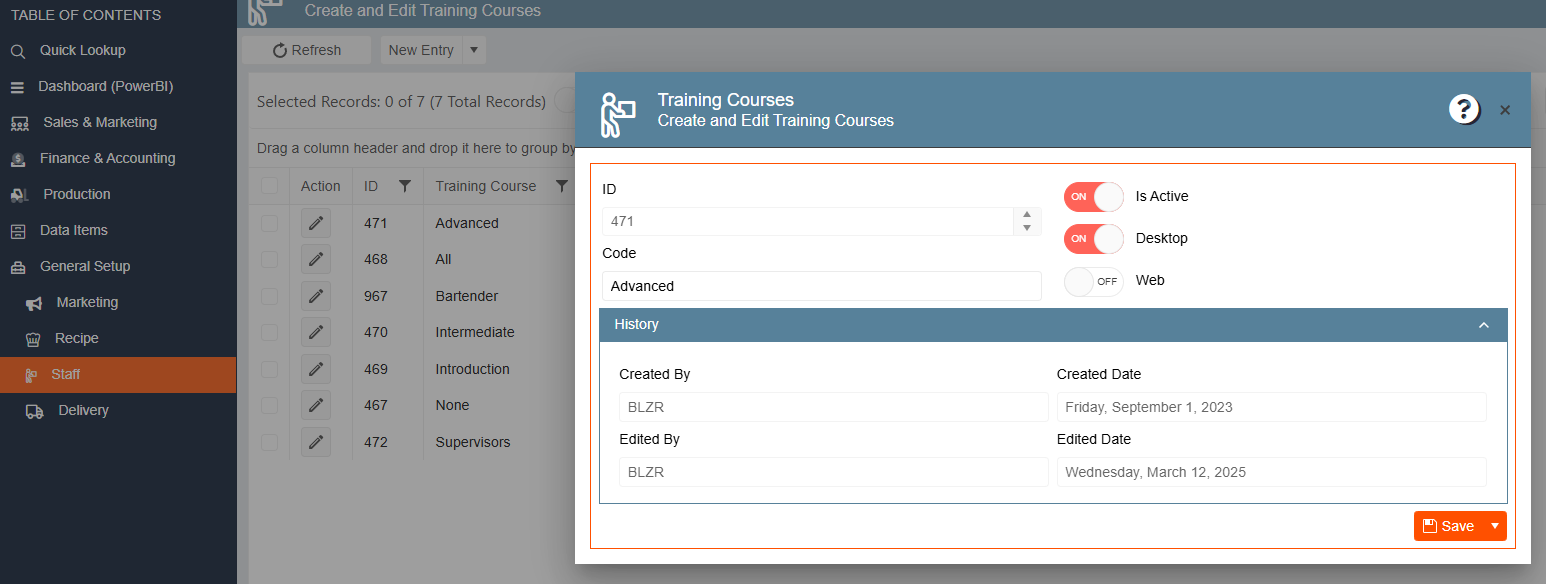
Example values: Advanced, All, Bartender, Intermediate, Introduction, None, Supervisors
Security Clearance
Purpose: Records security clearance level for staff assigned to events at secure venues.
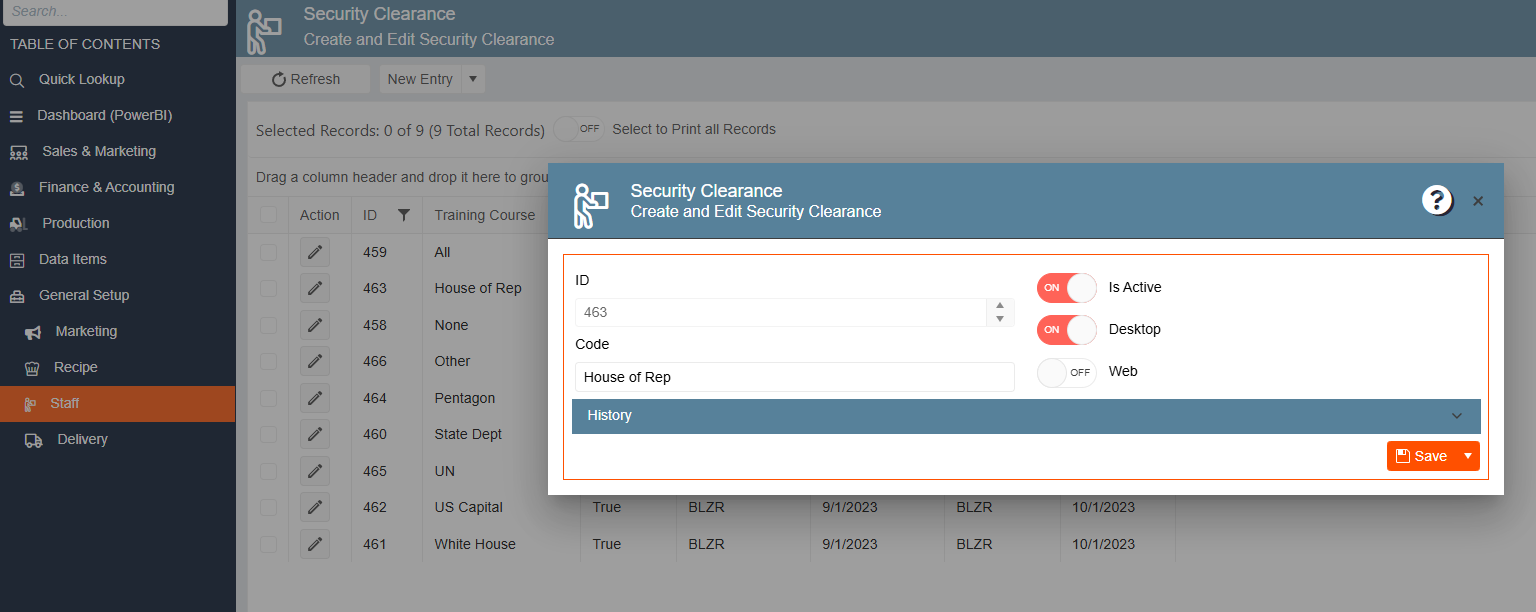
Example values: All, House of Rep, None, Other, Pentagon, State Dept, UN, US Capital, White House
Department Entry
Purpose: Defines the internal departments that staff members belong to.
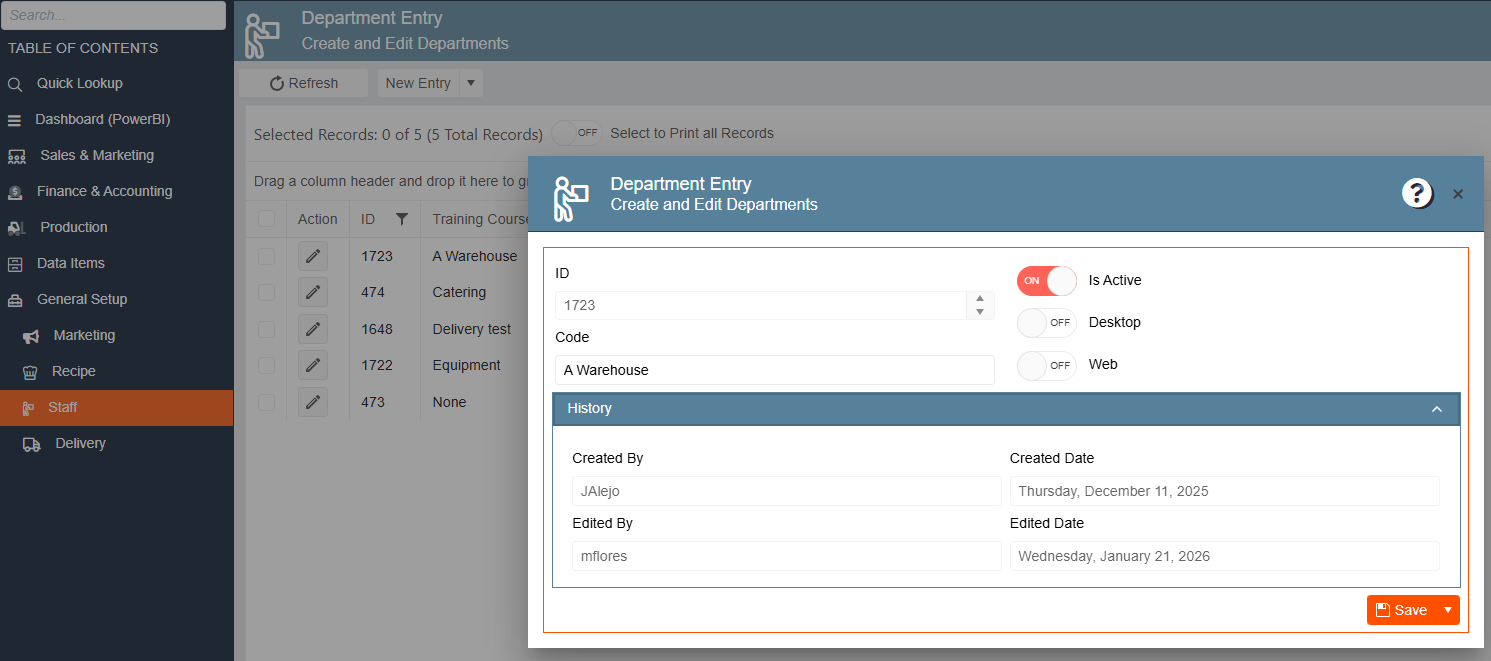
Example values: A Warehouse, Catering, Delivery test, Equipment, None (5 total)
Review Period
Purpose: Defines the frequency of performance reviews for staff members.
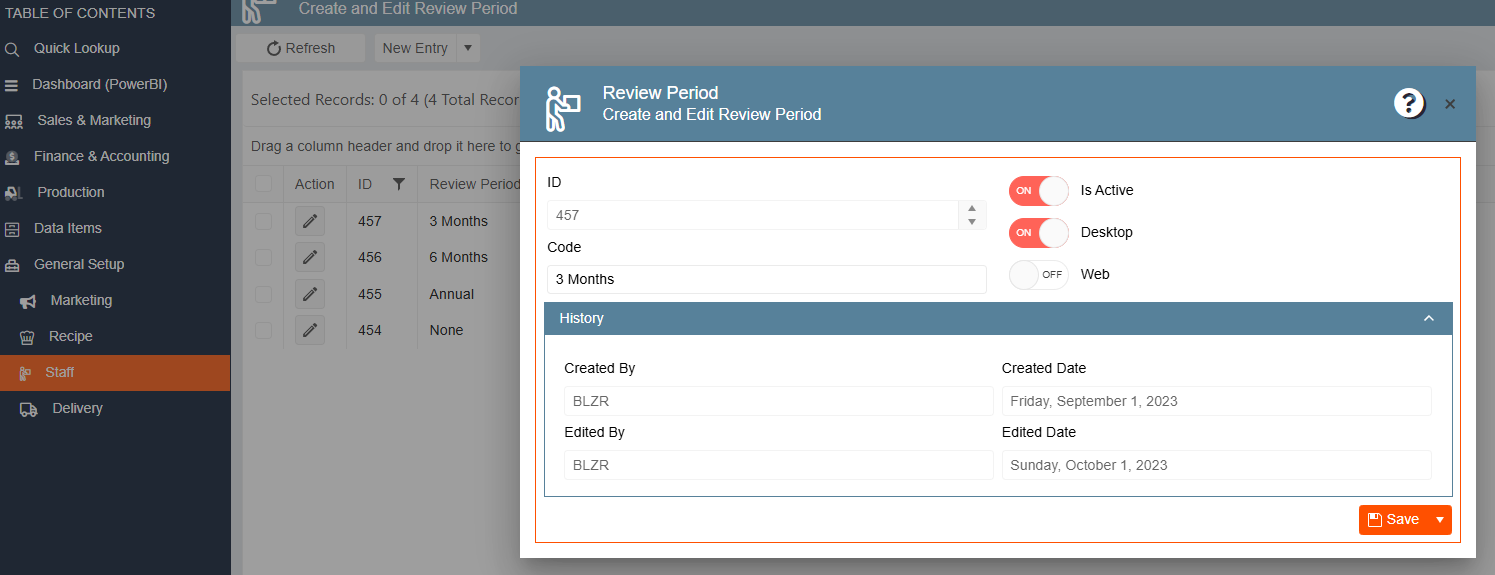
Example values: 3 Months, 6 Months, Annual, None
Staff Travel Zone
Purpose: Defines geographic travel zones with associated cost and billing rates for staff travel reimbursement.
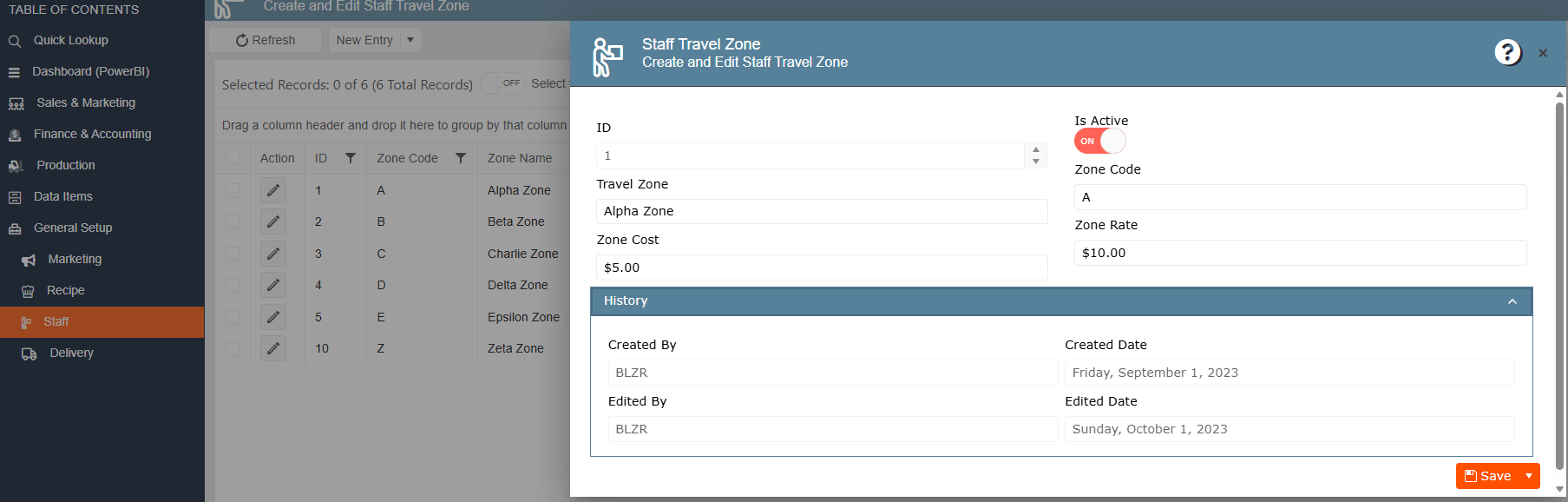
Fields:
| Field | Description |
|---|---|
| Travel Zone | Zone name (e.g., Alpha Zone) |
| Zone Code | Short code (e.g., A, B, C) |
| Zone Cost | Internal cost for staff travel to this zone (e.g., $5.00) |
| Zone Rate | Rate billed to client for this zone (e.g., $10.00) |
Example values: Alpha Zone (A), Beta Zone (B), Charlie Zone (C), Delta Zone (D), Epsilon Zone (E), Zeta Zone (Z)
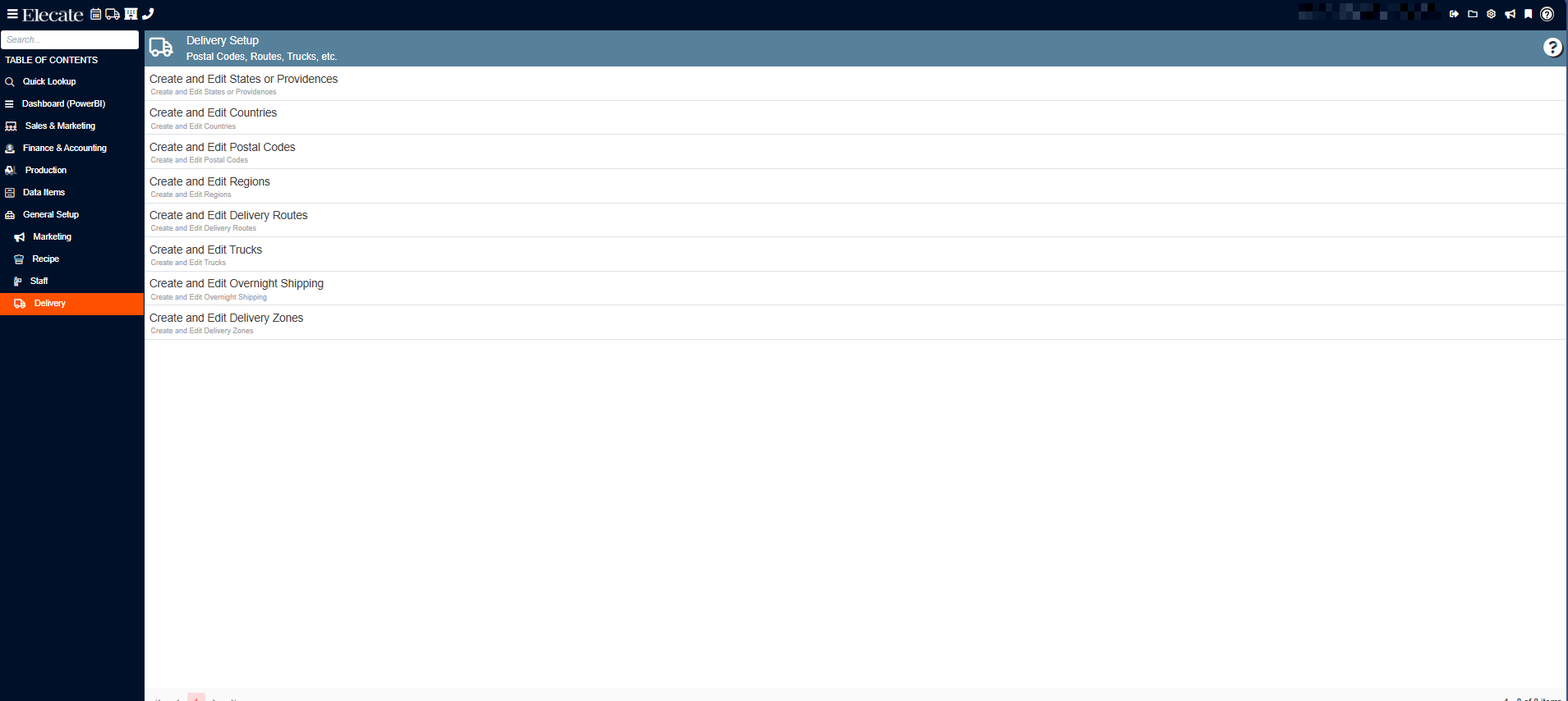
d) Delivery
Delivery configurations define geographic and logistics settings used when planning and executing event deliveries.
States or Providences
Purpose: Defines U.S. states (or Canadian provinces) available for address selection throughout the system.
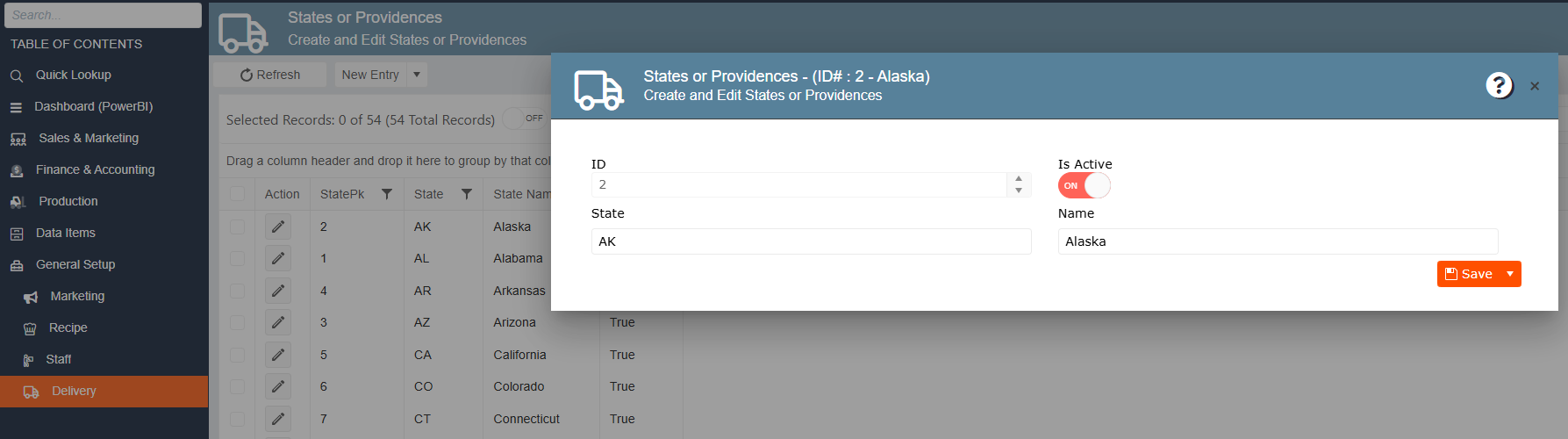
Fields:
| Field | Description |
|---|---|
| State | Two-letter abbreviation (e.g., AK, AL, CA) |
| Name | Full state name (e.g., Alaska, Alabama) |
| Is Active | Toggles whether this state appears in address dropdowns |
Countries
Purpose: Defines the countries available for address and delivery configuration.
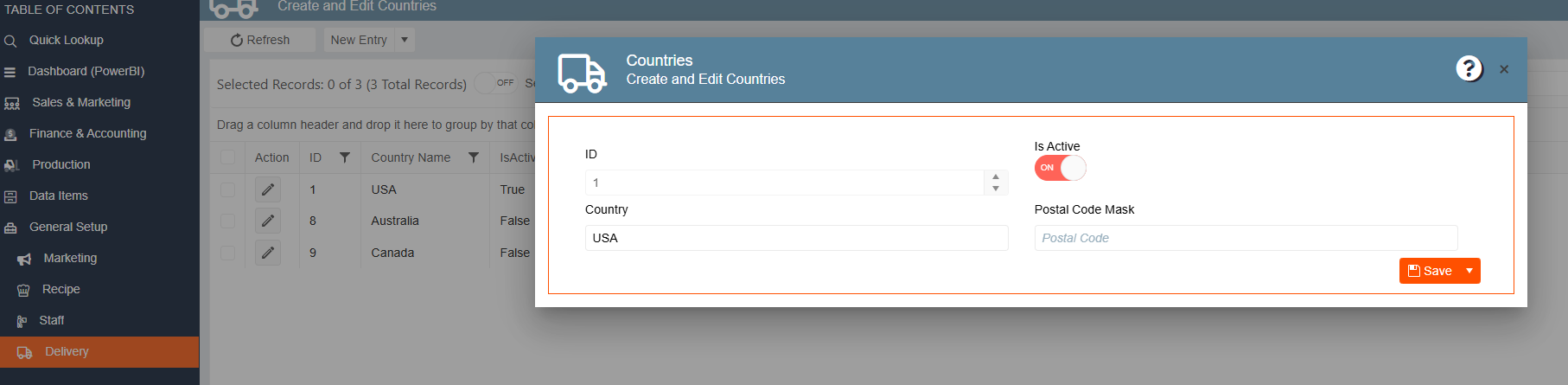
Fields:
| Field | Description |
|---|---|
| Country | Country name (e.g., USA, Australia, Canada) |
| Postal Code Mask | Format mask for postal code entry |
| Is Active | Toggles visibility |
Example values: USA (Active), Australia (Inactive), Canada (Inactive)
Postal Codes
Purpose: Maps zip codes to geographic and operational data used for delivery planning, zone assignment, and tax jurisdiction. This is the most detailed entry in Delivery.
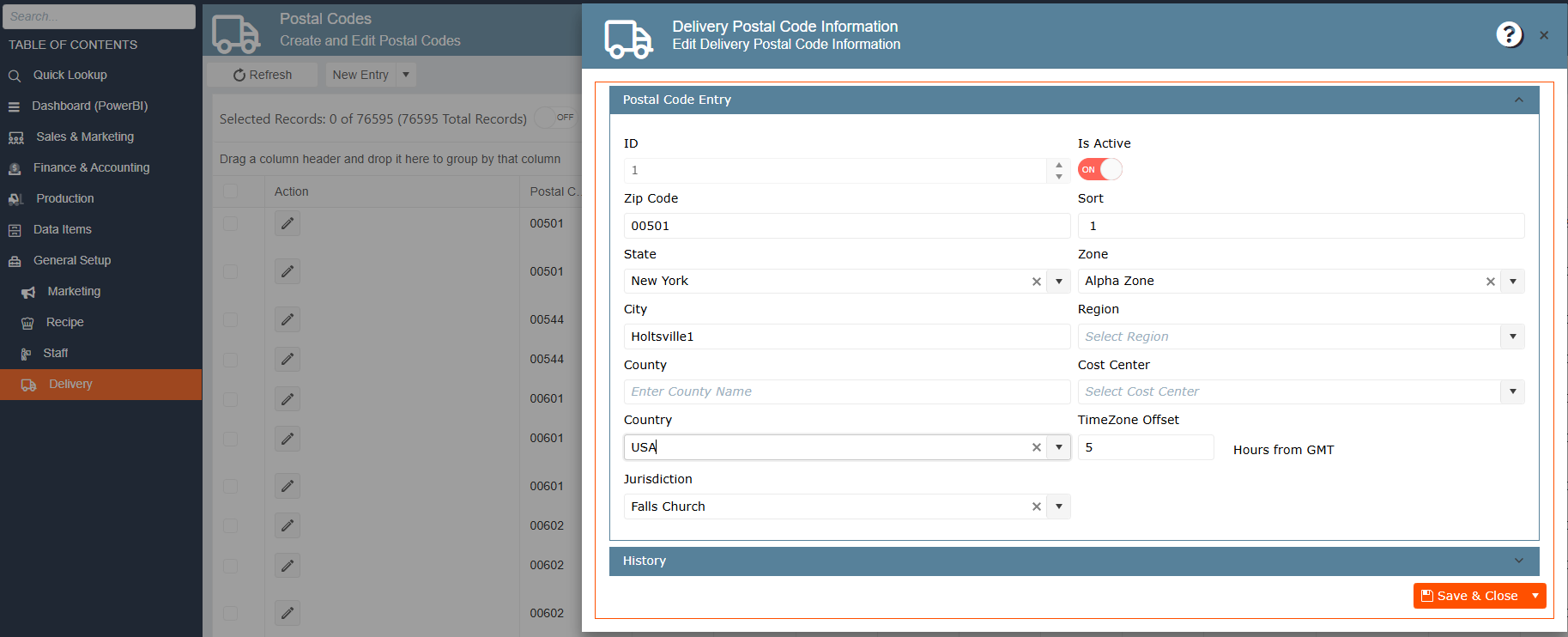
Fields:
| Field | Description |
|---|---|
| Zip Code | 5-digit postal code |
| State | State linked to this postal code |
| City | City name |
| County | County name (optional) |
| Country | Country (e.g., USA) |
| Jurisdiction | Tax jurisdiction (e.g., Falls Church) |
| Sort | Sort order for display |
| Zone | Delivery zone assigned (e.g., Alpha Zone) |
| Region | Sales/delivery region |
| Cost Center | Cost center for deliveries to this area |
| TimeZone Offset | Hours offset from GMT (e.g., 5) |
Regions
Purpose: Defines broad geographic regions used for delivery planning and sales territory assignment.
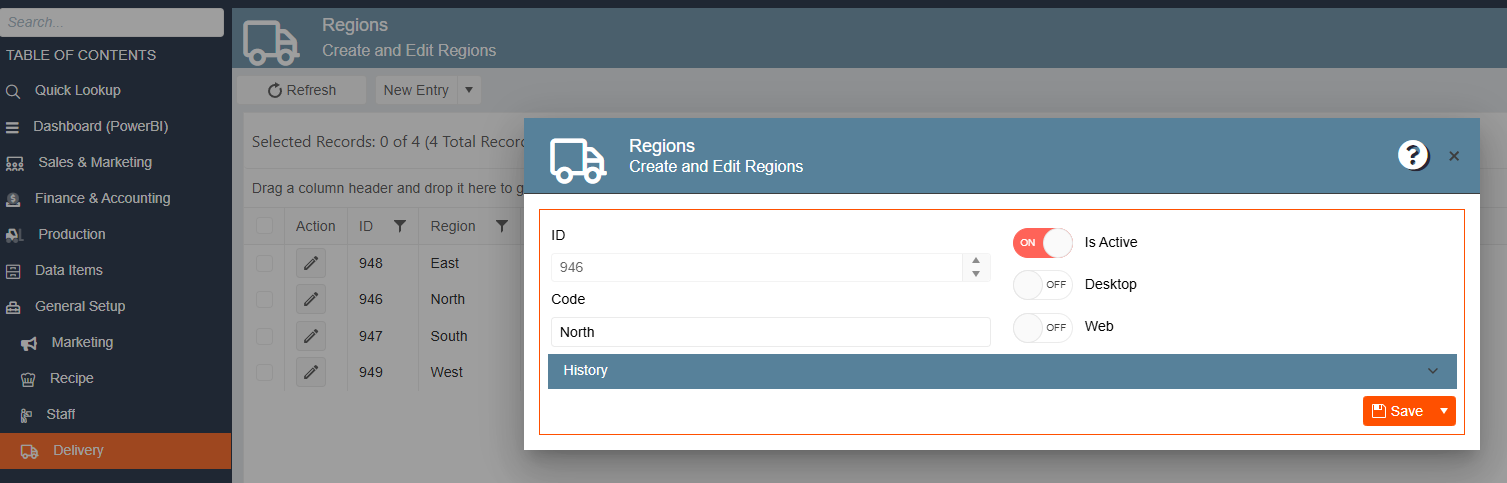
Example values: East, North, South, West
Delivery Routes
Purpose: Defines named delivery routes used by dispatchers to organize event deliveries.
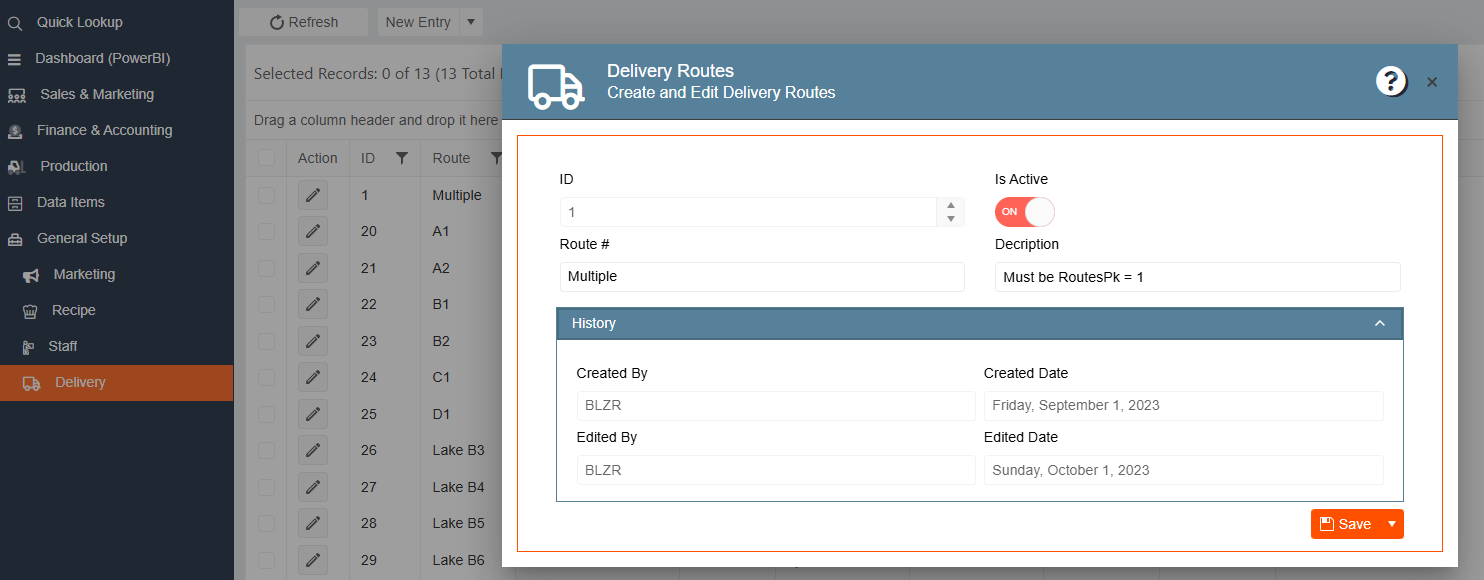
Fields:
| Field | Description |
|---|---|
| Route # | Route identifier code (e.g., Multiple, A1, A2, B1) |
| Description | Notes about the route |
Example values: Multiple, A1, A2, B1, B2, C1, D1, Lake B3, Lake B4, Lake B5, Lake B6
Trucks (Delivery Vehicles)
Purpose: Registers and tracks all delivery vehicles in the fleet.
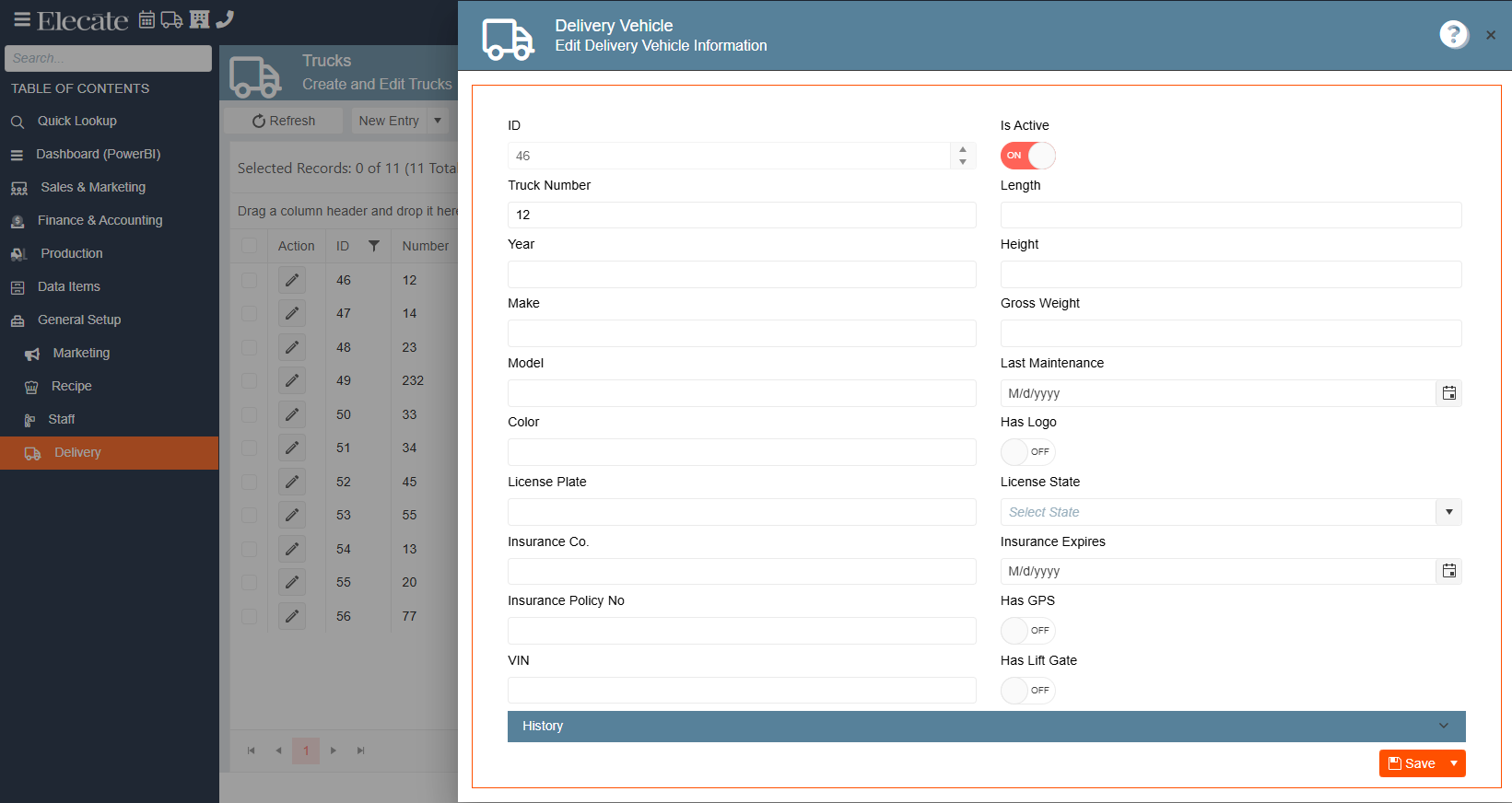
Fields:
| Field | Description |
|---|---|
| Truck Number | Internal truck number |
| Year / Make / Model / Color | Vehicle identification details |
| License Plate / License State | Registration information |
| Insurance Co. / Policy No / Expires | Insurance details |
| VIN | Vehicle Identification Number |
| Length / Height / Gross Weight | Physical dimensions |
| Last Maintenance | Date of last maintenance service |
| Has Logo | Company branding on vehicle |
| Has GPS | GPS tracking installed |
| Has Lift Gate | Lift gate available |
Delivery Zones
Purpose: Defines geographic delivery zones with associated cost and billing rates. These zones link to postal codes for automatic zone assignment.
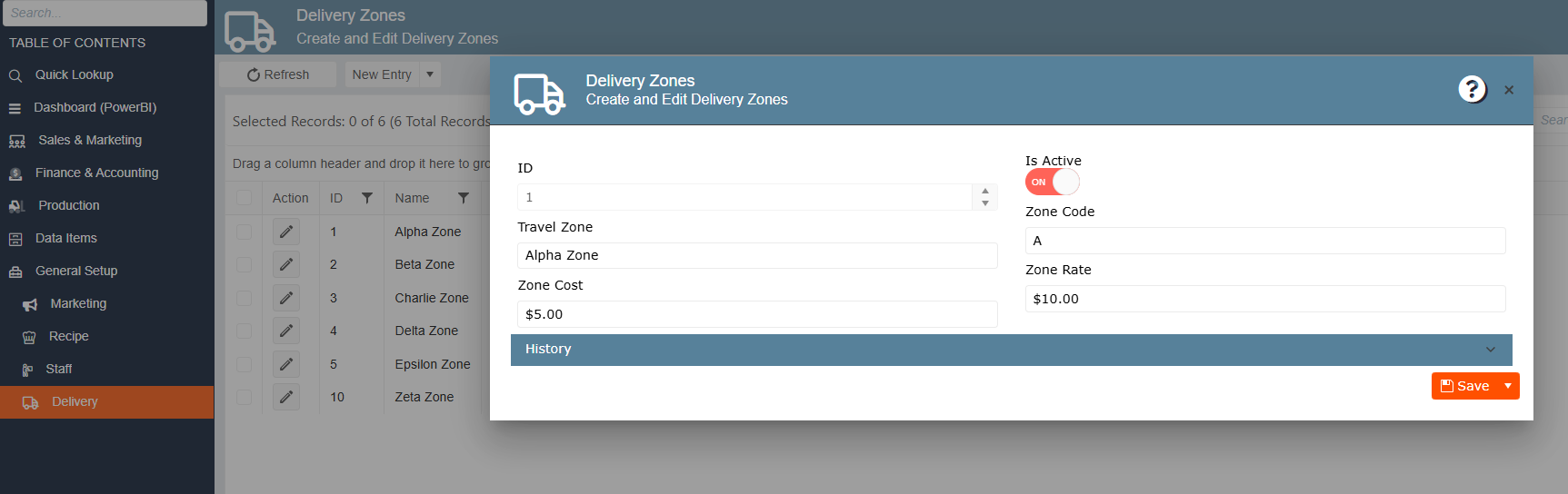
Fields:
| Field | Description |
|---|---|
| Travel Zone | Zone name (e.g., Alpha Zone) |
| Zone Code | Short code (e.g., A) |
| Zone Cost | Internal cost for deliveries to this zone (e.g., $5.00) |
| Zone Rate | Rate billed to client for this zone (e.g., $10.00) |